

E2LLM / SiFR MCP Server
@e2llm
基本情報

E2LLM / SiFR MCP Server について
E2LLM gives your AI eyes and hands in a real browser — structured perception (SiFR) plus action, working with the AI you already use.
E2LLM / SiFR MCP Server の設定
以下の設定を使って、このサーバーを MCP 対応クライアントに追加してください。
{
  "mcpServers": {
    "e2llm": {
      "url": "https://mcp.e2llm.com/mcp",
      "type": "http"
    }
  }
}
E2LLM / SiFR MCP Server のツール
ツール一覧はまだありません
この掲載には表示できるツール一覧がまだありません。サーバーにツールがないという意味ではありません。対応機能はプロジェクトのドキュメントをご確認ください。
上のボタンでサーバーのエンドポイントに接続し、ツール一覧を取得できます。
概要
What is E2LLM / SiFR?
E2LLM gives your AI eyes and hands in a real browser - the one already open on your machine, with your logins, your tabs and your history. Instead of screenshots or a raw DOM dump, the AI reads the page as SiFR (Salience-Indexed, Flat Relations): a structured capture of what is on the page, what matters, what can be clicked or filled, and how the elements relate to each other. Every element stays in the capture, ranked by salience; the AI zooms in on the parts it needs and acts on node IDs taken from that capture - not on selectors it guessed.
It works with the AI you already use: any client that supports remote MCP over HTTP - Claude (web and Claude Code), Codex CLI, GitHub Copilot CLI, Cursor and others. The server is hosted; the only thing you install is a browser extension.
How to use E2LLM / SiFR?
Two halves: the connector is the brain's side, the extension is the eyes.
- Install the extension "Element to LLM MCP" from your browser's store - Chrome Web Store, Firefox Add-ons or Edge Add-ons; it also runs in Chromium-based browsers such as Arc and Comet. All links: https://e2llm.com/start/. Pin it to the toolbar - browsers put unpinned extensions to sleep.
- Sign in to the extension with a free e2llm account (create one at e2llm.com).
- Add the connector to your AI client. Nothing to run locally:
{
  "mcpServers": {
    "e2llm": {
      "url": "https://mcp.e2llm.com/mcp",
      "type": "http"
    }
  }
}
In Claude.ai just pick e2llm from the connectors directory. Sign in with the same account when the client asks.
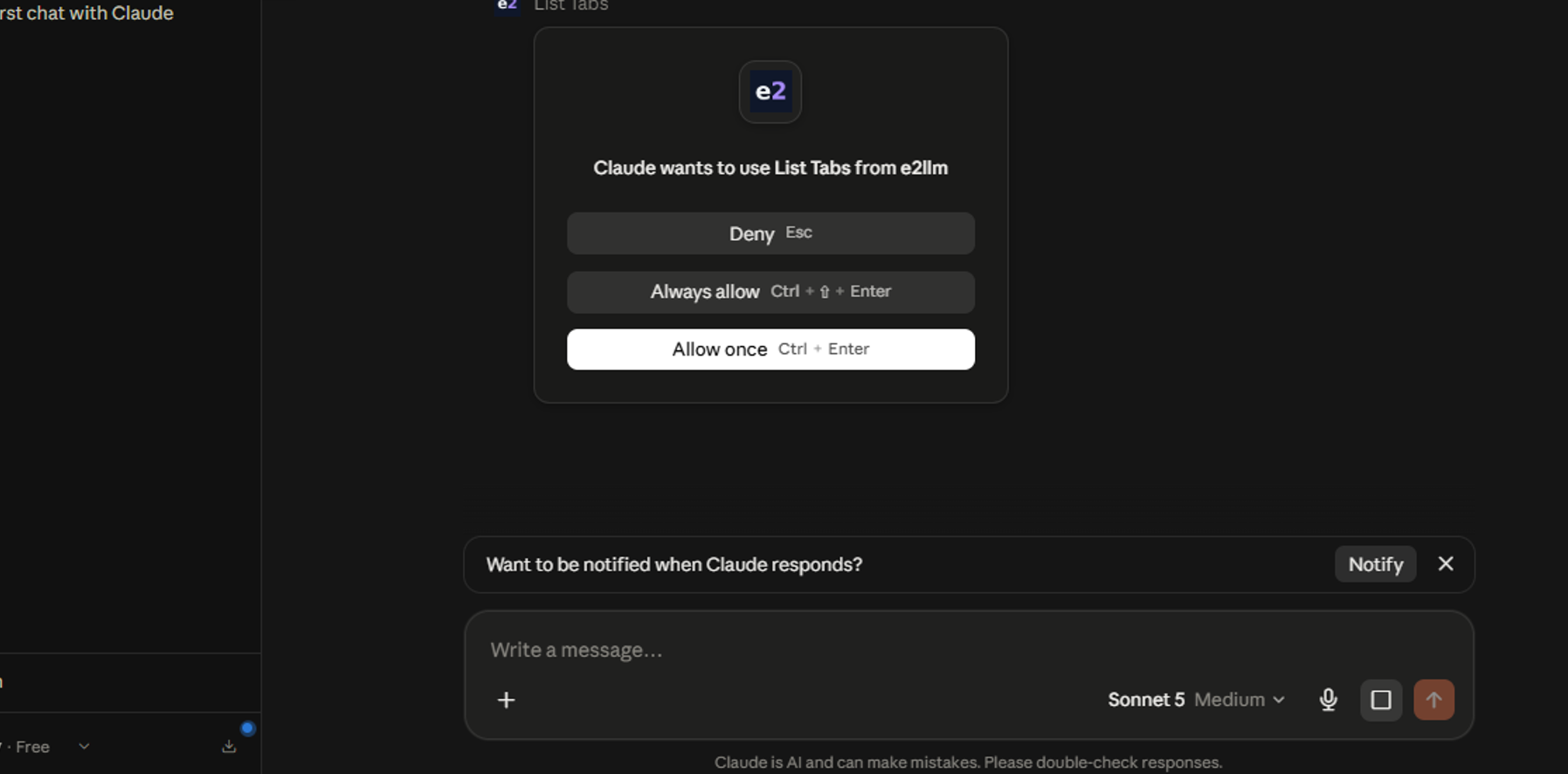
4. Test it: ask your AI to "list my open tabs". If you see extension unavailable or extensionConnected: false, step 1 or 2 isn't finished.
Optional for Claude Code / Codex: npx skills add e2llm/e2llm-sifr installs two skills - e2llm (working in the live browser) and sifr (reading saved SiFR captures).
Tool reference: https://e2llm.com/docs/mcp-tools/
Key features of E2LLM / SiFR
- Not a DOM dump. A dump serializes the tree as-is - everything, in document order. SiFR keeps every element but discriminates: salience, actions, relations, clusters. Compression is selection, not truncation.
- Not screenshots. No vision model in the loop, so no guessing what a pixel means. Same page, same capture - perception is deterministic, which is what keeps multi-step runs from drifting.
- Your real browser, logged in. SSO, MFA, cookies, sessions - already done by you. No cloud browser, no headless instance, no second profile.
- Works where accessibility trees don't. SiFR is built from the DOM after discrimination, so it doesn't depend on the site having done ARIA work - legacy intranets and classic enterprise UIs included.
- Every major browser but Safari. Chrome, Firefox, Edge, Arc, Comet.
- Any AI, any client. Hosted HTTP transport - works from a web chat as well as from a CLI. No frontier model required; mid-tier models handle browser routine well on structured input.
- Nine tools:
list_tabs,sifr_capture,query,explore,inspect,read_page,act,batch_act,close_tab. - Enterprise: air-gapped option. Extension + server in one container inside your perimeter, bring your own model.
- Open format. SiFR spec, MCP manifest, client configs and the skills live in this repository under MIT; the capture engine is hosted.
Use cases of E2LLM / SiFR
- Triage and clean up a ServiceNow incident queue from Codex or Claude Code - in the classic UI, not through an API.
- Fill long forms on a legacy intranet that will never get an API.
- Build a parts list or a shopping cart on any retail site, in any language, from a chat window.
- Read a dashboard behind SSO every morning and report what changed.
- Update CRM records from free-text meeting notes.
- QA: walk a flow in the real browser and report what the page actually exposes.
FAQ from E2LLM / SiFR
Is it free? Yes - the free tier includes every feature, dosed by a daily quota. Pro ($19/mo) raises it to 250 operations/day, Pro+ ($49/mo) to 750 plus an API key. Enterprise is custom.
Does it work on the free plan of Claude? Yes. e2llm is listed in the Claude connectors directory and connects on the Free plan.
How is this different from Playwright MCP or Chrome DevTools MCP? Those drive a browser they launched and hand the model a raw DOM or accessibility tree. E2LLM reads the browser you are already in and hands the model a discriminated capture. Compare them on the work, not on the artifact: bytes the model has to read to perceive the same page, and steps to finish the same task.
Does the AI need to know CSS selectors or XPath? No. Click and fill targets are node IDs from the capture.
Safari? Not yet.
Where does the engine run? The capture is made by the extension in your browser and relayed to your AI client over MCP. The relay is hosted; an air-gapped build is available for enterprises.
「ブラウザ自動化」の他のコンテンツ

Loadster
loadsterLoadster is a load testing, stress testing, and synthetic monitoring platform. Run Playwright, Browser Bots, and Protocol Bots to test and monitor your websites, web apps, and APIs. Loadster MCP gives your agents the abi

QuantumProxies — Residential, Mobile & Datacenter Proxy MCP Server
quantumproxiesGive your AI agent its own proxies. QuantumProxies exposes residential, mobile, datacenter, ISP and IPv6 endpoints as MCP tools: list your plans, generate ready-to-use proxy strings with credentials, target by country, s

Fetch MCP Server
zcaceresA flexible HTTP fetching Model Context Protocol server.

fetch-mcp
egoistAn MCP server for fetching URLs / Youtube video transcript.

Puppeteer
modelcontextprotocolModel Context Protocol Servers
コメント