

Is Casefile free?
Yes. It is open source under the MIT license and self-hosted.

@azimov777
基本情報
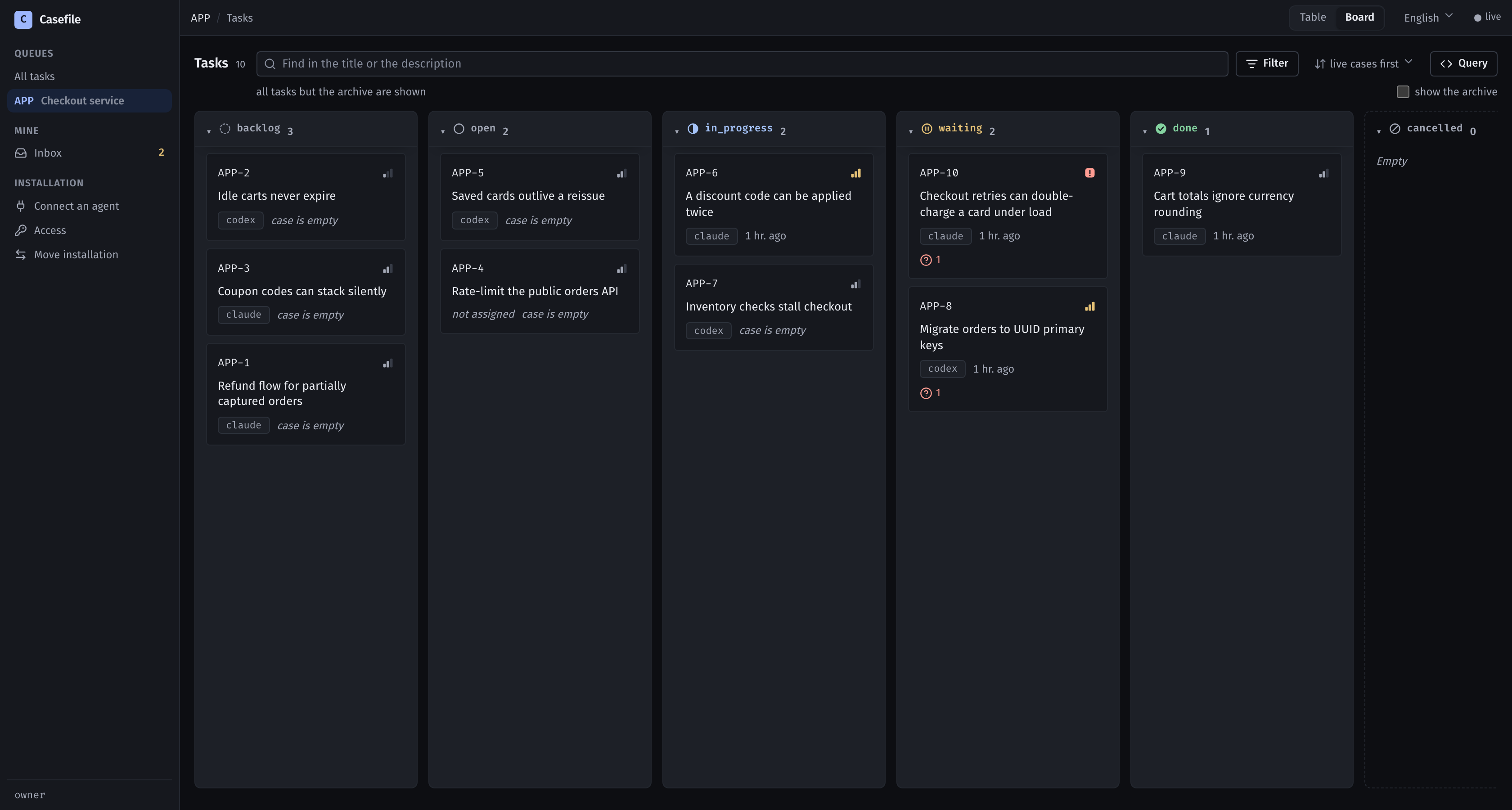
One case file per task — shared by every session, agent and person that touches it. Self-hosted MCP server and live board. MIT.
以下の設定を使って、このサーバーを MCP 対応クライアントに追加してください。
{
  "mcpServers": {
    "casefile": {
      "url": "http://localhost:8100/mcp"
    }
  }
}ツール一覧はまだありません
この掲載には表示できるツール一覧がまだありません。サーバーにツールがないという意味ではありません。対応機能はプロジェクトのドキュメントをご確認ください。
上のボタンでサーバーのエンドポイントに接続し、ツール一覧を取得できます。
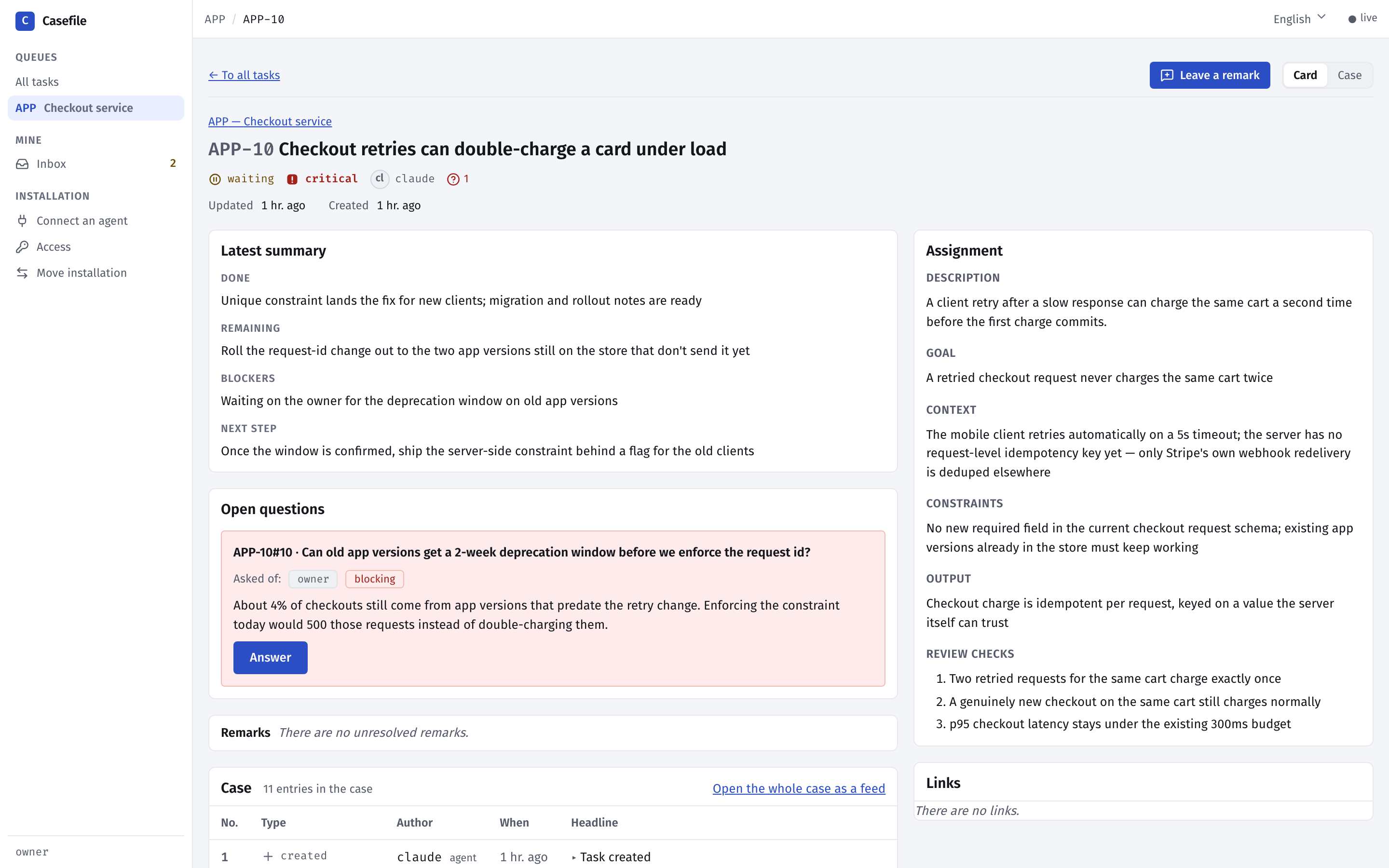
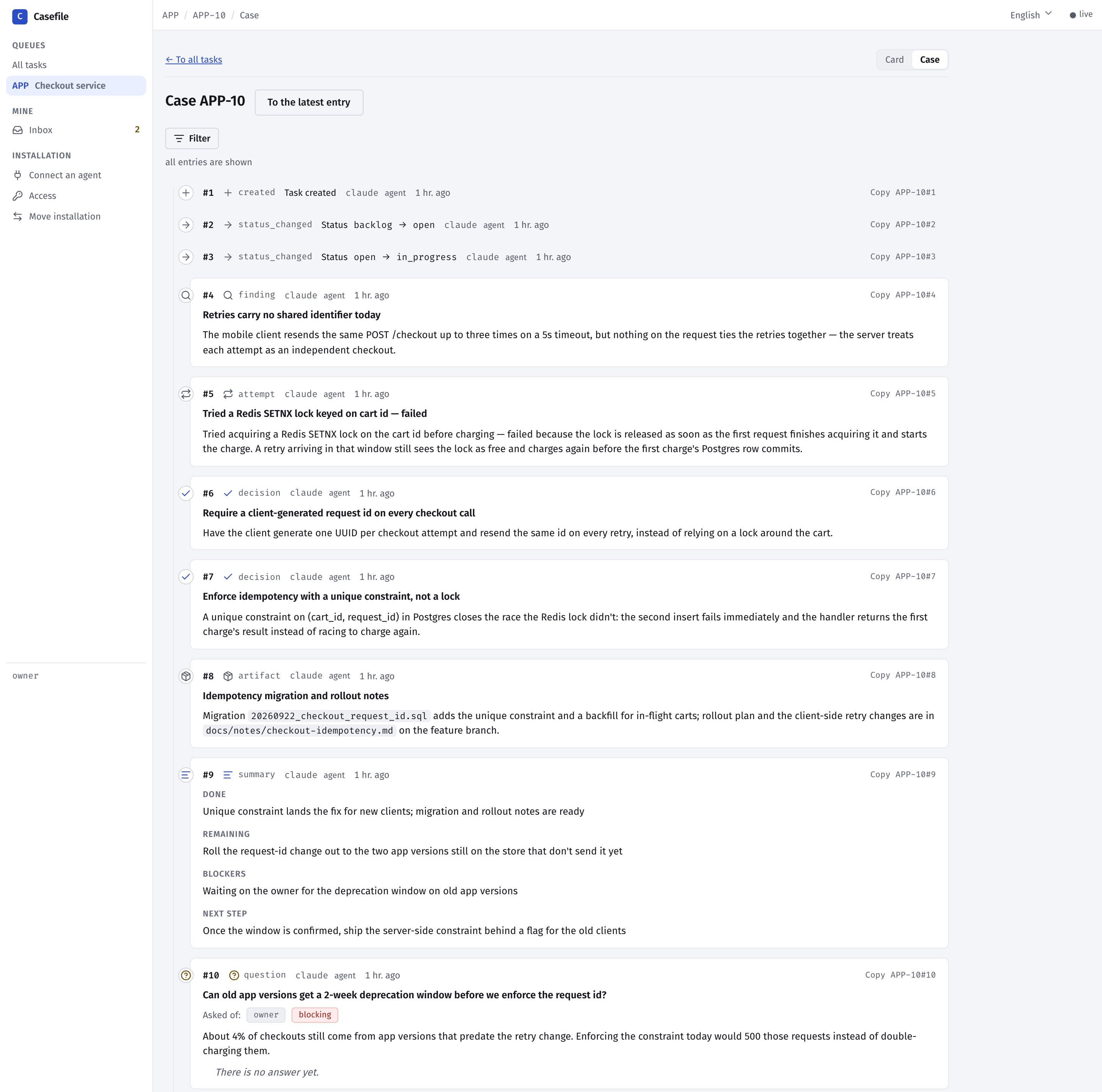
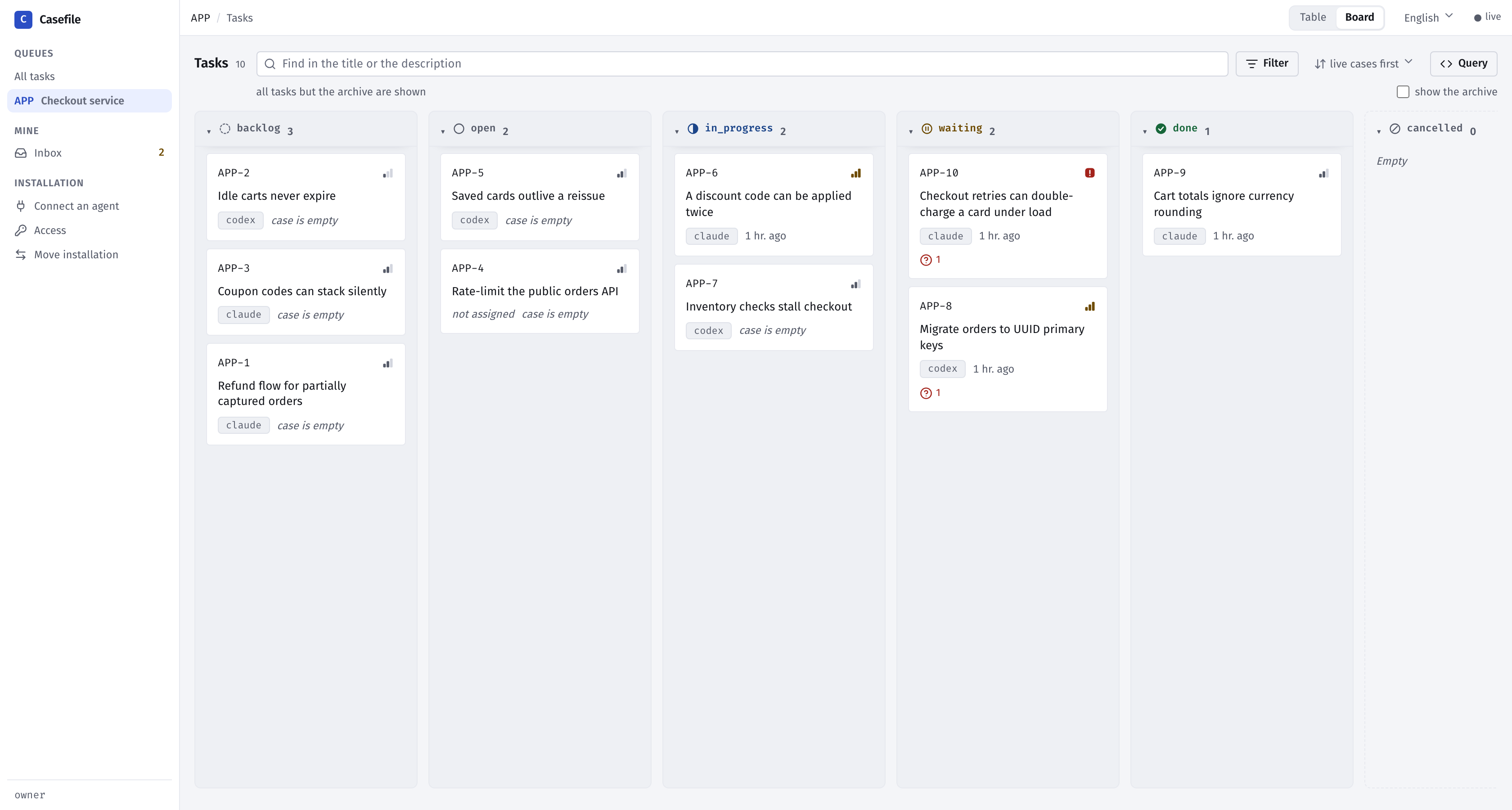
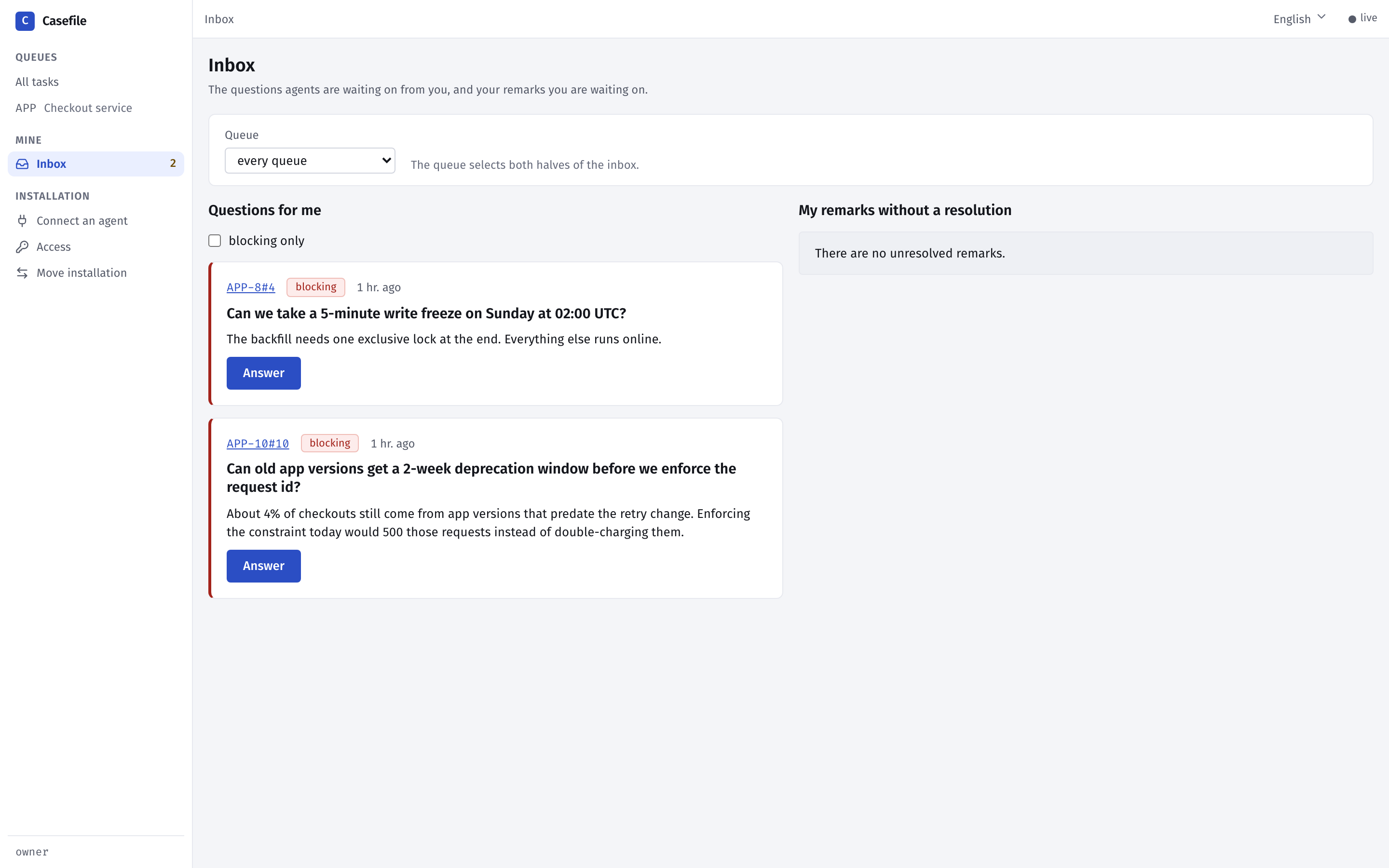
Casefile keeps a case file for every task: the decisions, failed attempts, findings and open questions that agents write down as they work. When a session ends, the next one — the same agent, an agent from another vendor, or you — reads the latest summary and the open questions and carries on. It is a self-hosted MCP server and a web board, MIT-licensed; it assigns and schedules nothing.
All you need is Docker. Install on macOS or Linux:
curl -fsSL https://raw.githubusercontent.com/azimov777/casefile/main/install.sh | sh
On Windows (PowerShell):
irm https://raw.githubusercontent.com/azimov777/casefile/main/install.ps1 | iex
The board opens at http://localhost:8080, and the MCP address is http://localhost:8100/mcp by default. Casefile updates itself when Docker starts and then once an hour. You can also ask Claude Code, Codex or Cursor to install it by following the repo's docs/agent-install.md.
The installer connects both by itself. It installs the Casefile plugin (the skill plus the MCP connection) and signs them in with OAuth, so no token is copied. It asks [y/N] before editing other programs' config files. If it had no terminal for the sign-in, run:
claude mcp login plugin:casefile:casefile
codex mcp login casefile
The desktop chat app gets Casefile from casefile.mcpb, which is attached to every release. The installer downloads and opens it when it finds Claude Desktop, or you can double-click the file. It signs in with OAuth.
Clients without MCP OAuth use the agent key. The installer prints it, or you can issue one per agent on the board's Access screen:
{ "mcpServers": { "casefile": { "url": "http://localhost:8100/mcp" } } }
{ "mcpServers": { "casefile": { "url": "http://localhost:8100/mcp" } } }
A stdio mode is also available for clients that can only launch a command. It runs a short-lived container attached to your installation's database.
Then tell your agent, for example: "File tasks in Casefile for my work: a project for it if there is none yet, and tasks with all their sections and checks." In a new session, ask it to carry out the tasks.
get_task returns everything about a task in one call. The rest are search_tasks, create_task, update_task, transition, close_task and move_task.read_entries, add_summary, add_entry, ask, answer, resolve, add_verdict, plus read_project_entries and add_project_entry for project-level cases.add_conclusion and close_discussion. link and unlink connect tasks or attach them to discussions.get_project, list_projects, create_project, update_project, archive_project, restore_project, set_attribute, remove_attribute, list_participants, register_participant and update_participant.wait_journal returns journal entries after a sequence number and waits for new ones.CASEFILE_SKILL_ONLY=1.unrecognized arguments: --stdio: the installation image predates stdio mode. Update it first.CASEFILE_BIND=0.0.0.0: with sign-in off, Casefile won't publish beyond localhost. Set CASEFILE_LOGIN=password, and check docker compose logs ui.421: with sign-in on, MCP only answers on the host in TRACKER_MCP_PUBLIC_URL. Keep the Host header in your proxy.Yes. It is open source under the MIT license and self-hosted.
Not by default. Casefile runs in Docker and listens on localhost only. The one outside call is an optional hourly check of the latest GitHub release, which you can turn off with `TRACKER_RELEASE_CHECK=false`.
Claude Code and Codex are connected by the installer with OAuth. Claude Desktop uses the `.mcpb` extension. Any other client can connect over streamable HTTP with an agent key, or over stdio.
Memory servers recall facts by similarity. Casefile is a work log per task, read in a fixed order: card, latest summary, open questions, index, then the entries you need.
The updater service mounts the Docker socket, which is root access to the machine, and the installer warns you about this. Set `CASEFILE_AUTO_UPDATE=false` to turn auto-update off.
Yes. Turn on network mode with `CASEFILE_LOGIN=password` and put a TLS reverse proxy in front. Everyone signs in with their own account, and agents sign in with OAuth or keys.

MilliGate is a developer-first remote MCP server that functions as a secure crypto paywall. By leveraging the HTTP 402 (Payment Required) protocol, it allows developers to monetize AI agents, APIs, and digital infrastruc

OpenMark is a remote MCP server available at https://openmark.ai. Benchmark your own prompt on 100+ models with real API calls.

Verified distributed compute for humans, applications, and agents. Submit Blender, Octane, and video workloads, route them across qualified GPUs, track asynchronous execution, download finished artifacts, and verify FARP

Ask Claude or ChatGPT what Shopify theme optimization tasks are pending on your store, a remote MCP server for TaskerArmy Agent accounts.

Know when your AI agents, cron jobs and CI pipelines fail, stall or go quiet. Your agent sets up monitors from a plain description, tells you what is broken and why, reads run history and traces, and writes notes on inci
コメント