

ArtiBot Cloud MCP - Zhijiangyun 智匠云認証済み注目
@bofob
基本情報

ArtiBot Cloud MCP - Zhijiangyun 智匠云 について
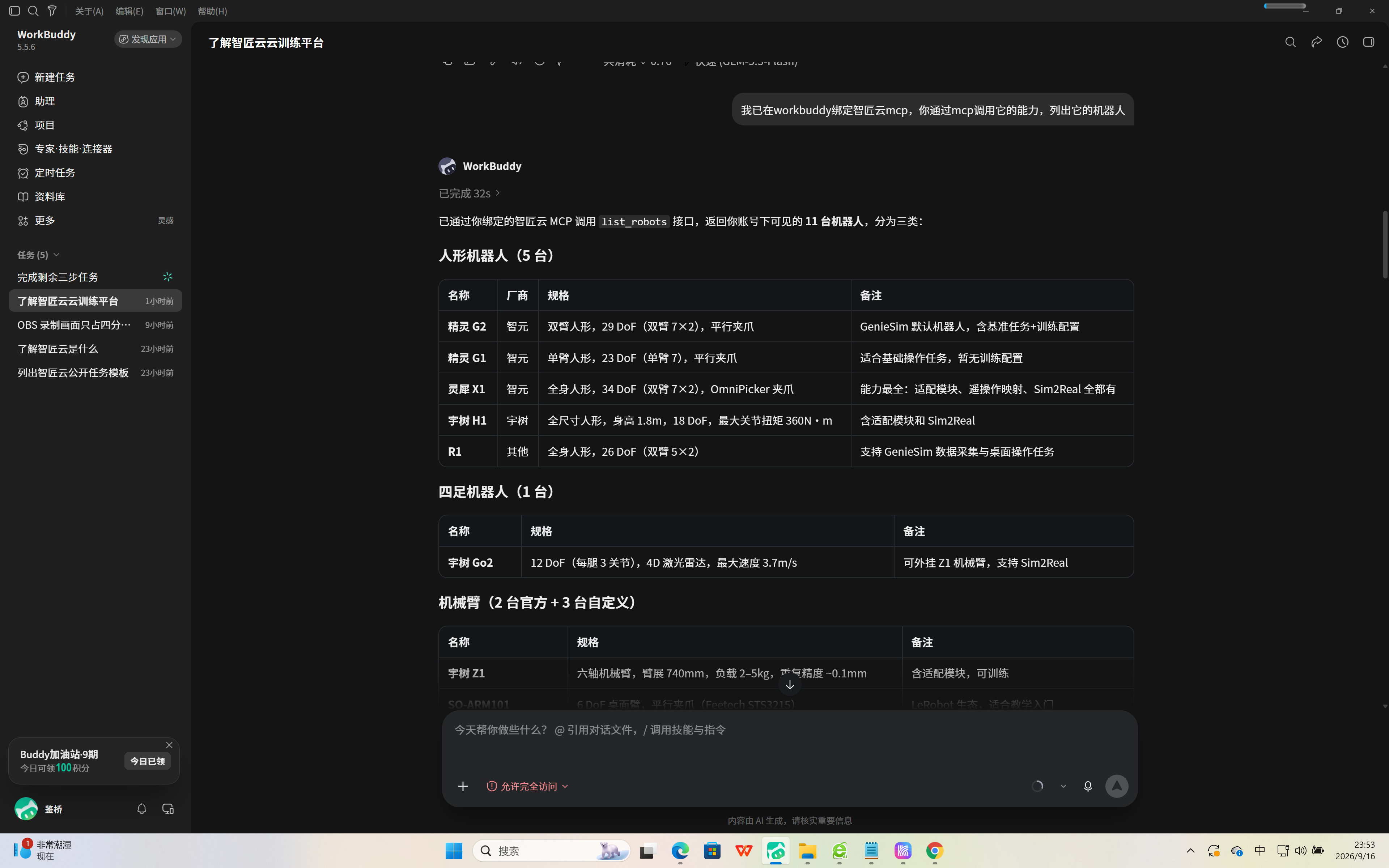
ArtiBot Cloud MCP(Zhijiangyun 智匠云)——ロボットマニピュレーションのデータと GPU ワークロードのためのクラウド MCP サーバー。15 個のツール:ロボットフリート管理、データ収集と動画録画、後処理パイプライン、ベンチマーク評価
ArtiBot Cloud MCP - Zhijiangyun 智匠云 の設定
以下の設定を使って、このサーバーを MCP 対応クライアントに追加してください。
{
  "mcpServers": {
    "artibot-cloud": {
      "type": "streamableHttp",
      "url": "https://mcp.artibot.cloud/mcp",
      "headers": {
        "Authorization": "Bearer <YOUR_ARTIBOT_API_KEY>"
      }
    }
  }
}
ArtiBot Cloud MCP - Zhijiangyun 智匠云 のツール
ツール一覧はまだありません
この掲載には表示できるツール一覧がまだありません。サーバーにツールがないという意味ではありません。対応機能はプロジェクトのドキュメントをご確認ください。
上のボタンでサーバーのエンドポイントに接続し、ツール一覧を取得できます。
概要
What is ArtiBot Cloud MCP?
ArtiBot Cloud MCP (Zhijiangyun 智匠云) is a cloud MCP server for robot manipulation data and GPU workloads. It exposes 16 tools over Streamable HTTP: robot fleet catalog, task templates, data collection & video recording, model training, inference management, and benchmark evaluation — all under a unified permission model where tool access is identical to the web UI (same plan quotas, GPU time accounting, and admin roles).
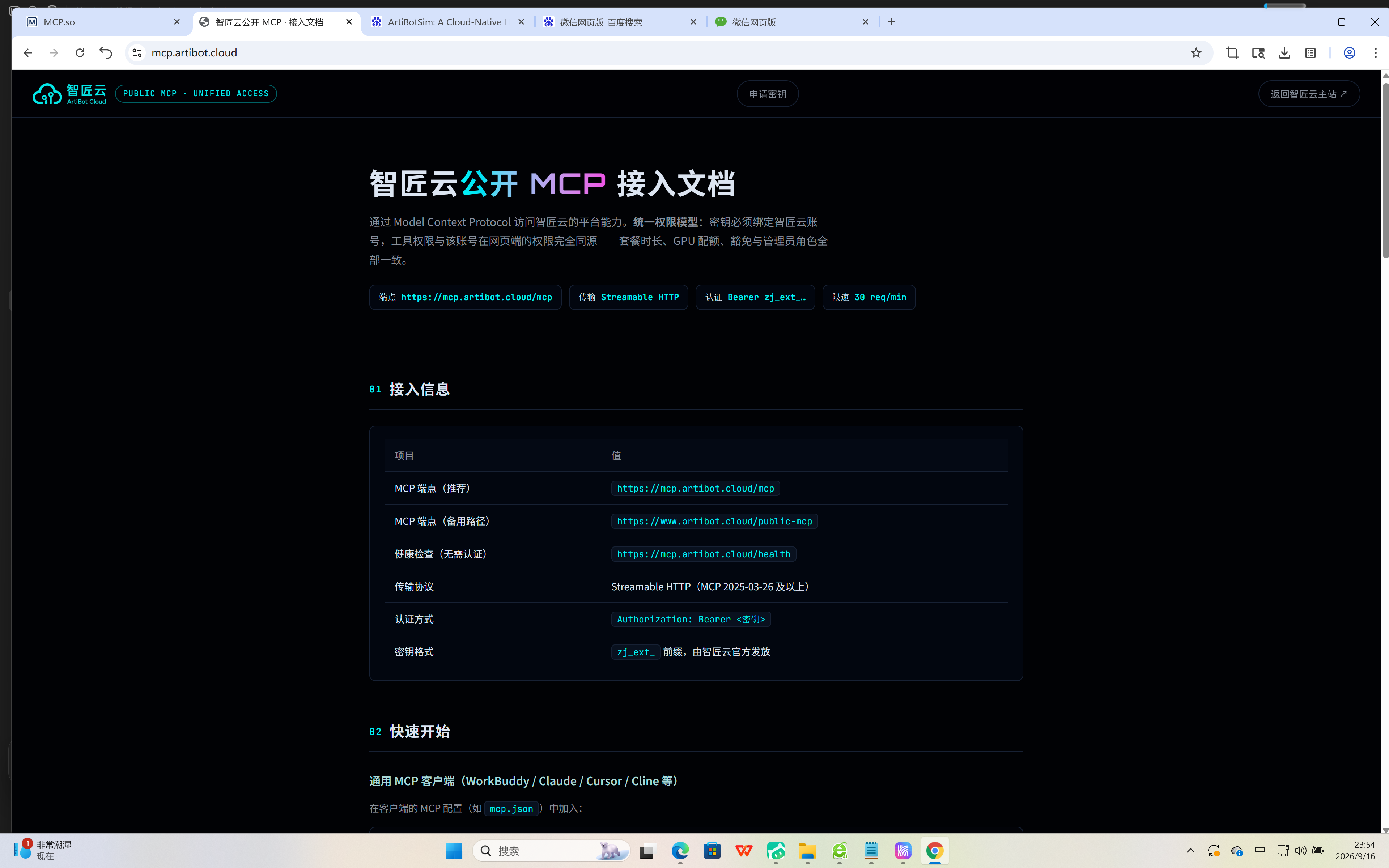
Endpoint: https://mcp.artibot.cloud/mcp · Transport: Streamable HTTP (MCP 2025-03-26+) · Auth: Authorization: Bearer zj_ext_... (account-bound API key) · Rate limit: 30 req/min per client, plus 30 req/min per IP at the gateway.
tools/list is filtered by your account automatically: a normal account sees the public catalog, read-only platform tools, and GPU workload tools; infrastructure tools (Docker/environment) are only visible to real admin accounts; keys not bound to an account can only use the public catalog.
Tools
get_service_status- Public service status of the ArtiBot Cloud MCP (release stage, transport, auth mode, permission model). Reads no project data, creates nothing, bills nothing.list_public_capabilities- Lists currently enabled public MCP tools and the minimal scope required for each. Never exposes internal admin tools.list_public_task_templates- Lists reviewed, publicly visible task templates (task name, Chinese title, category, applicable robots). Use a template name from here astaskNameforstart_data_collection.list_robots- Lists the robots visible to your account: official models plus custom robots adapted through the generic pipeline. Read-only.get_checkpoints- Lists model checkpoints produced by your training runs (your own data only). Read-only.get_inference_status- Shows the runtime status of your model inference service. Read-only.get_eval_sessions- Lists your historical evaluation sessions. Read-only.get_eval_scores- Shows your model evaluation scores, with dual-path operation/cognitive metrics. Read-only.list_recorded_videos- Lists your recorded video catalog (your own data only). Read-only.get_recording_video_url- Returns an access URL for one of your recorded videos. Read-only.network_precheck- Runs a network connectivity precheck without starting any workload.start_data_collection- Starts an automated data collection run from a task template (dedicated simulation environment + recording). Consumes your plan's GPU time with the same quota validation as the web UI; output is registered as your private data asset.start_training- Starts imitation-learning / reinforcement-learning training under your account. Consumes subscribed GPU time and budget with the exact same billing & quota validation as launching from the web UI.manage_inference- Starts, stops, and manages inference services under your account. Consumes subscribed resources with the same quota checks as the web UI.run_benchmark- Runs a benchmark evaluation task under your account. Consumes subscribed resources with the same quota checks as the web UI.cancel_own_workload- Cancels one of your workloads (bycommandTaskId). Shares the web UI's ownership validation, billing stop, and ACK resource-release pipeline.
Grouping: the first three tools form the public catalog (capabilities:read, no account data, no billing); the next eight are read-only platform queries over your own account data (platform:read); the last five are GPU workloads (platform:write, billed against your plan with the same quota checks as the web UI).
How to use
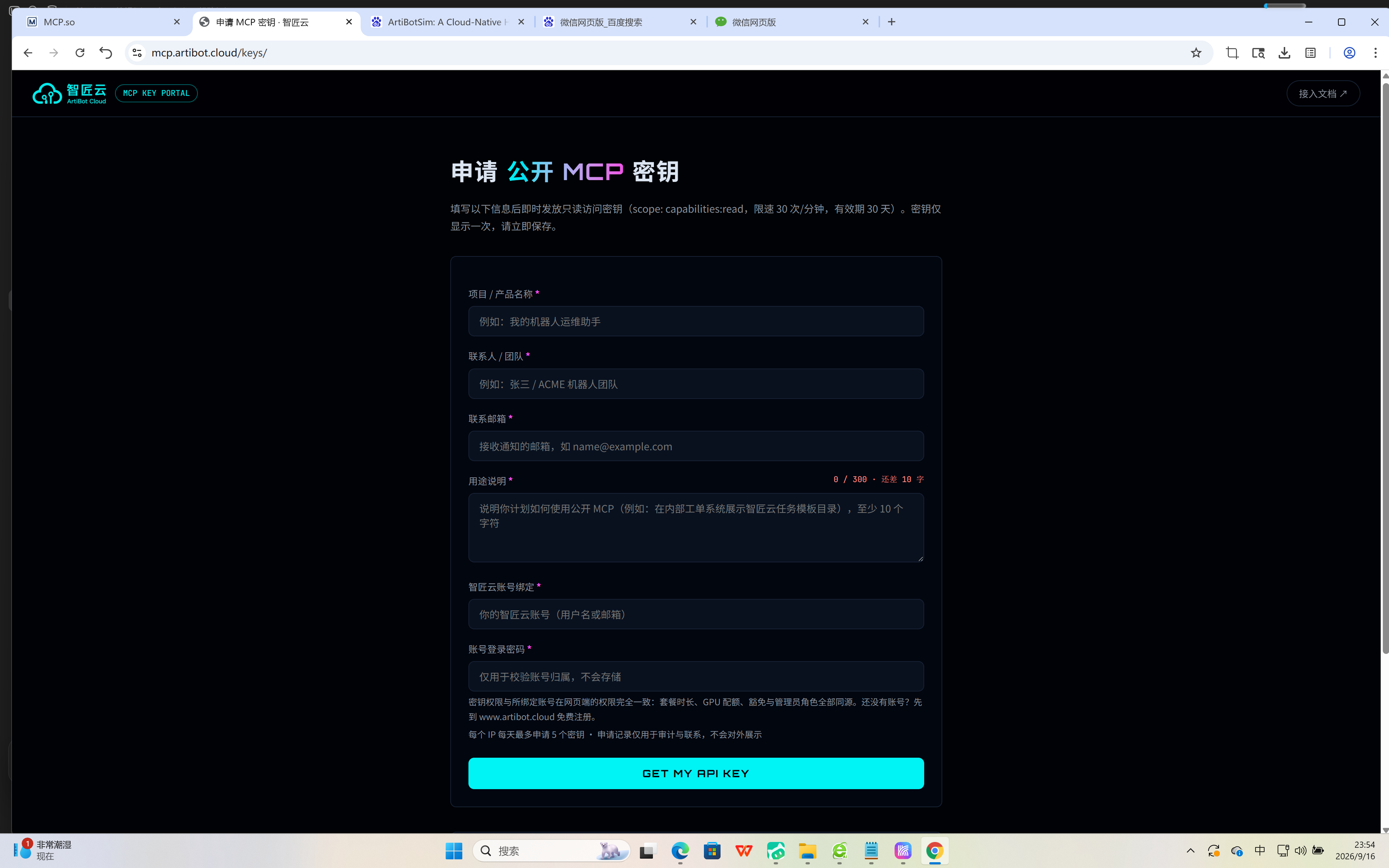
- Get your API key at https://mcp.artibot.cloud/keys (binds to your ArtiBot Cloud account; self-issued, max 5 per IP per day).
- Add the server config (see Config tab) to any MCP client: Claude Desktop, Cursor, Cline, WorkBuddy, etc.
- Ask in natural language, or call tools directly — e.g.
list_robots,list_public_task_templates,start_data_collection,list_recorded_videos.
{
  "mcpServers": {
    "artibot-cloud": {
      "type": "streamableHttp",
      "url": "https://mcp.artibot.cloud/mcp",
      "headers": {
        "Authorization": "Bearer <YOUR_ARTIBOT_API_KEY>"
      }
    }
  }
}
Key features
- 16 tools across public catalog, read-only platform queries, and GPU workloads (data collection, training, inference, benchmark).
- Unified permission model: web UI, in-platform agents, and external MCP clients share exactly the same permission rules.
- Plan quotas & GPU time accounting built in; billable tools run the same quota validation as the web UI.
- Full audit trail: every call (including rejected ones) is logged and can be requested back.
- Works with any MCP-compatible client (Streamable HTTP + Bearer auth).
Limits & error codes
- Rate limit: 30 req/min per client (
429 RATE_LIMITEDwhen exceeded); gateway additionally limits 30 req/min per IP. - Scopes:
capabilities:read(public catalog) ·platform:read(read-only platform tools) ·platform:write(GPU workload tools). - Error codes: 401
MISSING_OR_INVALID_API_CLIENT/ 401INVALID_OR_EXPIRED_API_CLIENT/ 403INSUFFICIENT_SCOPE/ 403IP_NOT_ALLOWED/ 429RATE_LIMITED/ 503PUBLIC_MCP_DISABLED. Every error response carries arequest_id— include it when reporting issues.
Links
- Platform: https://www.artibot.cloud
- MCP docs: https://mcp.artibot.cloud
- Health check (no auth): https://mcp.artibot.cloud/health
「開発者ツール」の他のコンテンツ

ZeroBeacon — 1000-Tool Collision-Proof Commerce Router
DavidFox998ZeroBeacon.ai — Collision-proof commerce router for AI agents. 1000 MCP tools: commerce, trust, billing, sovereign ID + everyday tools. LIVE.

Capgo MCP
Cap-goConsole, Backend and CLI to manage Capgo Instant update and Native build for Capacitor apps Build and upload to app store your mobile app

Meticulous
Meticulous
MCP Server By TestMu AI
TestMu AITestMu AI MCP Server lets developers run, debug, and triage tests through natural language directly from their IDE (Cursor, Claude, GitHub Copilot, and other MCP clients). It exposes five tools — HyperExecute (test orche

Rams
HSLA0001 Inc.Design review for UI code, inside your agent. quick_review checks the files you just changed in about ten seconds. review_files returns a 0-100 score and patches. verify_fixes confirms the fixes landed, free. review_url
コメント