
Agent Audit
@fullstackdegen
About Agent Audit
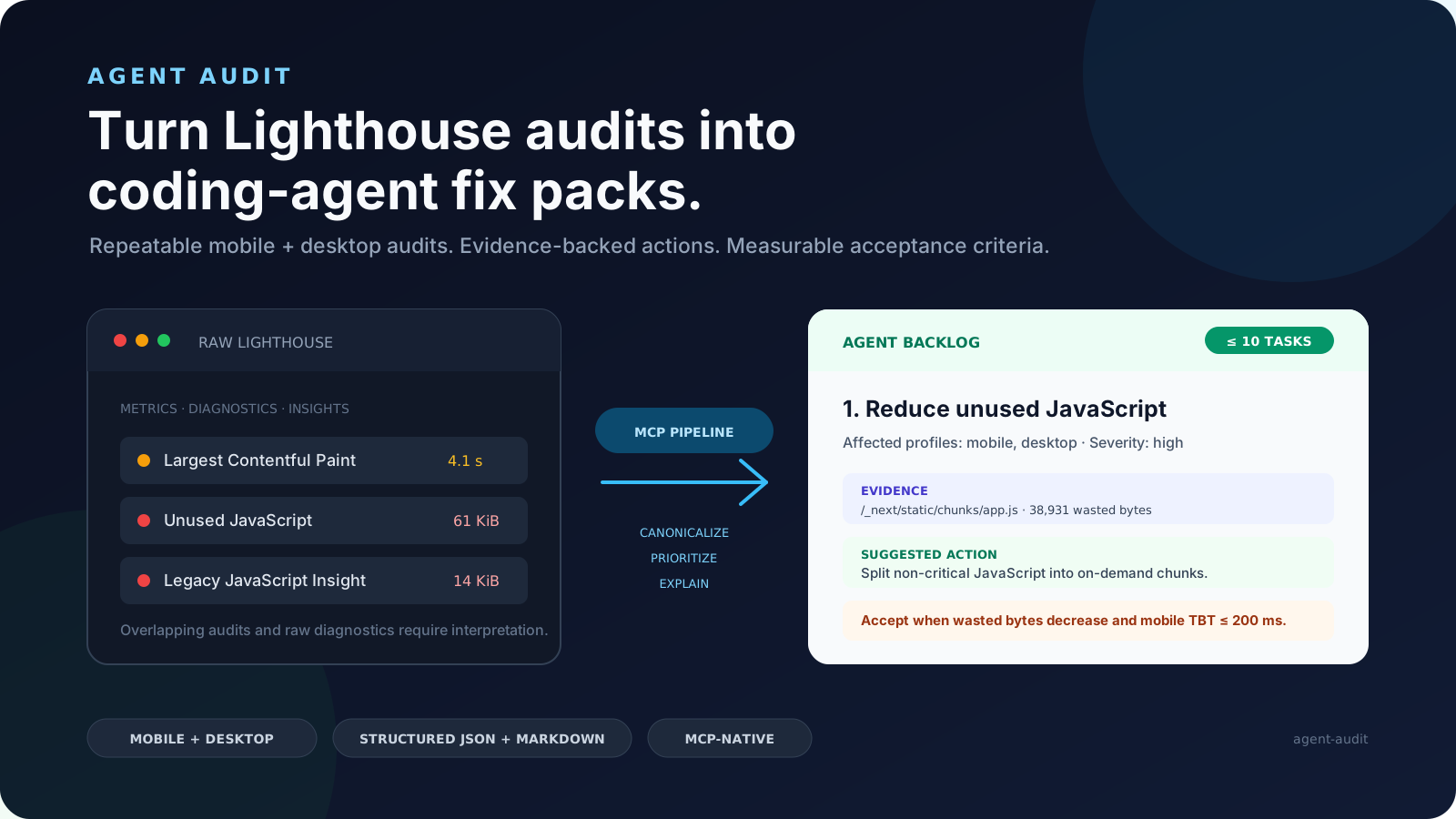
Agent Audit runs Lighthouse against any URL and converts the output into structured fix packs your coding agent can execute. Each fix pack includes the failing audit evidence, CSS selectors to locate the issue in your repo, implementation steps, and acceptance criteria to verify
Basic information

Config
Add this server to your MCP-compatible client using the configuration below.
{
  "mcpServers": {
    "agent-audit": {
      "command": "npx",
      "args": [
        "-y",
        "@fullstackdegen/agent-audit"
      ]
    }
  }
}
Tools
No tools detected
We auto-extract tools from the README. The maintainer can list them under a ## Tools heading to populate this section.
Overview
What is Agent Audit?
Agent Audit runs Google Lighthouse against any URL and converts the raw performance report into structured fix packs that coding agents can execute. It is designed for developers who want automated, actionable guidance to improve web performance, accessibility, SEO, and LLM visibility.
How to use Agent Audit?
Install via the MCP add command: claude mcp add agent-audit -- npx -y @fullstackdegen/agent-audit. After setup, provide a URL to audit to receive a structured fix pack.
Key features of Agent Audit
- Runs Lighthouse audits for Performance, Accessibility, and SEO
- Generates structured fix packs with evidence and instructions
- Includes repo search hints to locate issues in codebase
- Tests LLM visibility and llms.txt readiness
- Checks links, images, alt text, and optimization
Use cases of Agent Audit
—
FAQ from Agent Audit
What does Agent Audit test?
It tests Performance (FCP, LCP, CLS, TBT with 3-run medians), Accessibility (WCAG issues with failing selectors), Technical SEO (canonical, robots, metadata, JSON-LD, Open Graph), LLM visibility (AI crawler signals, llms.txt readiness), and Links & images (broken links, missing alt text, image optimization).
How do I install Agent Audit?
Install using the MCP add command: claude mcp add agent-audit -- npx -y @fullstackdegen/agent-audit.
What is included in a fix pack?
Each fix pack includes the failing audit evidence (CSS selectors, URLs), repo search hints to locate the issue in your codebase, step-by-step implementation instructions, and acceptance criteria to verify the fix by re-running the audit.
More AI & Agents MCP servers

Intervals.icu MCP Server
mvilanovaModel Context Protocol (MCP) server for connecting Claude and ChatGPT with the Intervals.icu API.

Hass-MCP
voskaControl and query Home Assistant from Claude and other LLMs — a Model Context Protocol (MCP) server.

Model Context Protocol for Unreal Engine
chongdashuEnable AI assistant clients like Cursor, Windsurf and Claude Desktop to control Unreal Engine through natural language using the Model Context Protocol (MCP).

Shell and Coding agent for Claude and other mcp clients
rusiaamanShell and coding agent on mcp clients

1Panel
1Panel-dev🔥 1Panel is a modern, open-source VPS control panel — and the only one with native AI agent support. Run Ollama models, deploy OpenClaw agents, and manage your entire server stack from one clean web interface.
Comments