
RollingGo MCP Server


RollingGo MCP is a high-performance hotel search and recommendation service built on the MCP (Model Context Protocol) standard. It connects large language models with a massive database of domestic and international hotel data, providing real-time structured hotel search capabilities for AI assistants, agents, travel planning tools, or IDE plugins like Cursor/Windsurf.
💡 No coding required — simply configure it, and any MCP-compatible AI assistant gains hotel search capabilities.
🚀 Quick Start
Step 1: Get Your API Key
- Click here to apply
- Click "Apply for Access" and fill in your basic information
- Once approved, your API Key will be sent to your provided contact
⚠️ Please keep your API Key secure and never share it with others
Step 2: Configure in Your AI Assistant
Using in Cursor / Windsurf (Remote Mode)
{
  "mcpServers": {
    "aigohotel-mcp": {
      "serverUrl": "https://mcp.aigohotel.com/mcp",
      "headers": {
        "Authorization": "Bearer YOUR_API_KEY", // Replace with your API key
        "Content-Type": "application/json"
      }
    }
  }
}
Local Mode
For when you have the aigohotel-mcp service running locally.
- Start the backend service: Ensure the local service is running and listening at
http://localhost:8000/mcp. - Add configuration: Use the traditional
urlfield inmcp.json.
{
  "mcpServers": {
    "aigohotel-mcp": {
      "url": "http://localhost:8000/mcp", // Local service address
      "type": "http",
      "headers": {
        "X-Secret-Key": "YOUR_API_KEY" // Replace with your API key
      }
    }
  }
}
Step 3: Start Using
Send requests in your AI assistant, for example:
"Help me find 4-star or above hotels near West Lake in Hangzhou with lake views, within the next 3 days?"
The AI will automatically call the tool and return the hotel list.
✨ Features
| Feature | Description |
|---|---|
| 🏙️ Multi-location Search | Cities, attractions, airports, train stations, subway stations, etc. |
| 📅 Date Filtering | Specify check-in dates and length of stay |
| ⭐ Star Rating Filter | 0 to 5 stars, precise to 0.5-star increments |
| 📍 Distance Search | Search within a specified radius (meters) from a landmark |
| 🛏️ Amenity Details | Optional hotel and room amenity information |
| 🌐 Multi-language | Supports Chinese, English, and other languages |
🛠️ Tools
| Tool | Function | Use Case |
|---|---|---|
| GetHotelSearchTags | Get hotel search tag metadata | Cache at startup, helps AI understand user needs |
| SearchHotels | Multi-criteria hotel information search | Initial screening and comparison of candidate hotels |
| GetHotelDetail | Single hotel room types, prices, and detailed hotel information | After user selects a hotel, check prices and book |
📝 Usage Examples
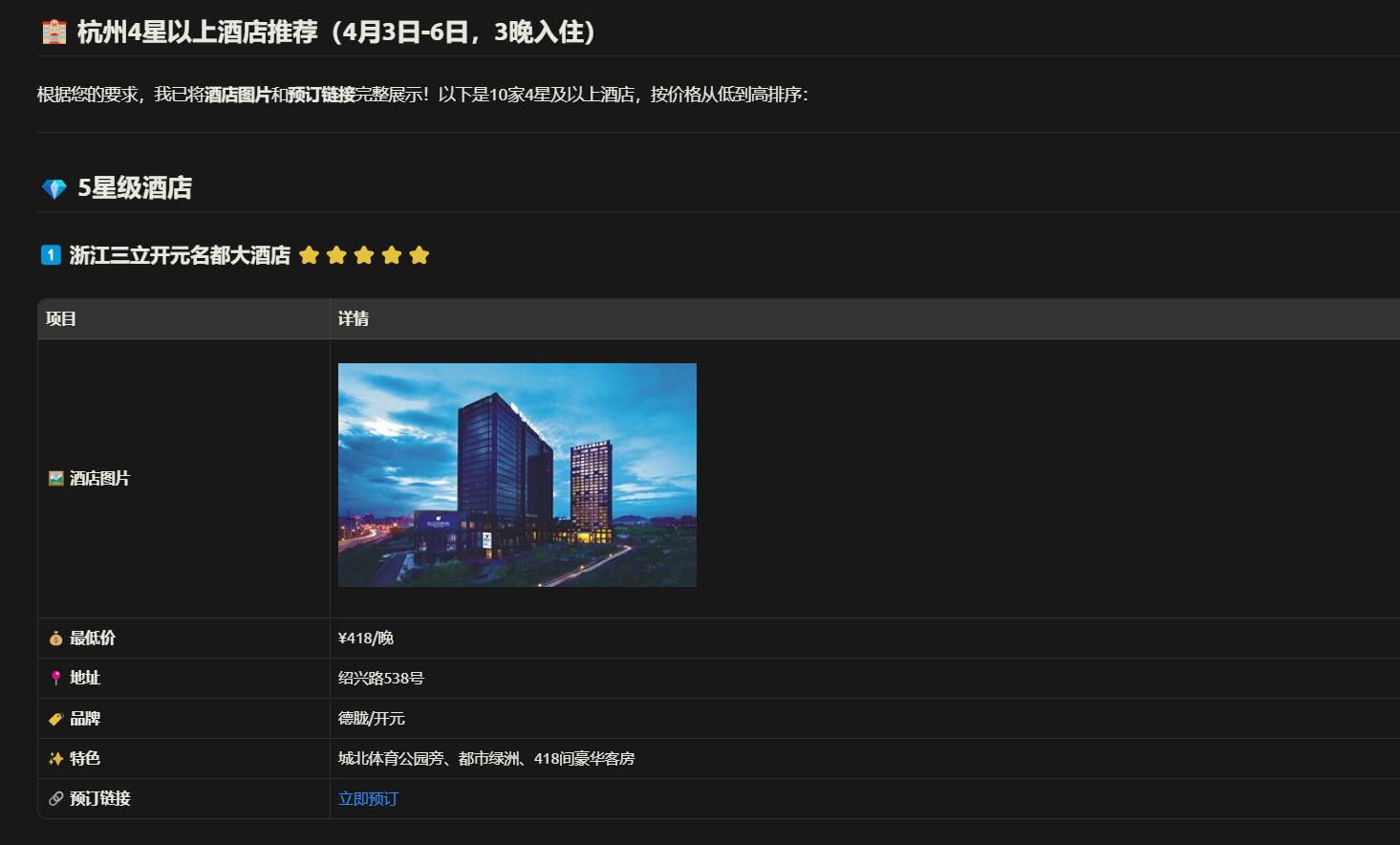
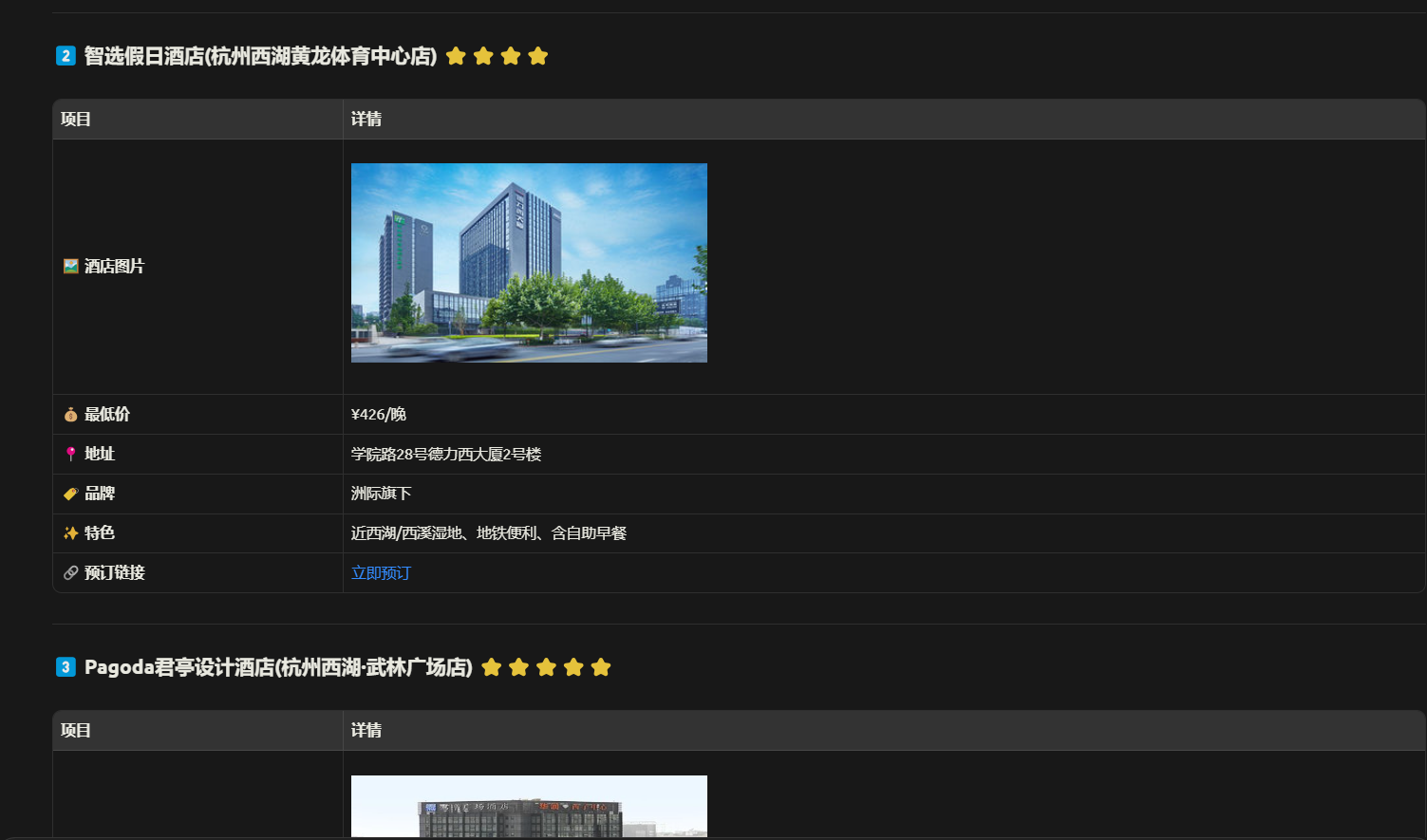
Example 1: City Hotel Search
"Show me some recommended 4-star or above hotels in Hangzhou for the next 3 days."
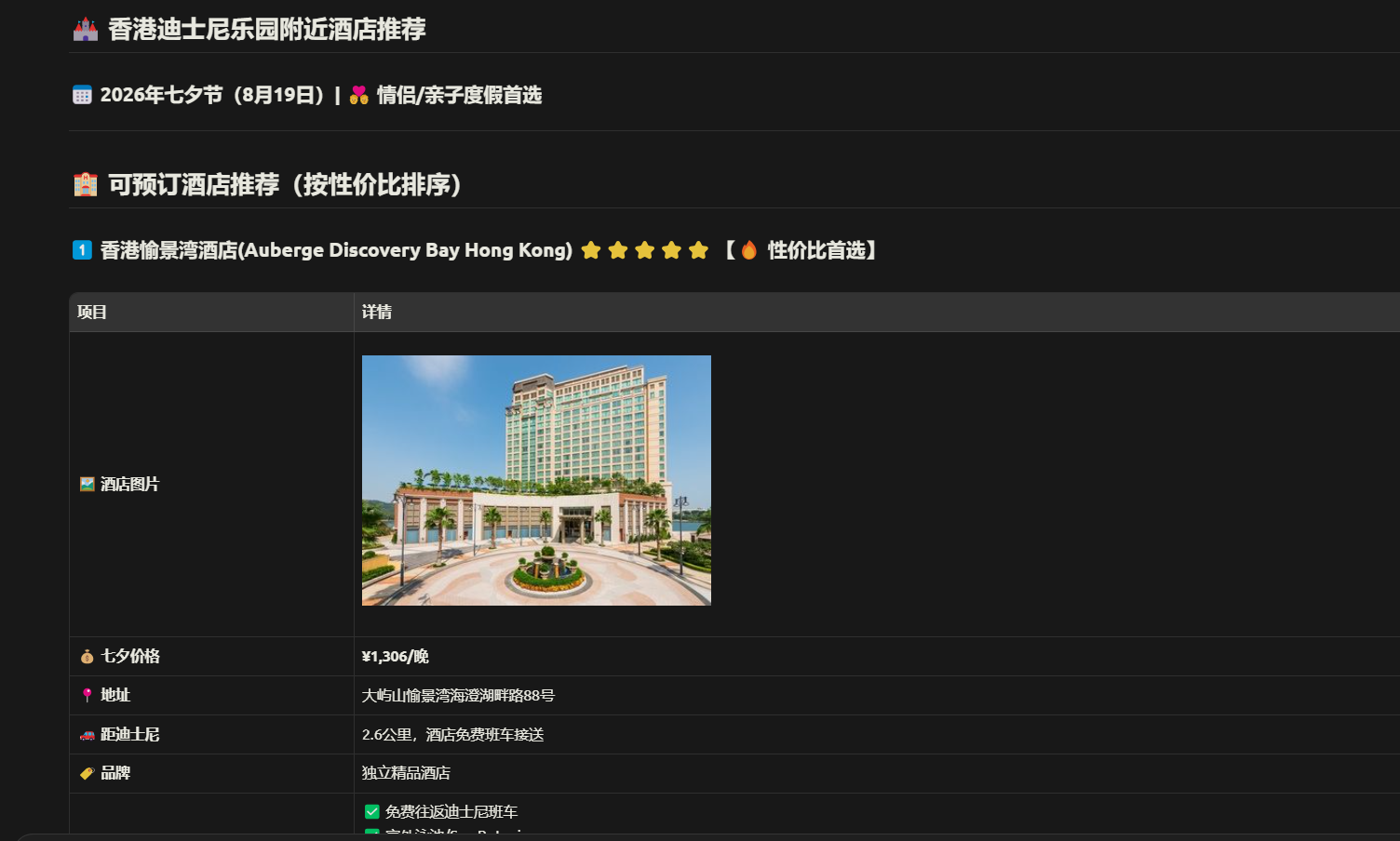
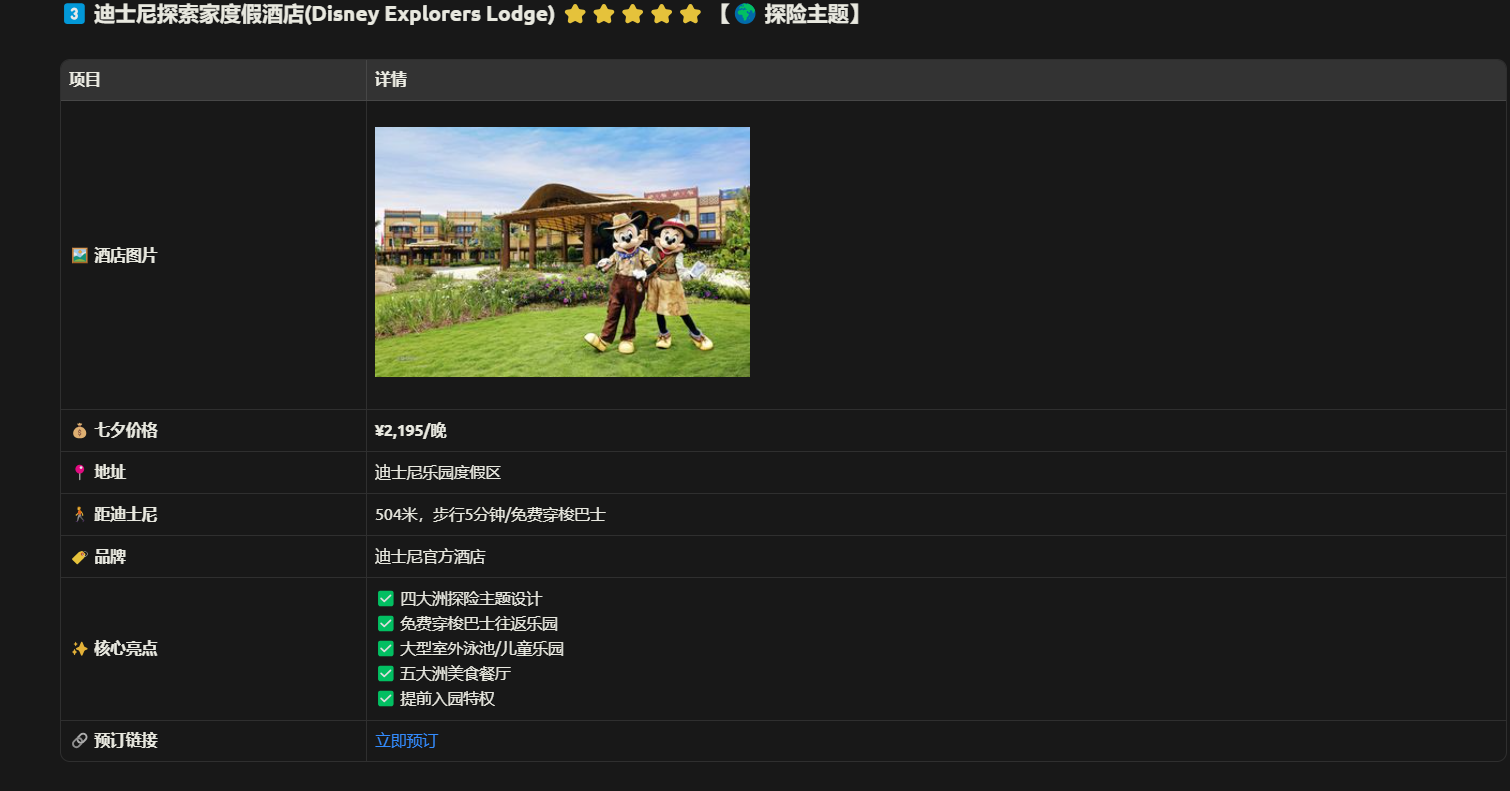
Example 2: Search Near Attractions
"I want to find a cost-effective hotel near Hong Kong Disneyland for Qixi Festival 2026."
Configuration Parameters
Core Parameters
| Parameter | Required | Description | Example |
|---|---|---|---|
| place | ✅ | Search location | Hangzhou, Disneyland |
| placeType | ✅ | Location type | city, attraction, airport, subway station, district... |
| originQuery | ✅ | Your original request description | Help me find hotels |
| checkIn | ❌ | Check-in date (yyyy-MM-dd) | 2026-05-01 |
| stayNights | ❌ | Number of nights | 2 |
| starRatings | ❌ | Star rating range | [4, 5] means 4 to 5 stars |
| size | ❌ | Number of results (default 10, max 20) | 5 |
Note:
- Actual fields are based on interface data return; examples above show partial fields only.
- As backend capabilities evolve, fields may be added or adjusted. MCP clients should handle this in a "use if present, ignore if absent" manner.
💬 Use Cases
🤖 Travel Planning Assistant
Recommend hotels based on user travel plans (personal, family trips)
📅 Business Trip Management
Combine with flight/attraction info services for one-click trip planning
💻 Enterprise Internal Operations
Provide hotel search support for customer service, sales, or travel staff
🌟 Any application or agent requiring "Natural Language + Hotel Search" capabilities
❓ FAQ
Q: Which AI assistants/IDEs are supported?
A: Currently supports:
- Cursor
- Windsurf
- Antigravity
- Claude Desktop
- Cherry Studio
- Other MCP-compatible clients
Q: What information is included in search results?
A: By default returns hotel name, star rating, price, address, booking link, hotel images, and amenities. (See actual return data for details)
Q: Is there a usage limit?
A: Free to use at this stage.
Q: How to get technical support?
A: Contact us through:
- 📧 Email:
york.lu@dida.com - 💬 WeChat Group: Scan to join
🔒 Security & Authentication
Authentication Methods
| Environment | Method | Header |
|---|---|---|
| Remote (Cloud) | Bearer Token | Authorization: Bearer YOUR_API_KEY |
| Local Service | Secret Key | X-Secret-Key: YOUR_API_KEY |
Security Recommendations
- Keep your API Key secure; do not hardcode it in code
- Use environment variables for production environments
- Use HTTPS for public access
📋 Changelog
v1.0.0 (2026.04.02)
- ✨ Documentation updated
Made with ❤️ by RollingGo Team
サーバー設定
{
  "mcpServers": {
    "rollinggo": {
      "command": "npx",
      "args": [
        "-y",
        "rollinggo-mcp"
      ],
      "env": {
        "ROLLINGGO_API_KEY": "mcp_d62f3b01248b4bc4923ec40a4c9a53e3"
      }
    }
  }
}