

Schemity MCP Server 免费吗?
它可以在 Schemity 的 2 周免费试用期内使用(所有功能解锁,无需信用卡),也可以在购买许可证后使用,许可证为一次性购买,价格 129 美元。它不包含在免费的浏览器版 Schemity Lite 中。

@tbson
基本信息
本地数据库 MCP 服务器:你的智能体在迁移运行前就能看到其影响,支持 PostgreSQL、MySQL、SQL Server 和 SQLite,无需数据库凭据。
使用下面的配置,将此服务器添加到你的 MCP 客户端。
{
  "mcpServers": {
    "schemity": {
      "command": "/Applications/Schemity.app/Contents/MacOS/schemity",
      "args": [
        "--mcp"
      ]
    }
  }
}工具列表暂未提供
当前收录暂时没有可展示的工具列表,不代表服务没有工具。请查阅项目文档了解支持的能力。
工具是从 README 中自动提取的。维护者可以在 ## Tools 标题下列出工具,即可填充这部分内容。
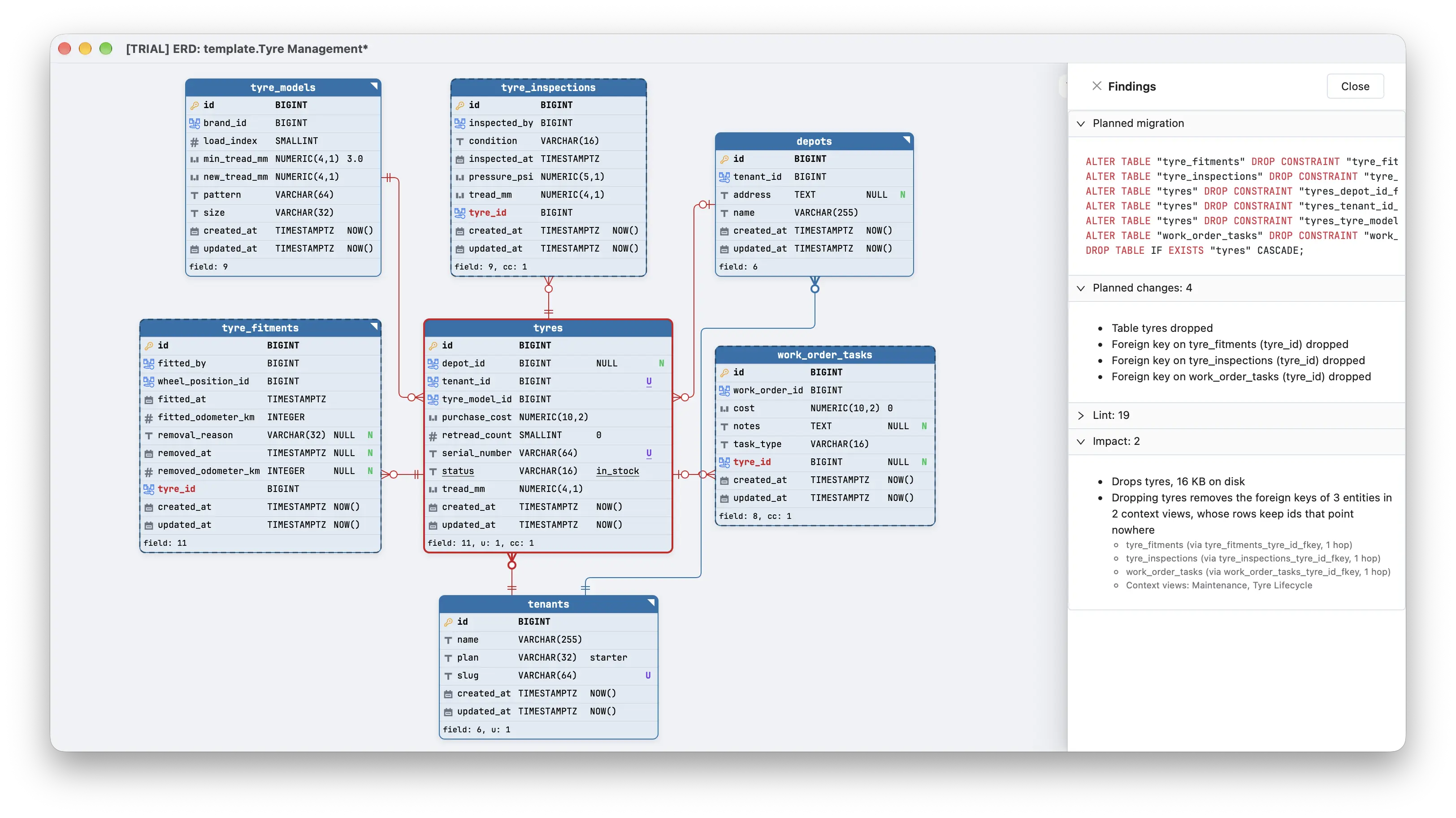
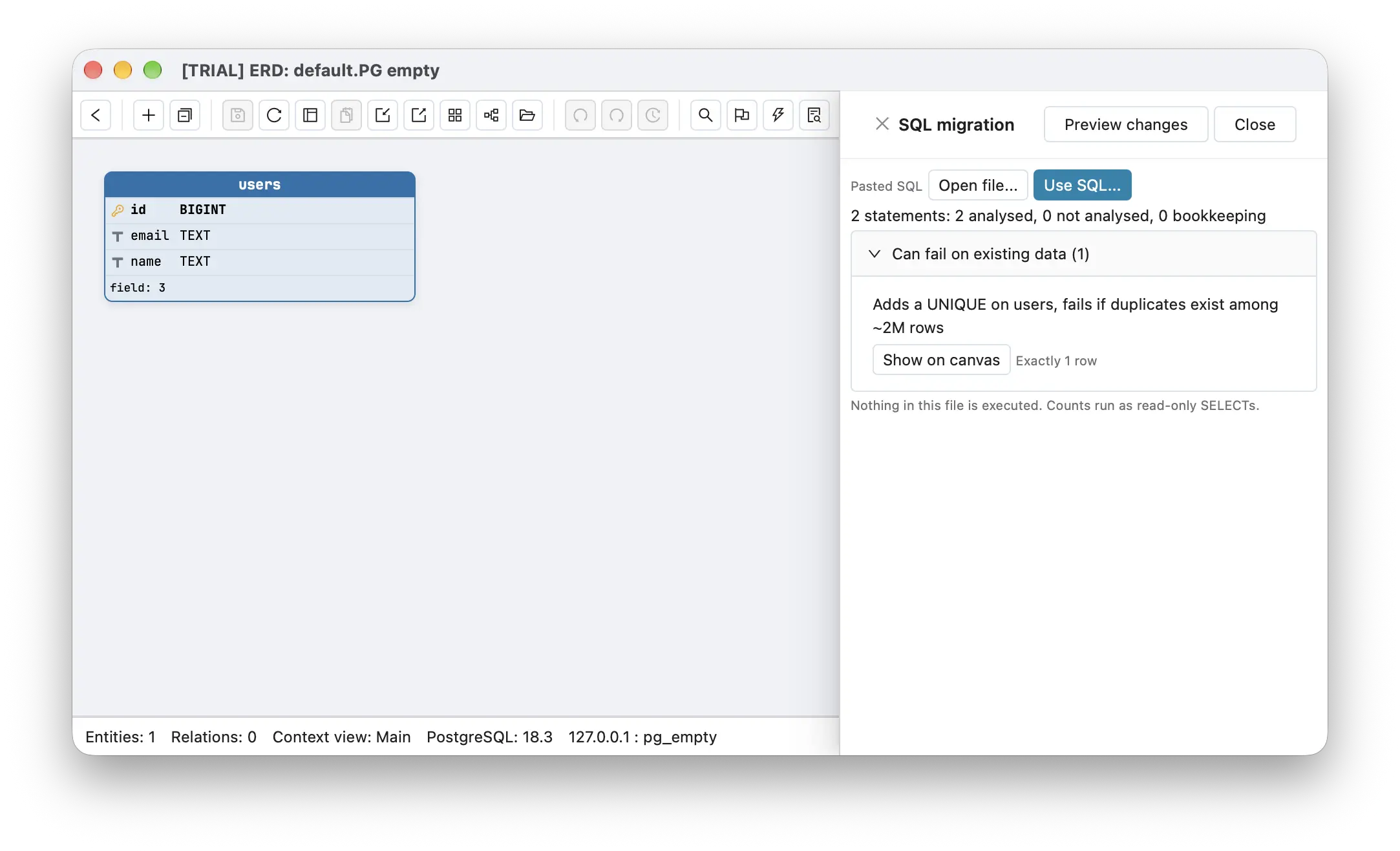
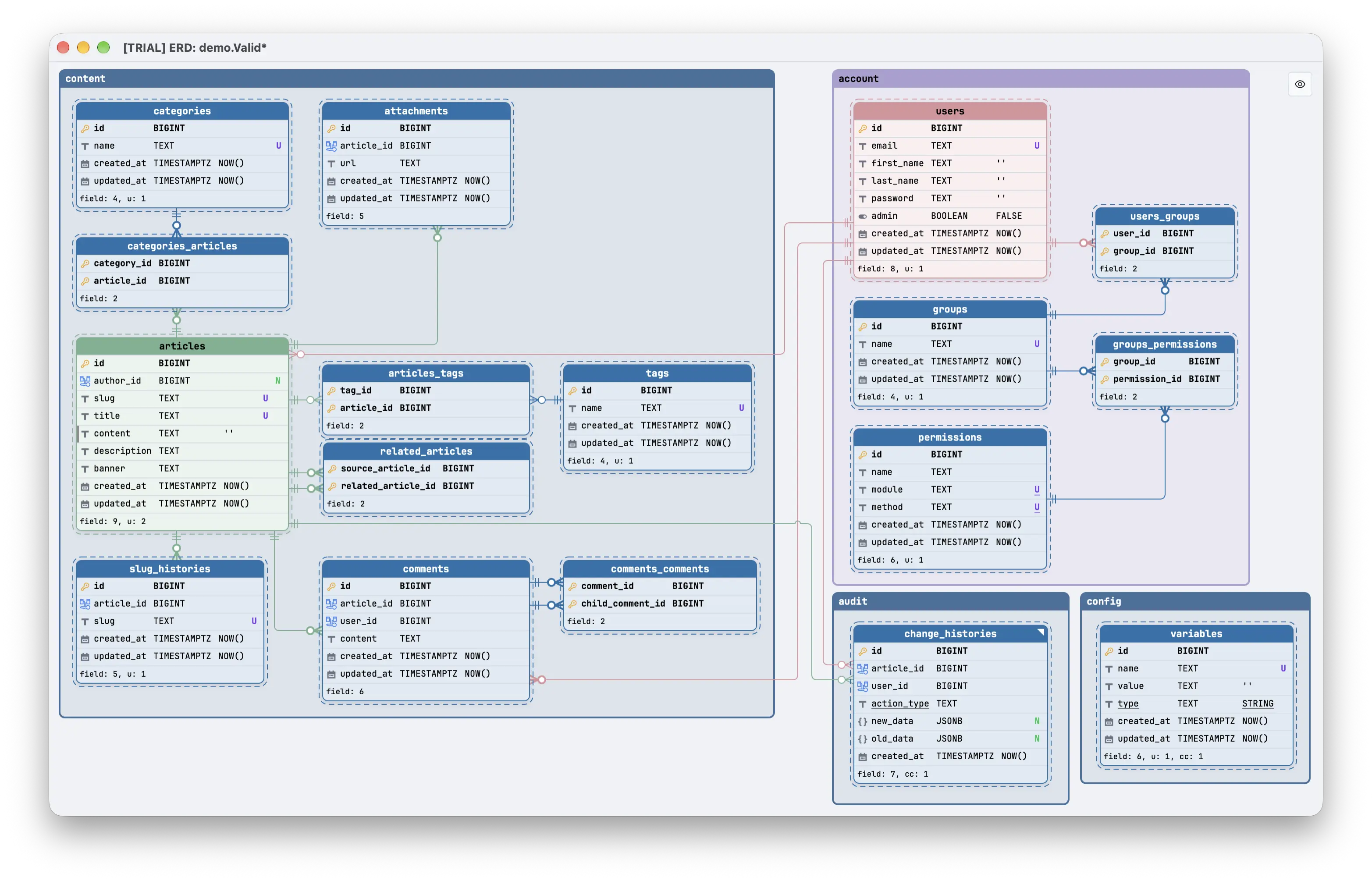
Schemity MCP Server 是内置于桌面数据库设计应用 Schemity 中的本地数据库 MCP 服务器。你的智能体通过 Schemity 中打开的图表读取 PostgreSQL、MySQL、MariaDB、SQL Server 或 SQLite 数据库的结构,在迁移运行前检查它会造成什么影响,并暂存供你审核的修改。
大多数数据库 MCP 服务器会把连接字符串交给智能体,并执行它写出的任何 SQL。Schemity 的做法正好相反:智能体通过 Schemity 从你的数据库读取的图表工作,永远拿不到数据库凭据,它所做的任何事都不会写入数据库。读取不会改变任何内容,修改以未保存更改的形式出现在图表中,只有当你自己运行迁移时才会触及数据库。该服务器随闭源桌面应用一起发布;GitHub 仓库 tbson/schemity-mcp 存放其文档、tools.json 和示例主机配置。
Cmd+Shift+A(macOS)/ Ctrl+Shift+A(Windows、Linux)。面板会显示服务器状态、连接测试,以及为每个主机准备的、带有适合你平台路径的配置片段。以下示例使用 macOS 路径。在 Windows 和 Linux 上,请从 MCP 面板复制配置片段。
主机有两种连接方式。stdio 主机使用 --mcp 启动 Schemity 可执行文件,因此在 Schemity 关闭时也能启动它。HTTP 主机使用面板中的 bearer token 连接 http://127.0.0.1:7332/mcp,此时 Schemity 必须已经打开。
claude mcp add --scope user schemity -- "/Applications/Schemity.app/Contents/MacOS/schemity" --mcp
如果你之前用旧的 HTTP 命令注册过 Claude Code,请先运行 claude mcp remove --scope user schemity。
把以下内容添加到 claude_desktop_config.json,然后重启 Claude Desktop:
{
  "mcpServers": {
    "schemity": {
      "command": "/Applications/Schemity.app/Contents/MacOS/schemity",
      "args": ["--mcp"]
    }
  }
}
保持 Schemity 打开。在 ~/.cursor/mcp.json 中添加以下内容,token 从 MCP 面板复制:
{
  "mcpServers": {
    "schemity": {
      "url": "http://127.0.0.1:7332/mcp",
      "headers": { "Authorization": "Bearer <token from the MCP panel>" }
    }
  }
}
添加到 ~/.codex/config.toml:
[mcp_servers.schemity]
command = "/Applications/Schemity.app/Contents/MacOS/schemity"
args = ["--mcp"]
OpenCode 在 opencode.json 中使用 local 条目,命令相同并带 --mcp。
127.0.0.1,bearer token 保存在操作系统钥匙串中。Schemity 2.11.2 提供 16 个工具。
open_schemity 启动应用或将其置于前台;list_diagrams(应首先调用)、get_schema 和 get_context_views 描述打开的图表;get_dependencies 显示某个实体的入向和出向关系;get_data_dictionary 以 Markdown 返回带文档的结构;lint 报告命名规范、缺失索引和类型不匹配问题。get_pending_changes、analyze_impact、analyze_migration_file,以及在你要求时以只读查询执行精确计数的 count_rows。check_relation_lines 查找重叠或交叉的连线;show_preview 在一次性的只读画布上绘制拟议的更改。propose_changes 创建、修改和删除实体、字段、关系、图例和上下文视图;group_entities 将实体分组到图例中;route_relations 重新布线关系线以减少交叉。它可以在 Schemity 的 2 周免费试用期内使用(所有功能解锁,无需信用卡),也可以在购买许可证后使用,许可证为一次性购买,价格 129 美元。它不包含在免费的浏览器版 Schemity Lite 中。
不会。智能体通过 Schemity 中打开的图表工作,永远不会拿到数据库凭据。它所做的任何事都不会写入数据库。
不是。服务器随闭源的 Schemity 桌面应用一起发布。GitHub 仓库存放文档、`tools.json` 和示例配置;问题反馈请提交到 `tbson/schemity-feedback`。
PostgreSQL、Supabase、MySQL、MariaDB、SQL Server 和 SQLite,可直接连接或通过 SSH 隧道连接。
只会发送到你的智能体主机原本就会发送代码的地方,也就是该主机使用的模型提供商。Schemity 自己不运行模型也不运行服务器,因此使用本地模型时,结构会一直留在你的机器上。
不能。修改会暂存在打开的图表中,由你审核、撤销或保存;只有当你自己运行迁移时,数据库才会发生变化。

Connect Karma.Domains to ChatGPT, Claude, Cursor, VS Code, or another MCP client — and find a domain in plain language. The same auctions, expired, backorder, and buy-now data you use in the app, plus saved filters, note

Safety-first stdio MCP server with 38 tools for operating Docker-based local-ydb environments locally or over SSH.


Access millions of official legal and regulatory source documents from 155+ jurisdictions via MCP. Lawstronaut supports AI agents with structured legal research, legal data, laws, regulations, cases, guidance, official s

评论