

What deployment modes are supported?
Cloud (`cloud`) and Server/Data Center (`server`), set via `CONF_MODE`.
@qihaze123
Confluence MCP server for Cloud/Server/Data Center. Supports whoami, search, raw CQL, create and update page.
使用下面的配置,将此服务器添加到你的 MCP 客户端。
{
  "mcpServers": {
    "confluence": {
      "command": "npx",
      "args": [
        "-y",
        "confluence-mcp-server@1.1.0"
      ],
      "env": {
        "CONF_MODE": "server",
        "CONF_BASE_URL": "https://confluence.example.com",
        "CONF_AUTH_MODE": "auto",
        "CONF_USERNAME": "your-username",
        "CONF_TOKEN": "your-token"
      }
    }
  }
}Get current authenticated Confluence user (whoami).
Search Confluence pages by keyword. Returns unified fields: id, type, title, spaceKey, url, version.
Execute raw Confluence CQL search. Returns unified fields: id, type, title, spaceKey, url, version.
Get a Confluence page by ID. Returns unified fields and bodyStorageValue.
Create a Confluence page. Supports optional parentId. Returns unified fields.
Update a Confluence page content. Auto increments version. Returns unified fields.
An MCP server that integrates with Atlassian Confluence (Cloud and Server/Data Center), allowing AI agents to search, retrieve, create, and update pages via the Model Context Protocol.
Run it via npx with required environment variables: CONF_MODE (cloud or server), CONF_BASE_URL, CONF_AUTH_MODE (default auto), CONF_USERNAME, and CONF_TOKEN. Configure your MCP client with the command npx -y confluence-mcp-server@1.1.0 and the above env settings.
Cloud (`cloud`) and Server/Data Center (`server`), set via `CONF_MODE`.
Set `CONF_AUTH_MODE=auto` and provide your username and API token/password via `CONF_USERNAME` and `CONF_TOKEN`.
The server runs under Node.js and is executed via `npx`; no additional installation steps are needed if Node.js is available.
All data stays in your Atlassian Confluence instance; the MCP server only makes API calls to that instance based on user queries.
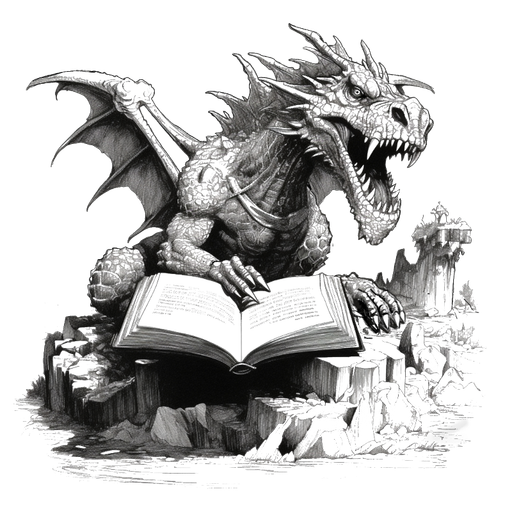
Mess in, magic out: pour in your D&D and TTRPG notes and LoreKeeper keeps them as a private store for your world. Ask Claude or ChatGPT about it, or build a sourcebook.

Person-owned, portable AI memory served over MCP. Your knowledge, preferences, and decisions — captured in one assistant, available in all of them.

Local-first MCP server that snapshots your project's working state into one context object. Open-core, privacy-first.

One permissioned folder your team and your AI agents both log into.

Personal context for every AI: search, read, and write back to your private Markdown library of articles, threads, PDFs, notes, and captured ChatGPT/Claude/Gemini/Grok conversations. Remote server, OAuth 2.1 paste-and-au
评论