

Vaiz已验证已精选
@Vaiz
基本信息
分类
Web 聊天与 UI
作者
Vaiz
关于 Vaiz
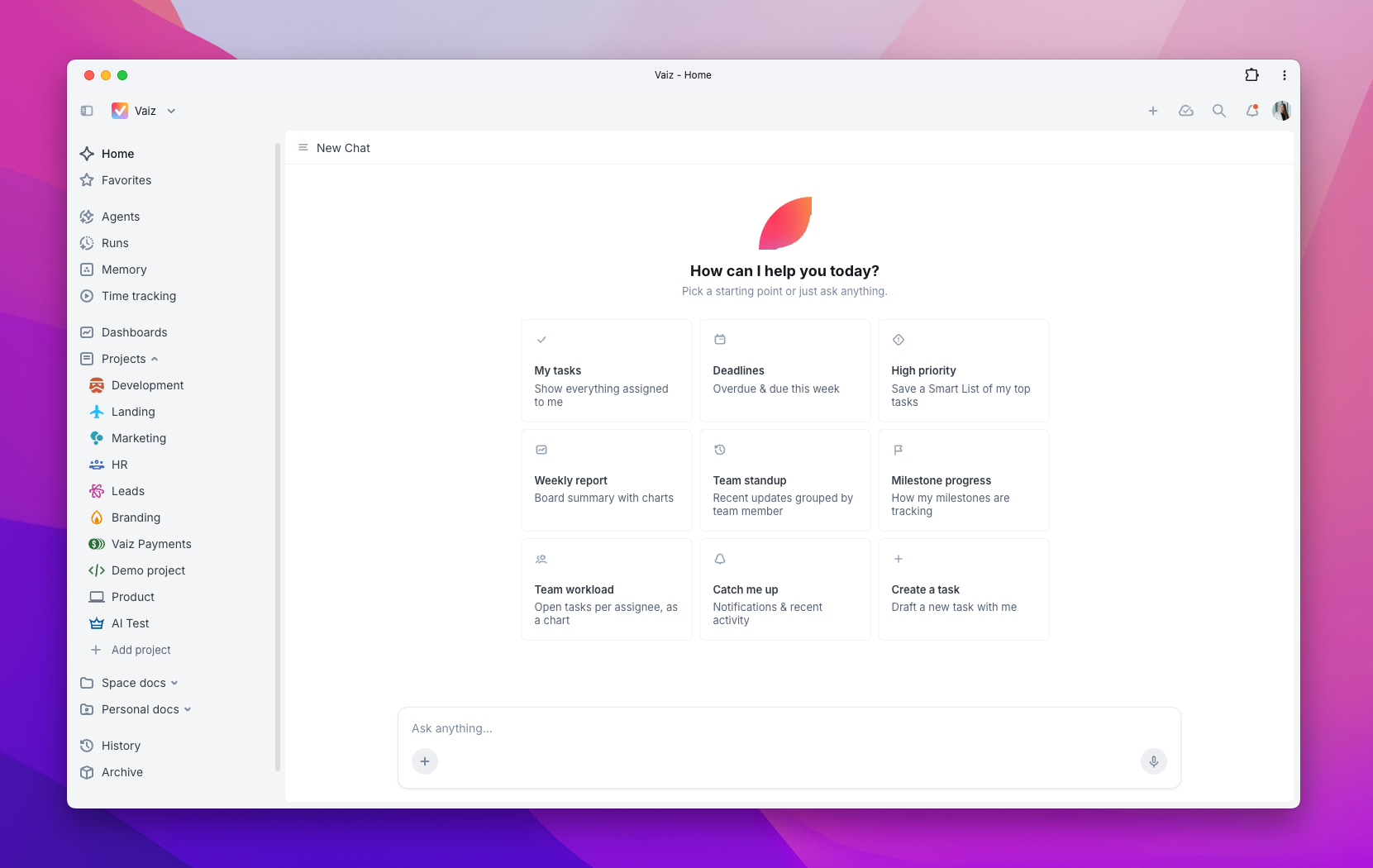
Vaiz is a project and knowledge management platform with MCP integration. Connect Claude, Cursor, Claude Code, or Codex to manage tasks, work with documents, and bring project context into your AI workflow.
概览
Keep project work and knowledge connected
Bring project planning, daily tasks, and team documentation together. In Vaiz, requirements stay connected to the work they describe, so your team can follow a project from the initial brief through implementation and delivery.
Use the same workspace to organize a backlog, plan a release, coordinate a campaign, or maintain an internal knowledge base. Keep decisions and supporting documents alongside tasks, making it easier to understand what needs to happen and why.
Organize work around your team
- Manage tasks and responsibilities. Assign owners, set priorities and due dates, break work into subtasks, and track dependencies.
- Choose the right view. Use boards and lists for daily work, calendars for upcoming deadlines, and Gantt charts to understand timelines and dependencies.
- Plan across projects. Organize work into projects, boards, and milestones, with dashboards that help teams follow progress and identify blockers.
- Adapt your workflows. Customize fields and board structure to match your team’s processes.
Build knowledge alongside your projects
Create and edit collaborative documents in the same workspace as your tasks. Keep product specifications, meeting notes, project briefs, and internal guides connected to ongoing work.
Link requirements to implementation tasks and keep supporting information accessible as plans change. Team members can review documents, leave comments, and return to the context behind a decision.
Work with Vaiz from your AI tools
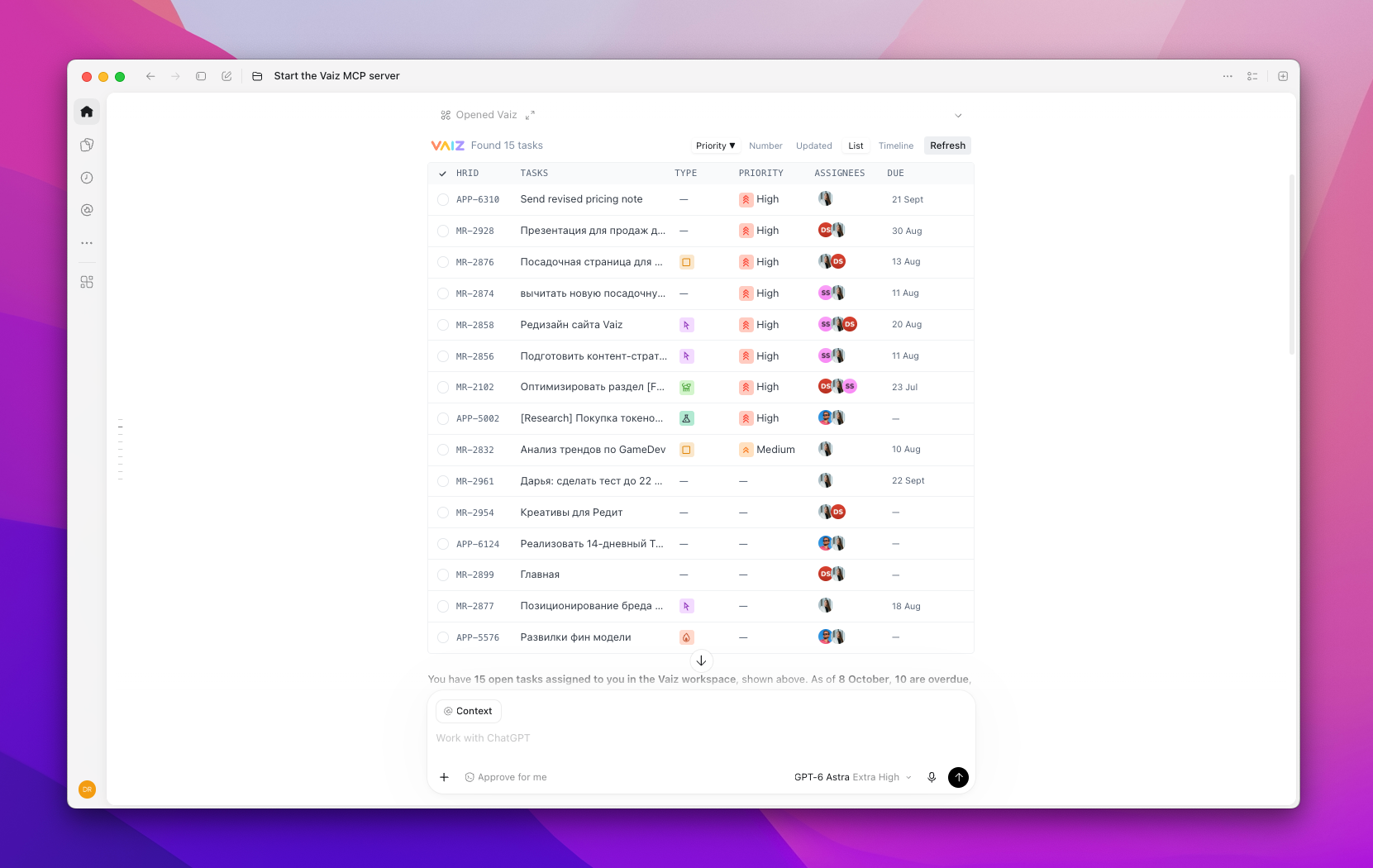
The Vaiz MCP integration makes your workspace accessible from Claude, Cursor, Claude Code, and Codex. Your assistant can use actual tasks, documents, and project information to help you plan and carry out work.
Use it to:
- Read, create, and update tasks through conversation.
- Review requirements and work with project documents.
- Bring task details and specifications into coding sessions.
- Summarize project activity and prepare next steps.
- Update your workspace as work progresses.
Get connected
Vaiz provides a hosted MCP integration, with no local server installation required.
- Add
https://api.vaiz.com/mcpto your supported AI client. - Sign in to Vaiz and authorize access to your workspace.
- Start a conversation about your tasks, projects, or documents.
Follow the setup guide for instructions for each supported client.
Web 聊天与 UI 分类下的更多 MCP 客户端

LibreChat
danny-avilaEnhanced ChatGPT Clone: Features Agents, DeepSeek, Anthropic, AWS, OpenAI, Assistants API, Azure, Groq, o1, GPT-4o, Mistral, OpenRouter, Vertex AI, Gemini, Artifacts, AI model switching, message search, Code Interpreter, langchain, DALL-E-3, OpenAPI Actions, Functions, Secure Mul

AI as Workspace
NitroRCrA cross-platform, full-featured and lightweight AI Chat client with full support for MCP.

Zola
ibelickThe open-source interface for AI chat. Self-hostable, developer-first, and model-agnostic.
OPENWEBUI
open-webuiOpen WebUI is an extensible, feature-rich, and user-friendly self-hosted AI platform designed to operate entirely offline. It supports various LLM runners like Ollama and OpenAI-compatible APIs, with built-in inference engine for RAG, making it a powerful AI deployment solution.

评论