

Searcherries: AI Visibility & SEO已验证已精选
@searcherries.com
基本信息
分类
其他
作者
searcherries.com
关于 Searcherries: AI Visibility & SEO
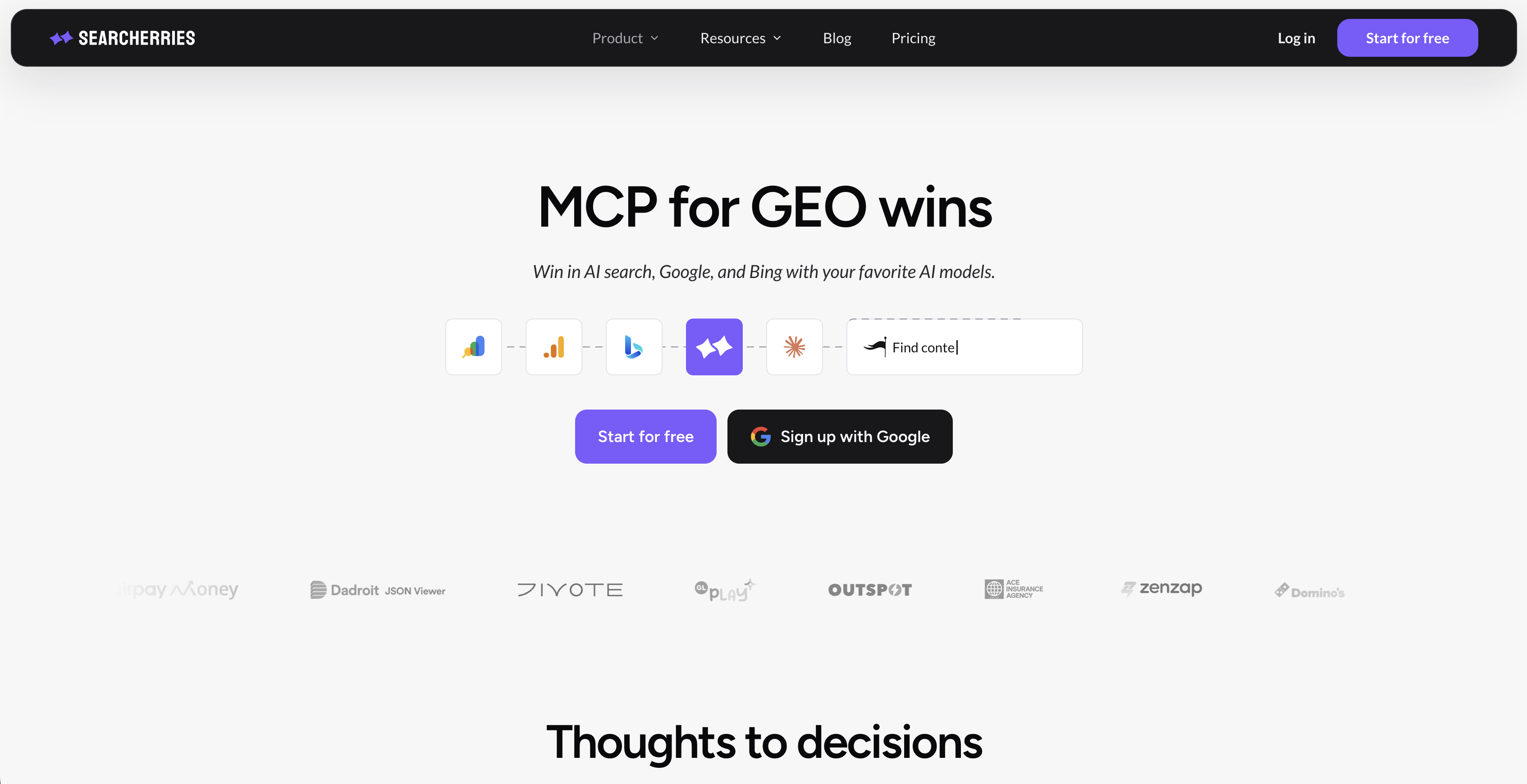
Connect Claude, Codex, or any MCP client to your AI visibility and SEO data. Ask how your site performs and where to act next, using your own numbers.
概览
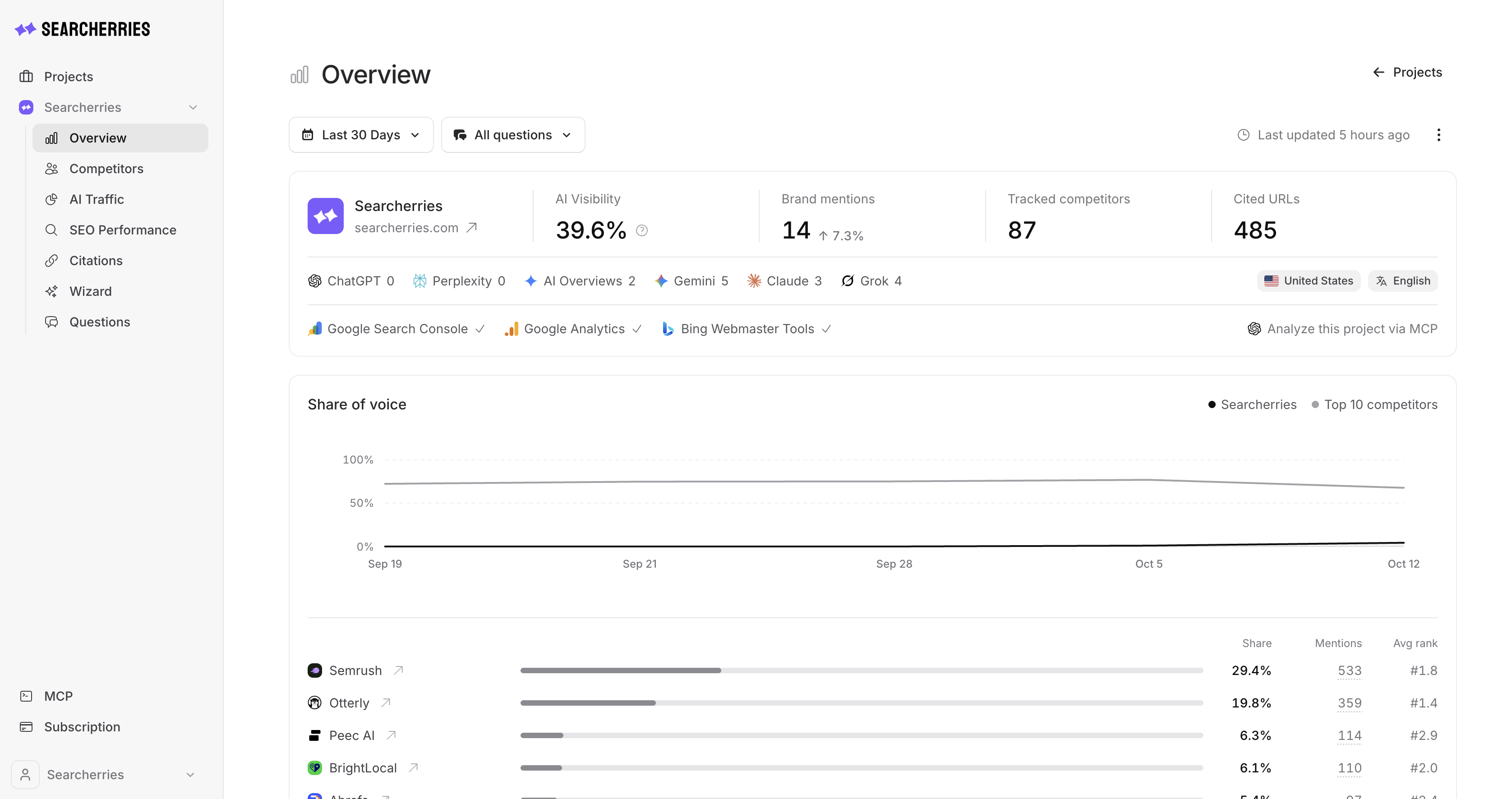
AI visibility (GEO) and SEO data for AI agents. Searcherries tracks how ChatGPT, Perplexity, Google AI Overviews, Gemini, Claude and Grok answer the questions your customers ask, which brands and sources those answers name, and how much traffic AI assistants send to your site. The MCP server gives your agent this data together with Google Search Console, Bing Webmaster Tools and GA4, so it can find where AI search leaves your brand out and decide what to change on your website.
- Endpoint:
https://app.searcherries.com/mcp/searcherries - Transport: Streamable HTTP
- Auth: OAuth browser sign-in (dynamic client registration) or a personal access token
- Access: read-only
- MCP Registry:
com.searcherries/mcp
What is Searcherries GEO MCP?
Generative engine optimization (GEO) is the work of getting your brand named and cited when people ask AI assistants and AI search for a recommendation. Searcherries asks the major AI platforms the customer questions you track and stores every answer with insights: whether your brand appears and how prominently, the sentiment and drawbacks mentioned, the competitors named and the URLs cited.
The MCP server exposes this data to any MCP client. Your agent can check AI visibility against real search demand from Search Console and Bing, see which landing pages already get AI-referral traffic in GA4, and turn the evidence into a short list of pages to publish or update.
How to use Searcherries GEO MCP?
- Sign up at app.searcherries.com and create a project for your website. Connect Google Search Console or GA4.
- Add the server to your MCP client with the endpoint above.
- Sign in to Searcherries in the browser when the client asks and approve access.
- Ask a question or run one of the built-in prompts, for example
action-plan.
Claude Code
claude mcp add --transport http searcherries https://app.searcherries.com/mcp/searcherries
Then run /mcp, choose searcherries and sign in.
Cursor and other clients with remote server support
{
  "mcpServers": {
    "searcherries": {
      "url": "https://app.searcherries.com/mcp/searcherries"
    }
  }
}
Other clients
- Claude: add a custom connector with the endpoint URL.
- ChatGPT: install the Searcherries plugin from the plugin directory.
- Codex: add the remote server from the CLI, or install the Searcherries plugin.
- VS Code and GitHub Copilot: install Searcherries from the GitHub MCP Registry.
- n8n: use the MCP Client Tool node with a personal access token.
Key features of Searcherries GEO MCP
- AI answers: stored answers from ChatGPT, Perplexity, Google AI Overviews, Gemini, Claude and Grok for your tracked questions, with prominence, sentiment, drawbacks and cited URLs.
- Visibility gaps: filter the answers where your brand is missing or only mentioned in passing.
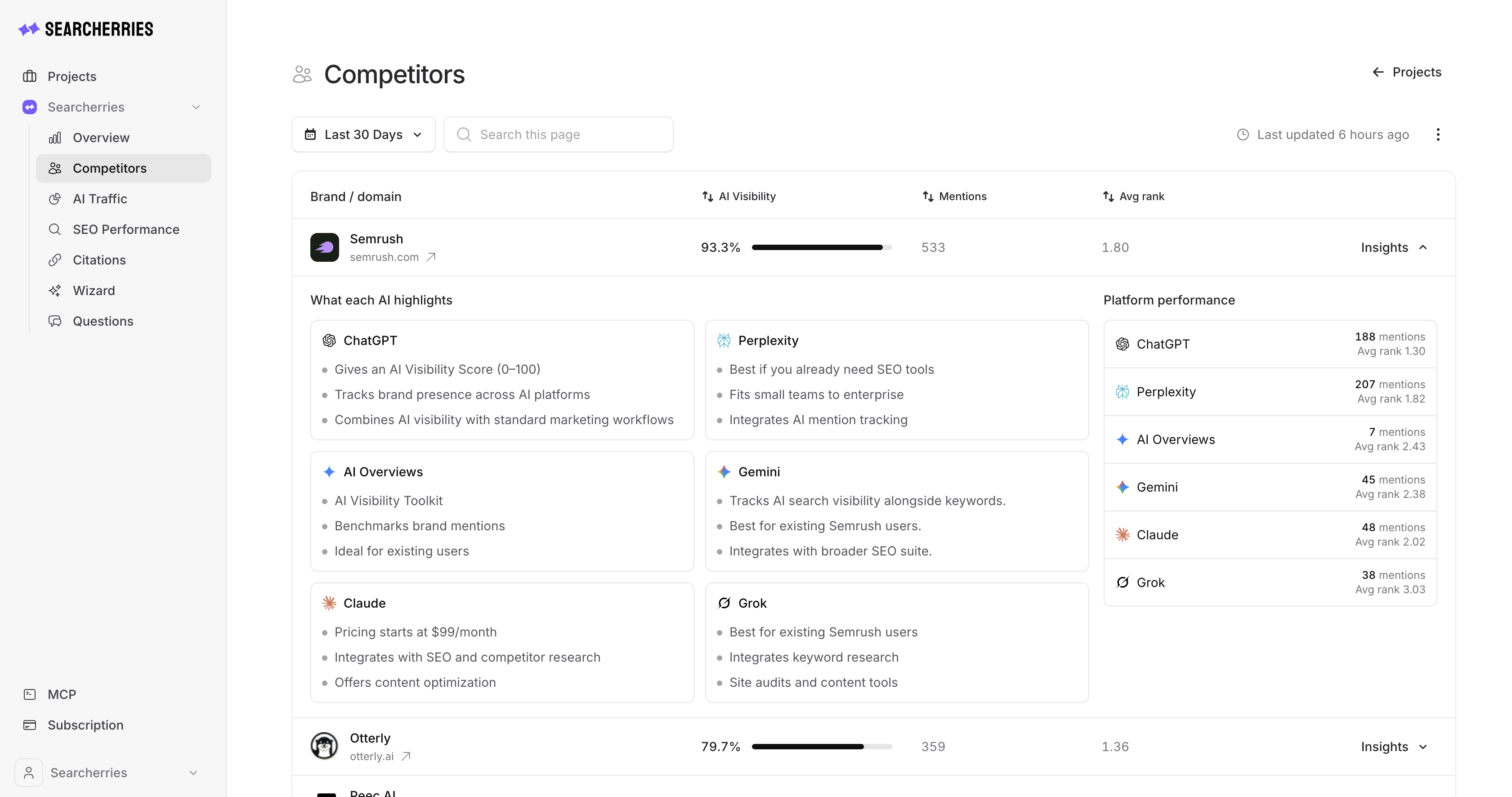
- Competitors: ranking by AI visibility, the detail for one brand and monthly history.
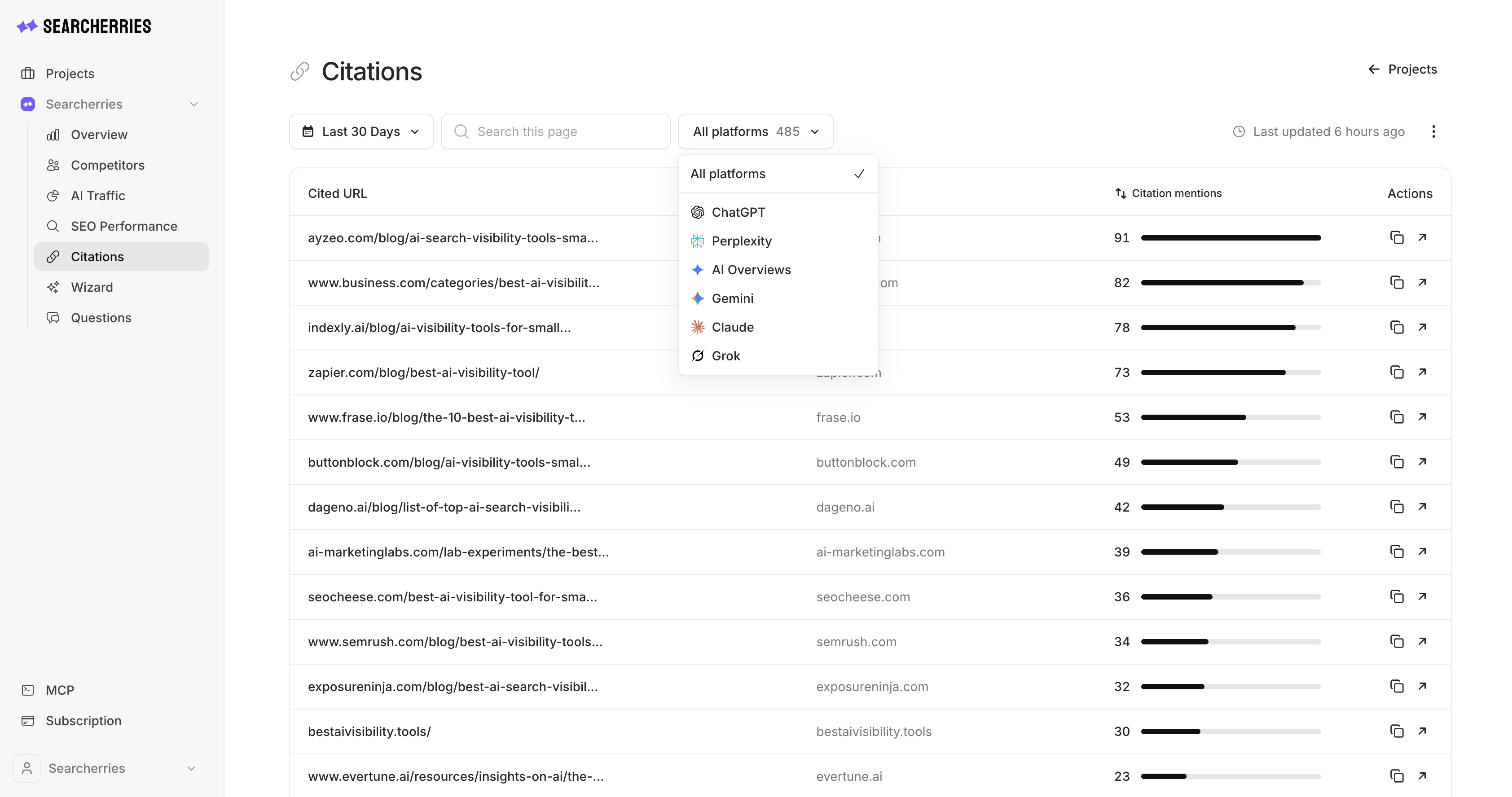
- Citations: the URLs and domains AI platforms cite, with a filter for your own pages.
- Search data: Google Search Console and Bing Webmaster Tools queries, pages, opportunities, trends and question-shaped queries.
- AI traffic: GA4 sessions from ChatGPT, Gemini, Perplexity, Claude, Copilot, Meta AI and AI Overviews, by source and landing page.
- Action plan: prioritized next steps with dated evidence, an owner and a success measure for a business owner, marketer or SEO.
- Periods and freshness: every number is returned with the period it was measured in, and connected-source data shows when it was fetched and whether it is stale.
Tools
| Tool | What it returns |
|---|---|
list-projects | Projects on the account, tracked AI platforms, connected sources and data freshness |
get-action-plan | Prioritized next steps for a project, with evidence and a success measure |
get-project-summary | Compact snapshot: visibility KPIs, questions, competitors, cited domains, 30-day search and traffic totals |
get-ai-answers | Stored AI answers with insights; filter by period, platform, question, prominence or flagged answers |
get-search-performance | Google Search Console or Bing Webmaster Tools data: top queries, pages, opportunities, trends, question queries |
get-competitors | Competitor ranking, detail for one brand, monthly history |
get-citations | Cited URLs or domains, by platform or question, or only your own site |
get-ai-traffic | GA4 traffic from AI sources: summary, sources, landing pages, daily, history |
get-project-data | Several datasets in one call |
Prompts
Each prompt contains a ready-made tool sequence:
action-plan: up to five priorities with evidence, an owner and a success measuregeo-audit: full GEO audit with visibility score and change, invisible questions, winning competitors, source analysis and five actionscontent-gaps: pages to publish or update, with the search demand behind each topiccompetitor-gap: why one competitor is recommended instead of you and how to catch uppage-brief: brief for one page with the queries and AI questions it should answer, citation competition, sections and factsquestion-review: which tracked questions to keep, rephrase, retire or addweekly-report: one-page status with visibility, search and AI-traffic trends, competitor moves and three actions
Use cases of Searcherries GEO MCP
- "Why does ChatGPT recommend Acme instead of us, and which of their pages make it happen?"
- "Which customer questions are we invisible for in AI answers, and which pages do the AI platforms cite instead?"
- "Which pages should we update first to get recommended by AI assistants? Show the evidence."
- "Write a brief for our pricing page so that AI search can cite it."
- "Which Search Console queries are phrased as questions, and do we have pages that answer them?"
- "Which landing pages get traffic from ChatGPT and Perplexity, and how has that changed in 90 days?"
- A weekly GEO status report for the team, generated in your agent.
FAQ
Does the server change anything in my account? No. It only reads data Searcherries has already stored. It cannot edit projects or questions, delete data, manage billing or start new imports, and it does not call Google, Bing or AI platforms itself.
Which plan do I need? MCP works on every plan. The free plan reads the Google Search Console and GA4 data you connect. AI visibility (answers, competitors, citations, recommendations) and Bing Webmaster Tools need a Starter or Pro plan; an active trial counts. See pricing.
Which AI platforms are tracked? ChatGPT, Perplexity, Google AI Overviews, Gemini, Claude and Grok. You choose platforms, countries and languages per project.
Whose data can the agent see? Only the projects of the Searcherries account you authorize.
Links
- Website: searcherries.com
- MCP docs: searcherries.com/docs/mcp/overview
- Tool reference: searcherries.com/docs/mcp/tools
- Claude plugin: github.com/eduardmur/searcherries-claude-plugin
其他 分类下的更多 MCP 客户端

Prove AI
preuve.aiStartup research engine. Scores ideas with live market data. Only 17.5% pass.
Kapwing MCP
kapwing.comConnect Kapwing to Claude and ChatGPT via the Model Context Protocol (MCP). Upload footage, pull your latest export, add subtitles, translate them, or dub a video into another language — using your existing Kapwing accou

tinyagents
albertvillanovaTiny Agents: LLM + MCP Tools

Prism – Contract Deadline Reader
Built AI, Inc.Give your AI agent a contract reader. Prism reads leases, mortgages, insurance policies and HOA documents and returns every deadline with its exact date, what happens if it is missed, and the sentence it came from. Remot

Crowded Finance
mcp.crowdedfinance.comThe Crowded MCP allows organizations to run financial operations by asking — managing expenses, contacts, payment processing, reporting, and more. Samples of what you can do: Keep an eye on spending by asking "What sof
评论