
Vmware Vix Mcp Server
@bivex
About Vmware Vix Mcp Server
.NET bindings for VMware VIX API with Model Context Protocol server for AI-driven virtual machine automation. Enables natural language control of VMware VMs through AI assistants like Cursor IDE.
Basic information

Config
Add this server to your MCP-compatible client using the configuration below.
{
  "mcpServers": {
    "vmware-vix": {
      "command": "cmd",
      "args": [
        "/c",
        "C:\\path\\to\\McpProcessToolSample.exe"
      ]
    }
  }
}
Tools
No tools detected
We auto-extract tools from the README. The maintainer can list them under a ## Tools heading to populate this section.
Overview
What is Vmware Vix Mcp Server?
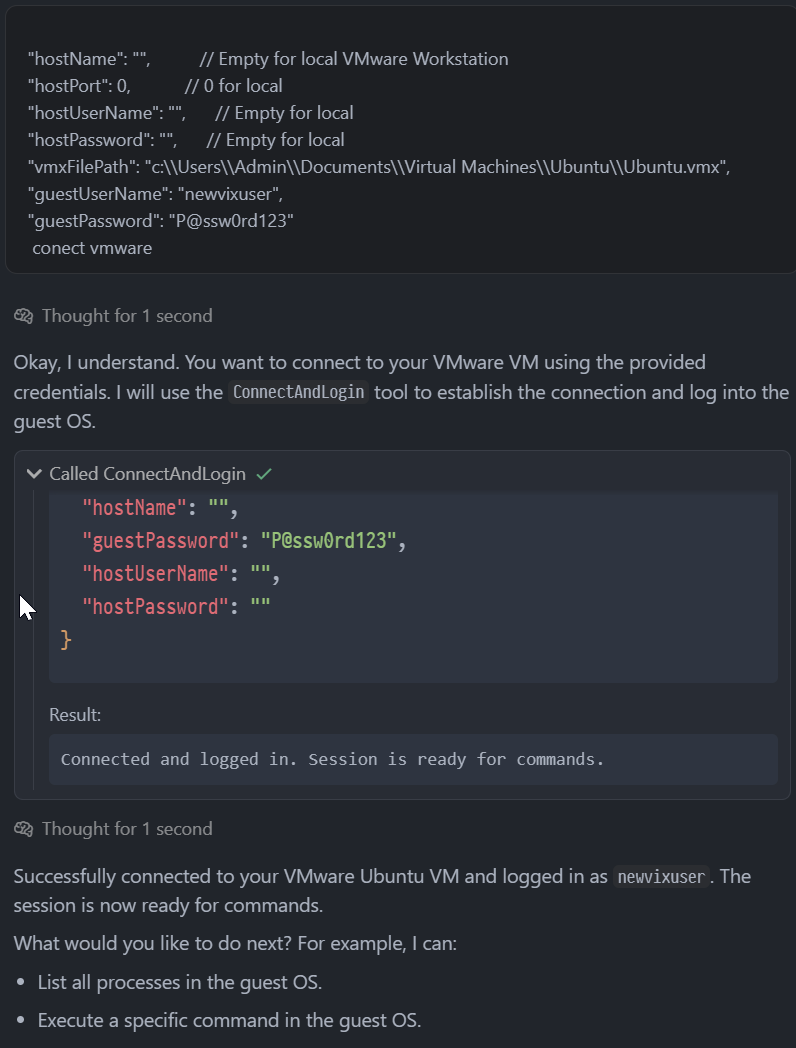
A .NET 9.0 implementation providing VMware VIX API bindings with Model Context Protocol integration for AI-powered virtual machine management. It enables natural language control of VMware VMs on Windows x64 with Workstation or vSphere.
How to use Vmware Vix Mcp Server?
Download VMware VIX SDK and accept the license, build the project with dotnet build -c Release, then configure an MCP client with the server executable path. After setup you can send natural language commands to control VMs.
Key features of Vmware Vix Mcp Server
- Complete VIX API coverage via P/Invoke declarations
- AI-driven automation through natural language commands
- Persistent session management across multiple VM operations
- Guest OS operations: command execution, file transfer, process monitoring
- Cross-platform support: Windows x64 with VMware Workstation/vSphere
Use cases of Vmware Vix Mcp Server
- Connect to a VM and check system uptime using natural language
- List all running processes in a guest OS
- Execute commands like
df -hto check disk usage - Verify user privileges inside a VM
FAQ from Vmware Vix Mcp Server
What does Vmware Vix Mcp Server do?
It integrates VMware’s VIX API with the Model Context Protocol, allowing you to manage virtual machines using plain English instructions.
What are the system requirements?
Windows x64, .NET 9.0 runtime, and VMware Workstation or vSphere. You also need to download and accept the license for VMware VIX SDK.
What tools are provided?
ConnectAndLogin, ExecCommandInGuestSession, ListAllProcessesInGuest, and CheckGuestConnection.
How do I set it up?
Download the VMware VIX SDK, accept the license, then run dotnet build -c Release. Finally, configure your MCP client with the path to the built server executable.
Can I execute commands inside the guest OS?
Yes, using the ExecCommandInGuestSession tool, which supports command execution, file transfer, and process monitoring.
More Developer Tools MCP servers

MCP-Bridge
SecretiveShellA middleware to provide an openAI compatible endpoint that can call MCP tools

Huoshan Test
volcengine
mcp-excalidraw
yctimlinMCP server and Claude Code skill for Excalidraw — programmatic canvas toolkit to create, edit, and export diagrams via AI agents with real-time canvas sync.

test
prysmaticlabsGo implementation of Ethereum proof of stake

Unity MCP (Server + Plugin)
IvanMurzakAI Skills, MCP Tools, and CLI for Unity Engine. Full AI develop and test loop. Use cli for quick setup. Efficient token usage, advanced tools. Any C# method may be turned into a tool by a single line. Works with Claude Code, Gemini, Copilot, Cursor and any other absolutely for fr
Comments