

Is Schemity MCP Server free?
It runs during Schemity's 2-week free trial, with every feature unlocked and no credit card, and with a license, a one-time purchase of $129. It is not part of Schemity Lite, the free browser version.

@tbson
Basic information
Local database MCP server: your agent sees a migration's impact before it runs, for PostgreSQL, MySQL, SQL Server and SQLite, with no database credentials.
Add this server to your MCP-compatible client using the configuration below.
{
  "mcpServers": {
    "schemity": {
      "command": "/Applications/Schemity.app/Contents/MacOS/schemity",
      "args": [
        "--mcp"
      ]
    }
  }
}Tool list not available yet
This listing does not currently have a tool list to display. This does not mean the server has no tools; check its documentation for supported capabilities.
We auto-extract tools from the README. The maintainer can list them under a ## Tools heading to populate this section.
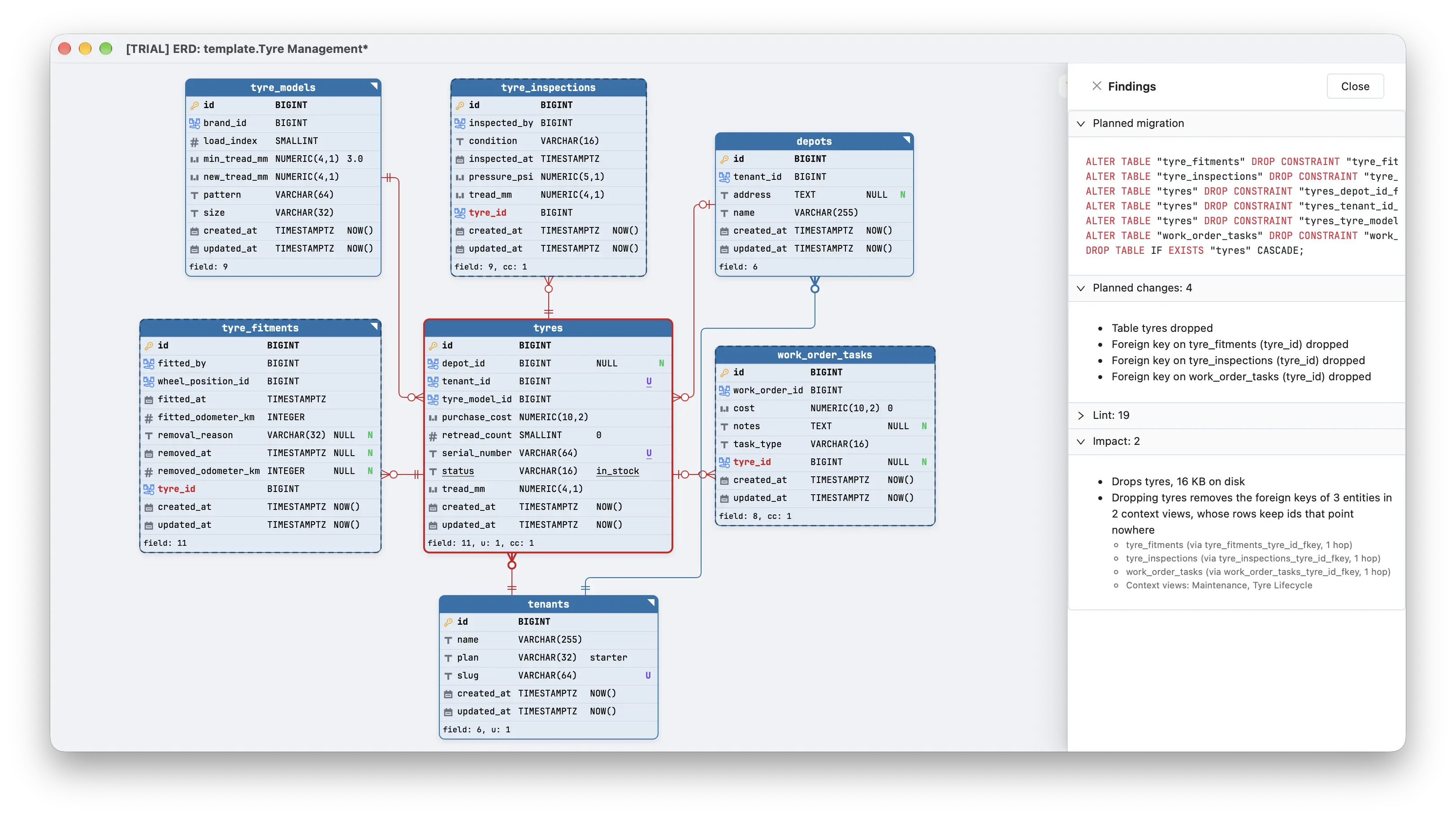
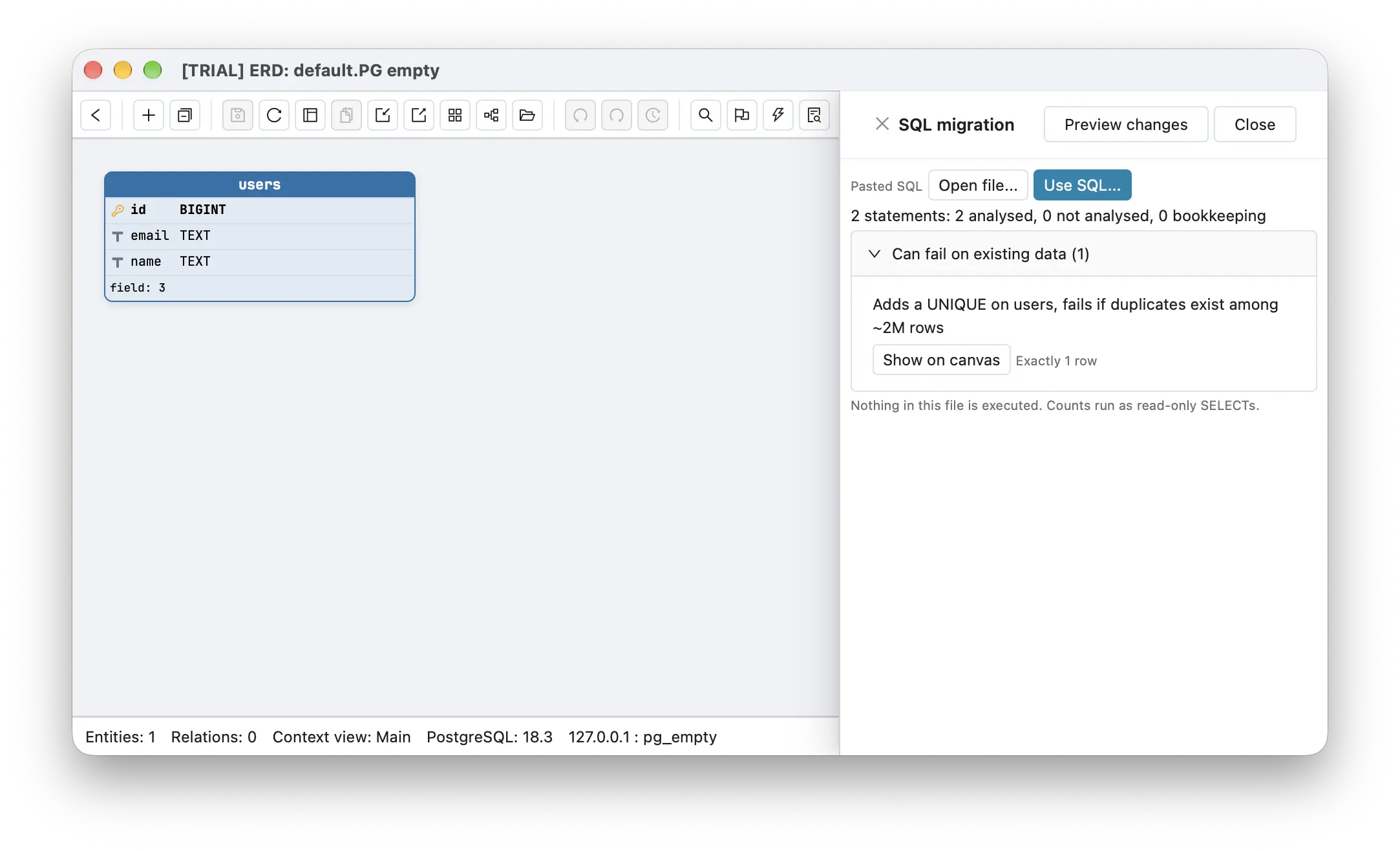
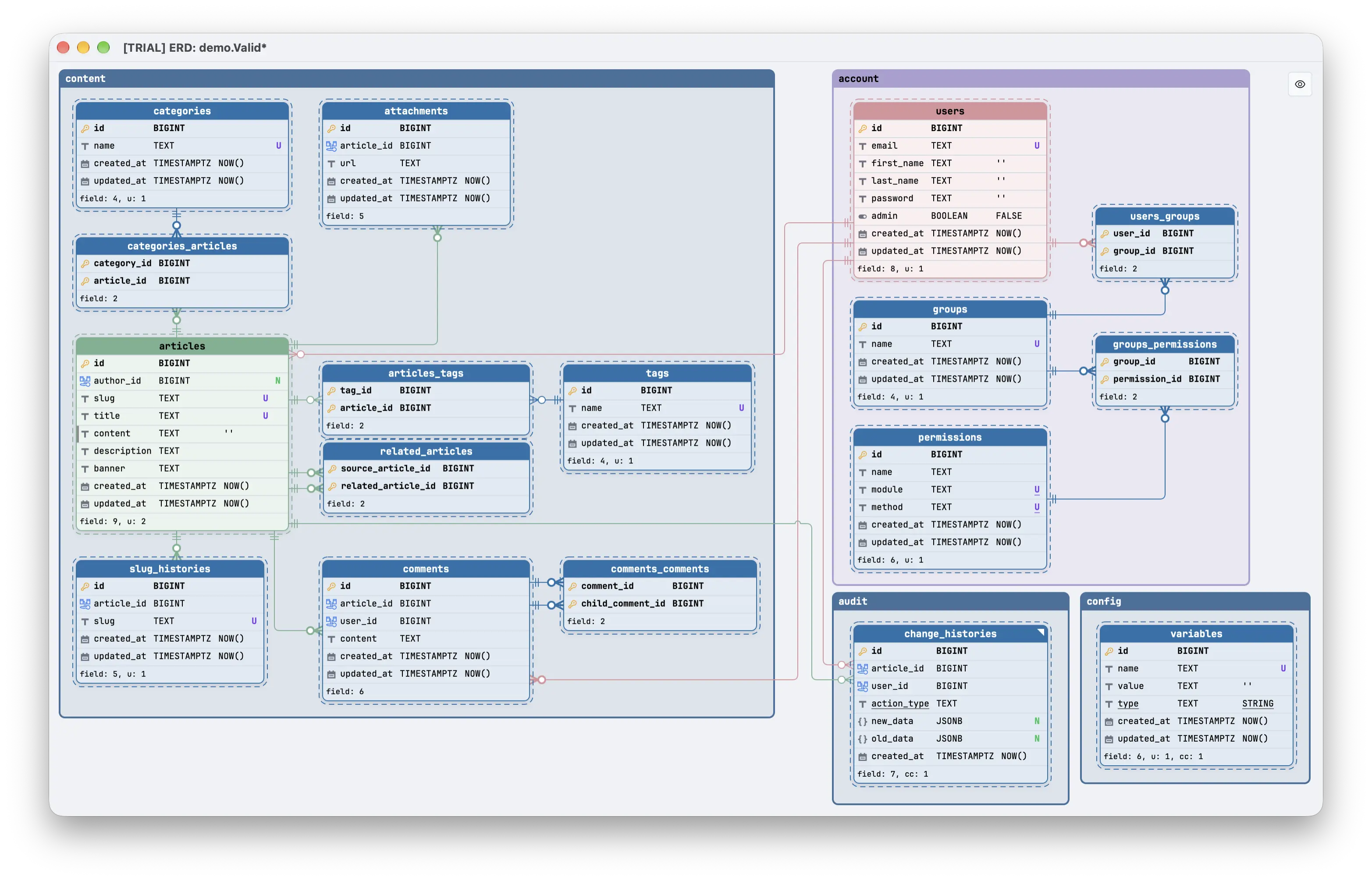
Schemity MCP Server is a local database MCP server built into Schemity, a desktop database design app. Your agent reads the schema of your PostgreSQL, MySQL, MariaDB, SQL Server or SQLite database through the diagram open in Schemity, checks what a migration would do before it runs, and stages edits you review.
Most database MCP servers hand the agent a connection string and run whatever SQL it writes. Schemity works the other way round: the agent works through the diagram Schemity read from your database, never gets database credentials, and nothing it does writes to a database. Reads change nothing, edits land as unsaved changes in the diagram, and the database is only touched when you run the migration yourself. The server ships inside the closed-source desktop app; the GitHub repository tbson/schemity-mcp holds its documentation, tools.json and example host configs.
Cmd+Shift+A (macOS) / Ctrl+Shift+A (Windows, Linux). It shows the server status, a connection test and a snippet for each host with the right path for your platform.The examples below use the macOS path. On Windows and Linux, copy the snippet from the MCP panel.
Hosts connect in one of two ways. stdio hosts start the Schemity binary with --mcp, so they can also launch Schemity when it is closed. HTTP hosts connect to http://127.0.0.1:7332/mcp with a bearer token from the panel, and Schemity must already be open.
claude mcp add --scope user schemity -- "/Applications/Schemity.app/Contents/MacOS/schemity" --mcp
If you registered Claude Code with the older HTTP command, run claude mcp remove --scope user schemity first.
Add this to claude_desktop_config.json, then restart Claude Desktop:
{
  "mcpServers": {
    "schemity": {
      "command": "/Applications/Schemity.app/Contents/MacOS/schemity",
      "args": ["--mcp"]
    }
  }
}
Keep Schemity open. Add to ~/.cursor/mcp.json, with the token copied from the MCP panel:
{
  "mcpServers": {
    "schemity": {
      "url": "http://127.0.0.1:7332/mcp",
      "headers": { "Authorization": "Bearer <token from the MCP panel>" }
    }
  }
}
Add to ~/.codex/config.toml:
[mcp_servers.schemity]
command = "/Applications/Schemity.app/Contents/MacOS/schemity"
args = ["--mcp"]
OpenCode takes a local entry in opencode.json with the same command and --mcp.
127.0.0.1 only, and the bearer token is kept in your OS keychain.Schemity 2.11.2 exposes 16 tools.
open_schemity starts the app or brings it to the front; list_diagrams (call it first), get_schema and get_context_views describe the open diagrams; get_dependencies shows relations into and out of an entity; get_data_dictionary returns the documented schema as Markdown; lint reports conventions, missing indexes and type mismatches.get_pending_changes, analyze_impact, analyze_migration_file and count_rows, which runs an exact count as a read-only query when you ask for it.check_relation_lines finds overlapping or crossing lines; show_preview draws a proposed change on a throwaway read-only canvas.propose_changes creates, changes and deletes entities, fields, relations, legends and context views; group_entities groups entities into legends; route_relations reroutes relation lines so they cross less.It runs during Schemity's 2-week free trial, with every feature unlocked and no credit card, and with a license, a one-time purchase of $129. It is not part of Schemity Lite, the free browser version.
No. The agent works through the diagram open in Schemity and never receives database credentials. Nothing it does writes to a database.
No. The server ships inside the closed-source Schemity desktop app. The GitHub repository holds docs, `tools.json` and example configs; bug reports go to `tbson/schemity-feedback`.
PostgreSQL, Supabase, MySQL, MariaDB, SQL Server and SQLite, connected directly or through an SSH tunnel.
Only where your agent host already sends your code: to the model provider that host uses. Schemity runs no model and no server of its own, so with a local model the schema stays on your machine.
No. Edits are staged in the open diagram for you to review, undo or save, and the database changes only when you run the migration yourself.


Postgres MCP Pro provides configurable read/write access and performance analysis for you and your AI agents.

nuzur is a model-first database platform for MySQL and PostgreSQL. The MCP server lets any AI assistant or agent (Claude, Cursor, Gemini, or anything else that speaks MCP) design your schema, query your data, generate mi

Local MCP server for DuckDB and MotherDuck

Zero-dependency, token-efficient database MCP server for Postgres, MySQL, SQL Server, MariaDB, SQLite.
Comments