
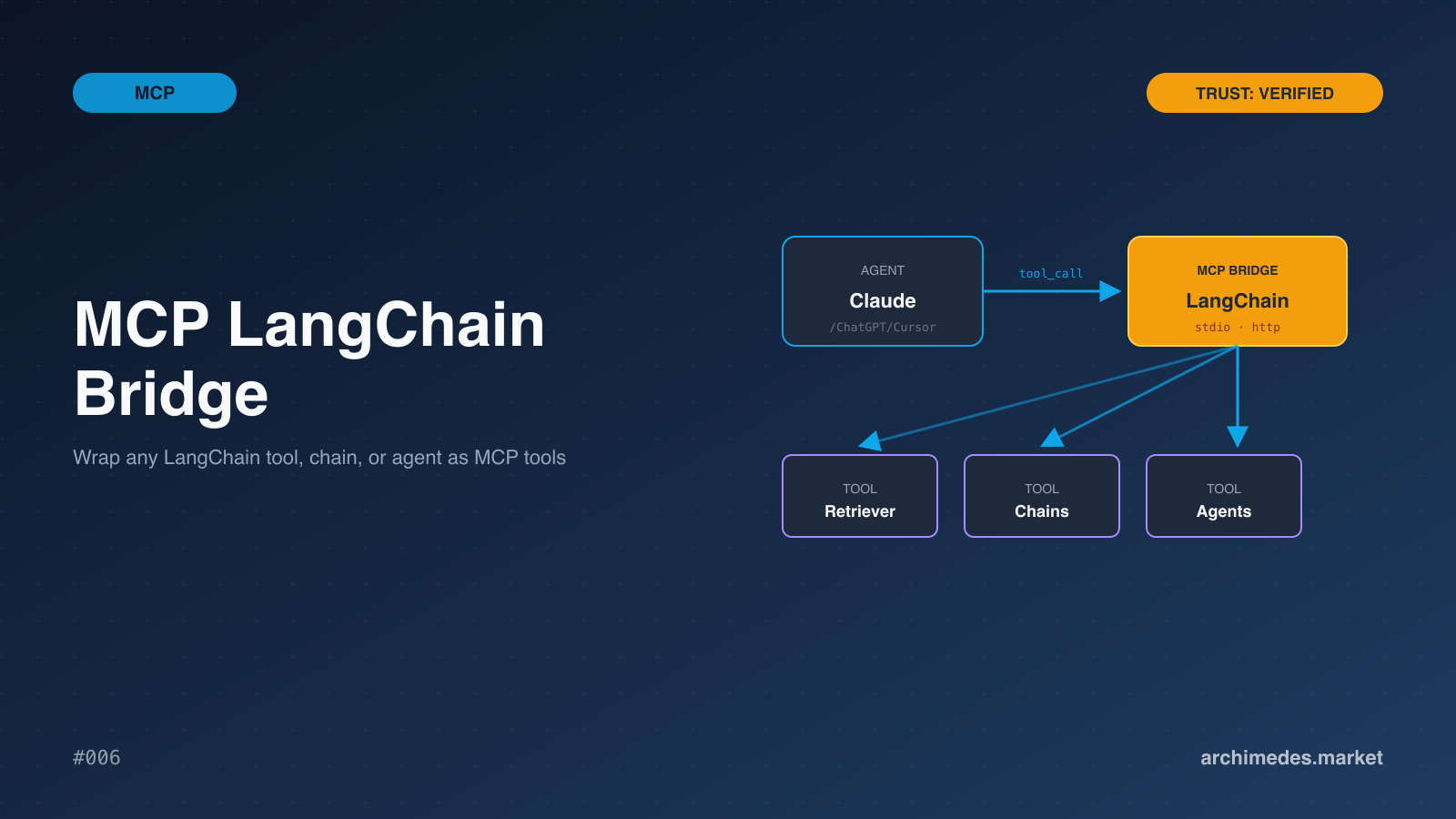
Mcp Langchain Bridge
@archimedes-market
About Mcp Langchain Bridge
Expose any LangChain chain, agent, or tool as an MCP server. Schema-aware tool registration, tool-call tracing, retry and timeout policies, and structured output validation. Bridges the LangChain ecosystem into Claude / ChatGPT / Cursor without rewri
Basic information
Category
AI & Agents
License
MIT
Runtime
python
Transports
stdio
Publisher
archimedes-market

Submitted by
Emmanuel “CUBE” Kubikus
Config
Add this server to your MCP-compatible client using the configuration below.
{
  "mcpServers": {
    "langchain-bridge": {
      "command": "mcp-langchain-bridge",
      "args": [
        "serve"
      ]
    }
  }
}
Tools
No tools detected
We auto-extract tools from the README. The maintainer can list them under a ## Tools heading to populate this section.
Overview
What is Mcp Langchain Bridge?
Mcp Langchain Bridge is a Python library that exposes any LangChain chain, agent, or tool—such as RAG chains, agentic workflows, or custom tools—as a Model Context Protocol (MCP) server. It is designed for developers who want to make existing LangChain orchestration logic callable from any MCP client, including Claude Desktop and Cursor.
How to use Mcp Langchain Bridge?
Import the bridge module from mcp_langchain_bridge, then call bridge.create_server() with a server name, a list of LangChain BaseTool instances (or any subclass), and optional retry and timeout settings. The server is started with .run().
Key features of Mcp Langchain Bridge
- Auto‑schema: each LangChain tool’s
args_schemabecomes the MCP tool’s input schema (Pydantic v2). - Configurable retry/backoff per tool with circuit‑breaker behavior.
- Per‑tool execution timeout, configurable via decorator or environment variable.
- OpenTelemetry tracing on every tool call; integrates with LangSmith when
LANGSMITH_API_KEYis set. - Output validation against Pydantic schemas before returning results to the agent.
Use cases of Mcp Langchain Bridge
- Make a LangChain retrieval‑augmented generation (RAG) chain available as an MCP tool in Claude Desktop without rewriting.
- Expose LangChain agents (e.g., tool‑using agents) to any MCP‑compatible IDE or chat interface.
- Wrap custom LangChain tools with retry and timeout policies for production‑grade MCP deployments.
- Bridge LangGraph state machines into the MCP ecosystem without altering the graph logic.
- Add telemetry and output validation to existing LangChain tool sets used via MCP.
FAQ from Mcp Langchain Bridge
How does this compare to native MCP tool definitions?
You avoid porting LangChain tools to native MCP definitions, and you don’t need to abandon Claude Desktop because your existing stack is LangChain. LangGraph state machines remain unchanged—the MCP layer wraps only the entrypoint.
What are the runtime requirements?
You need a Python environment with the mcp_langchain_bridge package and LangChain installed (e.g., langchain_community). Any LangChain BaseTool subclass works.
Does Mcp Langchain Bridge support streaming responses?
No. Streaming responses from chains are buffered into the MCP response because the MCP spec does not yet support streaming for tool calls. Long‑running chains should be checkpointed externally.
Can I trace tool calls with LangSmith?
Yes. OpenTelemetry spans are emitted on every tool call, and they automatically integrate with LangSmith when the LANGSMITH_API_KEY environment variable is set.
What happens to custom LangChain callbacks?
Custom callback handlers fire as expected, but UI updates targeted at notebook environments will not surface to the MCP client.
More AI & Agents MCP servers

Perplexity MCP Server
DaInfernalCoderA Model Context Protocol (MCP) server for research and documentation assistance using Perplexity AI. Won 1st @ Cline Hackathon

Sequential Thinking Multi-Agent System (MAS)
FradSerAn advanced sequential thinking process using a Multi-Agent System (MAS) built with the Agno framework and served via MCP.

MCP Server - Remote MacOs Use
baryhuangThe only general AI agent that does NOT requires extra API key, giving you full control on your local and remote MacOs from Claude Desktop App

MCP-NixOS - Because Your AI Assistant Shouldn't Hallucinate About Packages
utensilsMCP-NixOS - Model Context Protocol Server for NixOS resources

21st.dev Magic AI Agent
21st-devIt's like v0 but in your Cursor/WindSurf/Cline. 21st dev Magic MCP server for working with your frontend like Magic
Comments