

Is it free?
The server is free and open source (Apache-2.0). You pay Google for API usage on your own key.

@houtini-ai
Basic information
Google Gemini MCP - Use Google's visual, video and chat capabilities in your AI Assistant. Uses MCP Apps to preview created images, landing pages, SVGs and video


Add this server to your MCP-compatible client using the configuration below.
{
  "mcpServers": {
    "gemini": {
      "command": "npx",
      "args": [
        "@houtini/gemini-mcp"
      ],
      "env": {
        "GEMINI_API_KEY": "your-api-key-here"
      }
    }
  }
}Tool list not available yet
This listing does not currently have a tool list to display. This does not mean the server has no tools; check its documentation for supported capabilities.
Fetch the live tool list by running this server in a temporary sandbox using the button above.
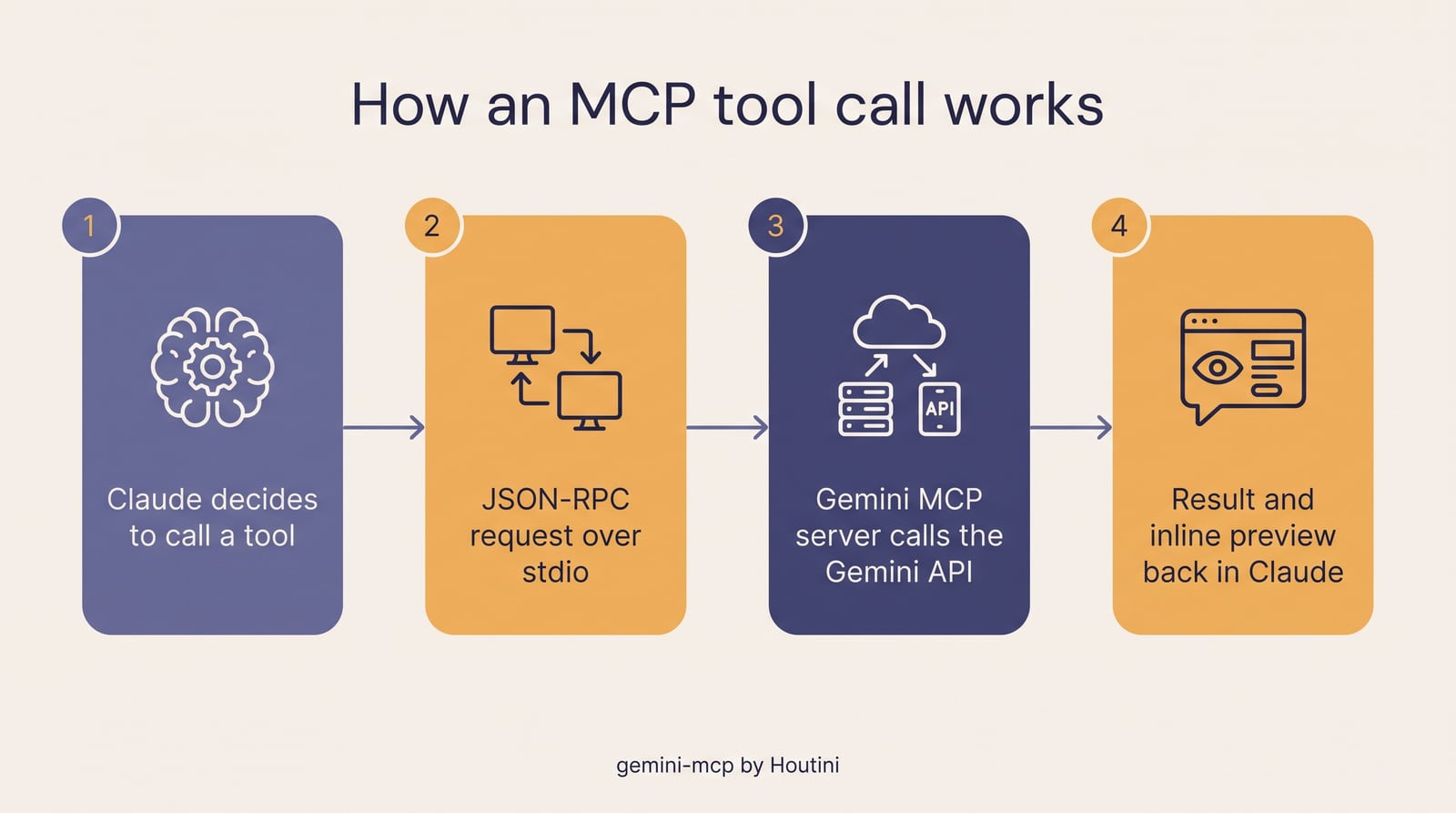
Gemini MCP is a free, open-source MCP server that gives Claude Google Gemini's best tricks as tools: grounded Google Search, image generation and editing (Nano Banana Pro and Nano Banana 2), video with sound (Veo 3.1), real SVG, and landing pages.
It doesn't replace Claude. It hands Claude the things Gemini happens to do well, so you stop flipping between browser tabs. Results preview inline in Claude Desktop through MCP Apps, not as a file path you have to go and open, and full-resolution files are saved to disk.
Built by Houtini. Apache-2.0.
It's on npm, so there's nothing to clone or build. You need Node.js 20.19 or newer and a Gemini API key from Google AI Studio.
Add it to Claude Desktop (or any MCP client):
{
  "mcpServers": {
    "gemini": {
      "command": "npx",
      "args": ["-y", "@houtini/gemini-mcp"],
      "env": {
        "GEMINI_API_KEY": "your-api-key-here"
      }
    }
  }
}
Or in Claude Code:
claude mcp add -e GEMINI_API_KEY=your-api-key-here -s user gemini -- npx -y @houtini/gemini-mcp
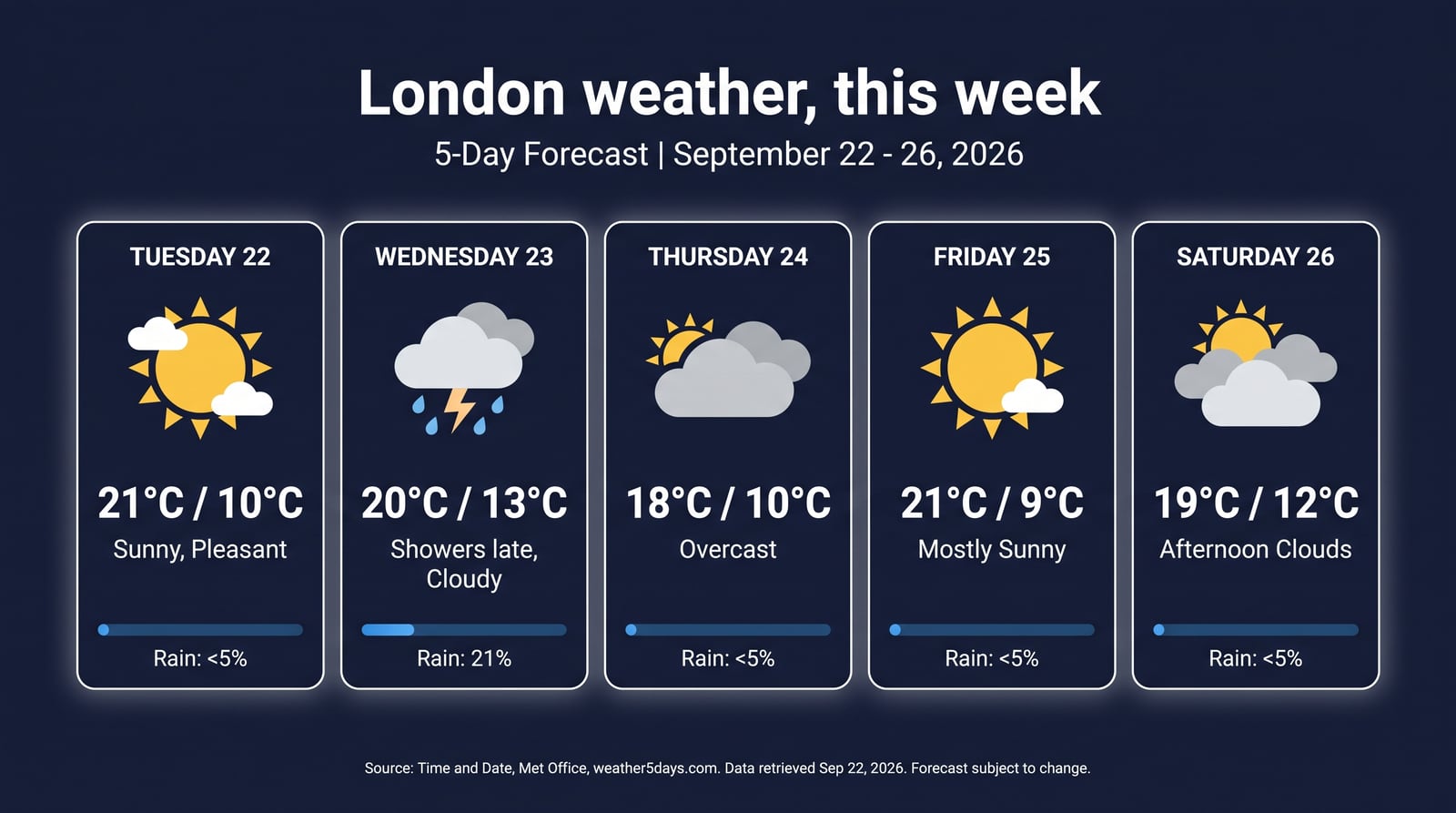
Then restart Claude and try: "Use Gemini to look up this week's London forecast and turn it into an infographic." That's one grounded generate_image call, with real dates and temperatures.
Optional settings:
GEMINI_IMAGE_OUTPUT_DIR: where images and video are saved.GEMINI_DEFAULT_MODEL: pick your chat model.GEMINI_DEFAULT_GROUNDING=false: turn search grounding off by default.thinking_level for hard problems.use_search=true it looks data up before it draws (prices, weather, results). Nano Banana 2 is there when you want speed and volume.firstFrameImage;referenceImages;gemini_help). Transient network failures are retried automatically.The server is free and open source (Apache-2.0). You pay Google for API usage on your own key.
Partly. Google gives some Flash models a free tier, but the flagship defaults for chat, deep research and image analysis are paid-only, so those calls fail on a free key. To fix it, set `GEMINI_DEFAULT_MODEL`, `GEMINI_DEEP_RESEARCH_MODEL` and `GEMINI_IMAGE_ANALYSIS_MODEL` to a free model such as `gemini-3-flash-preview`. `generate_svg` already defaults to that model. Check Google's pricing page, because the tiers change.
Every image and video is saved full-size to disk, set by `GEMINI_IMAGE_OUTPUT_DIR`. Claude gets a resized inline preview that fits the MCP transport limit; the original is never touched.
Claude Desktop (with inline image, video, SVG and page viewers), Claude Code, and any MCP-compatible client.
[github.com/houtini-ai/gemini-mcp](https://github.com/houtini-ai/gemini-mcp). The full user guide is in `docs/user-guide.md`.

Find Instagram creators and leads by niche, city, follower range or lookalike accounts.

AI search, X search and web search for AI agents, plus page extraction and X data tools. Bring your own Desearch API key.

Every match, not the top 10. Lochless is a hosted text index for LLM apps and agents. Send raw text through the API, then ask in plain English. It reads the documents in scope, up to a read limit you set, and returns eve

Fact-check any claim with live web sources. Ed25519-signed receipts. Catches hallucinations.
An MCP (Model Context Protocol) server that makes 3GPP specifications accessible to LLMs.
Comments