What's SEO Audit for Claude?
SEO Audit (SEO Console) is a free, open-source MCP server that turns Claude into a technical SEO auditor working from your own data. It merges three sources, on a site you own, into one prioritised audit:
- Google Search Console history
- A polite first-party crawl of your site
- DataForSEO on demand, if you want it
Everything is stored locally in SQLite, joined on a normalised URL, so you can ask questions no single tool answers. Pages that rank but are blocked by robots.txt. Linked pages that 404. Pages that have lost clicks while the third-party estimate says they're fine.
Every finding is labelled deterministic (backed by the bytes it cites) or judgement, and comes with a paste-ready fix.
Built by Houtini. Apache-2.0.
How to use SEO Audit
It's on npm, so there's nothing to clone or build.
What you need:
- Node.js 20 or newer
- A Search Console property you own
- A Google service-account key with access to that property
Add it to Claude Desktop (or any MCP client):
{
  "mcpServers": {
    "seo-audit-console": {
      "command": "npx",
      "args": ["-y", "@houtini/seo-audit-console"],
      "env": {
        "GOOGLE_APPLICATION_CREDENTIALS": "C:/path/to/service-account.json"
      }
    }
  }
}
Or in Claude Code:
claude mcp add seo-audit-console --env GOOGLE_APPLICATION_CREDENTIALS=/path/to/key.json -- npx -y @houtini/seo-audit-console
Then ask Claude: "Refresh example.com and run the audit". That syncs Search Console, crawls the site, inspects key URLs and returns the ranked findings, with a link to a live browser dashboard.
Optional keys unlock more:
DATAFORSEO_USERNAME / DATAFORSEO_PASSWORD: competitor, keyword, backlink and AI-search data. Pay-as-you-go, cached.MAJESTIC_API_KEY: Trust Flow on link prospects.CRUX_API_KEY: free; real-user Core Web Vitals.
Key features of SEO Audit
- 143 checks, ranked by recoverable clicks: crawlability, indexation, canonicals, redirects, hreflang, structured data, Core Web Vitals, internal PageRank, cannibalisation, soft 404s, JavaScript-render divergence, AI-answer readiness and more.
- Search Console x crawl joins: traffic to dead URLs, high-demand pages buried deep in the site, sitemap and index reconciliation, decay and lost queries over time.
- Fixes, not just findings: JSON-LD, 301 maps and internal-link suggestions, generated from the evidence.
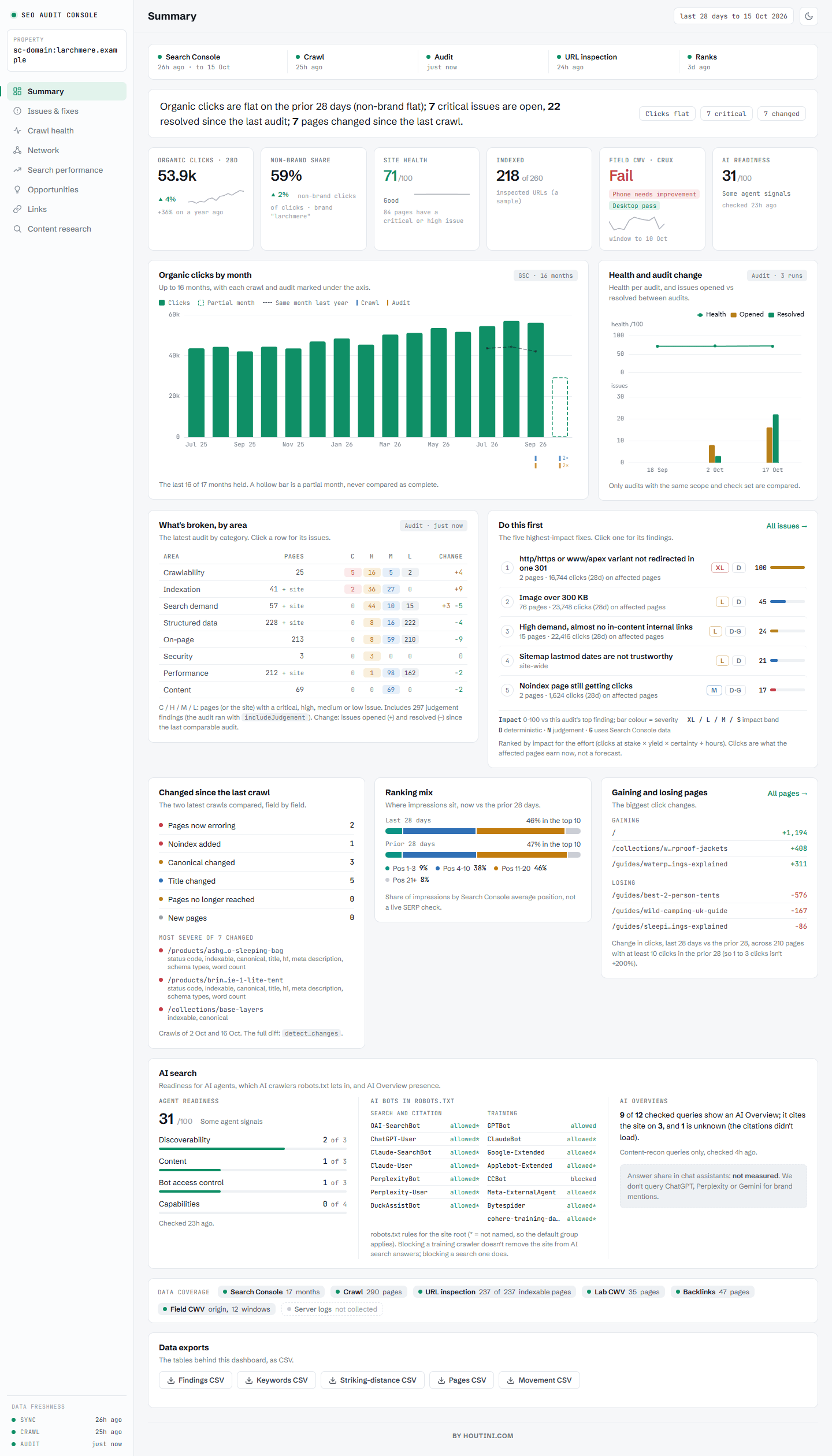
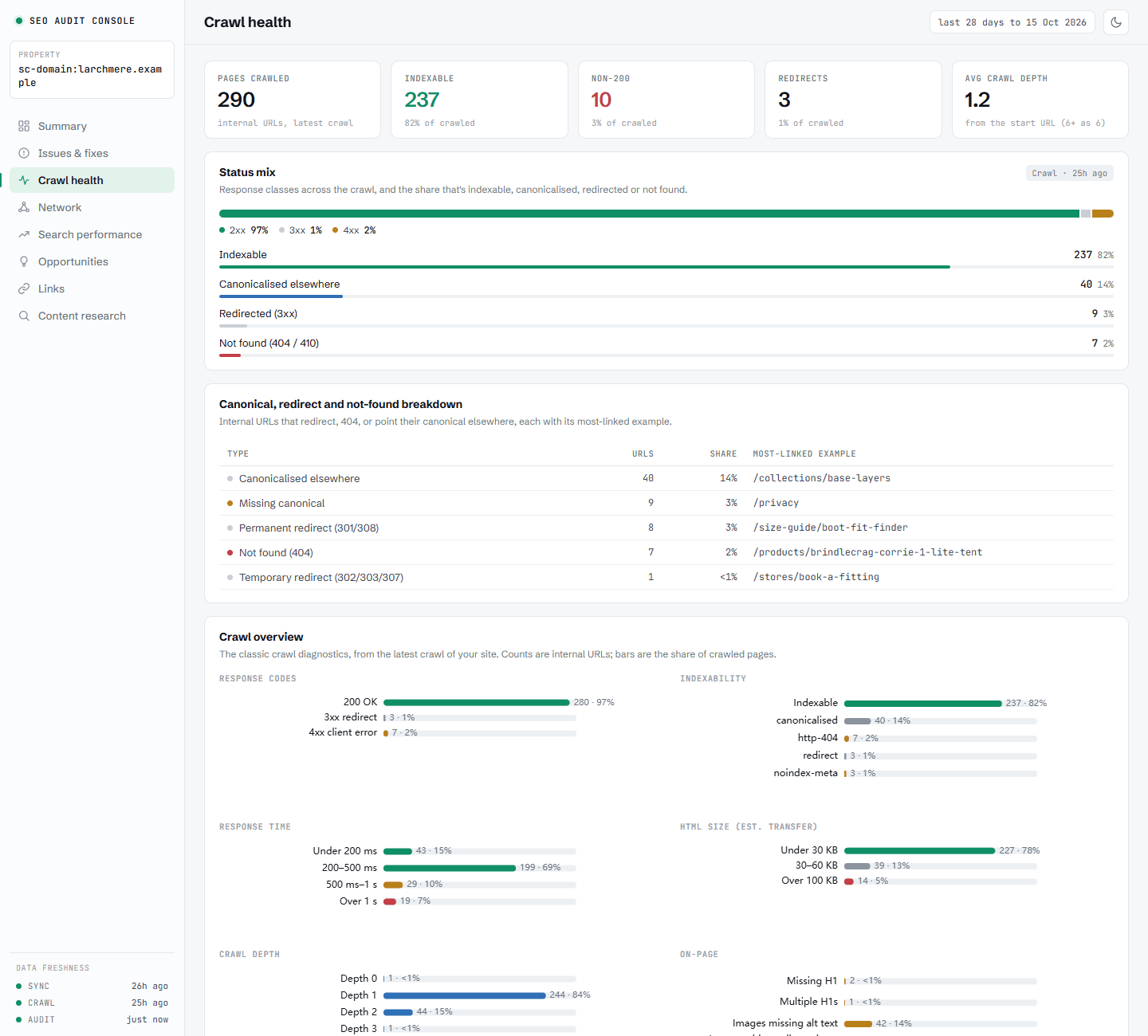
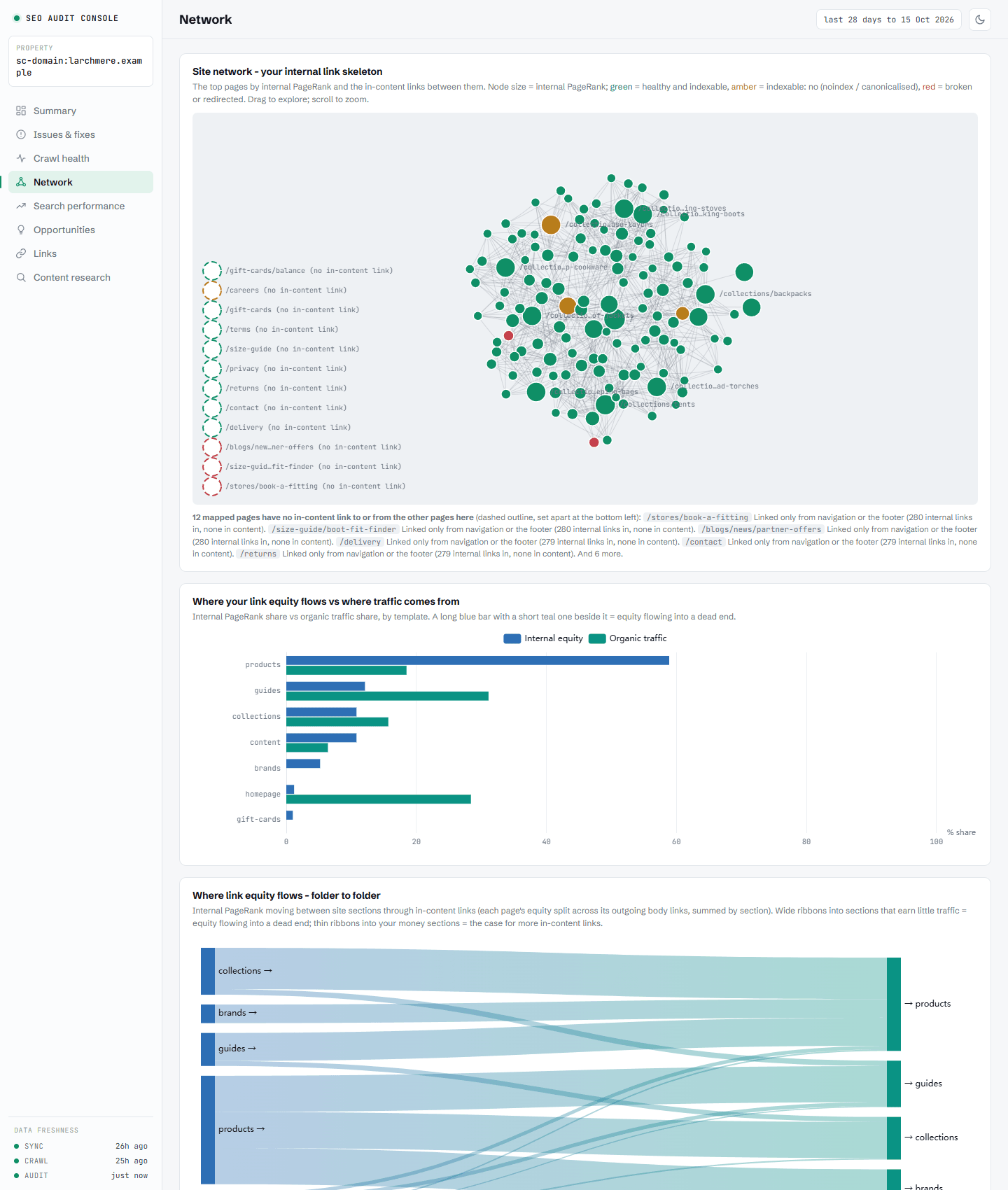
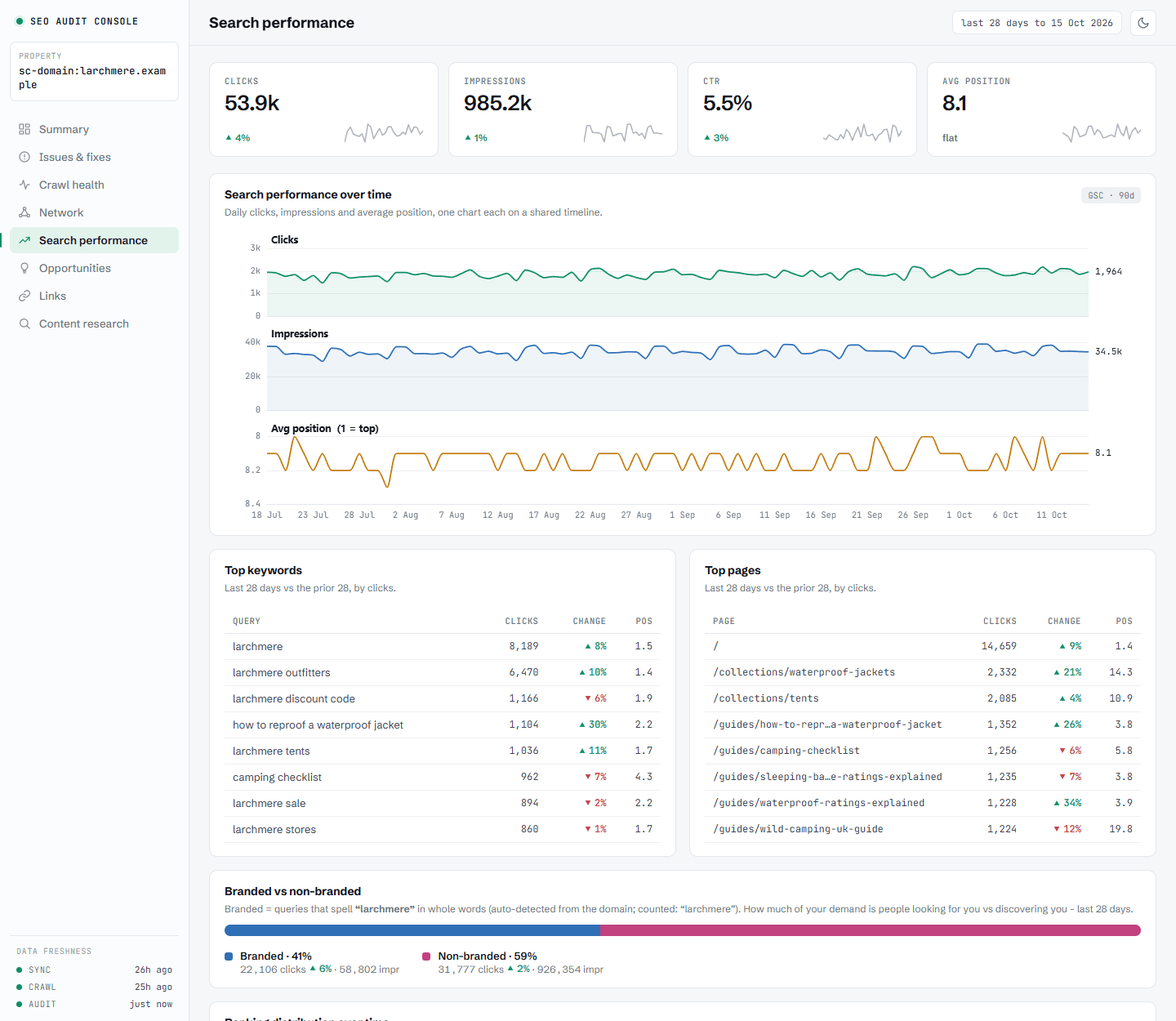
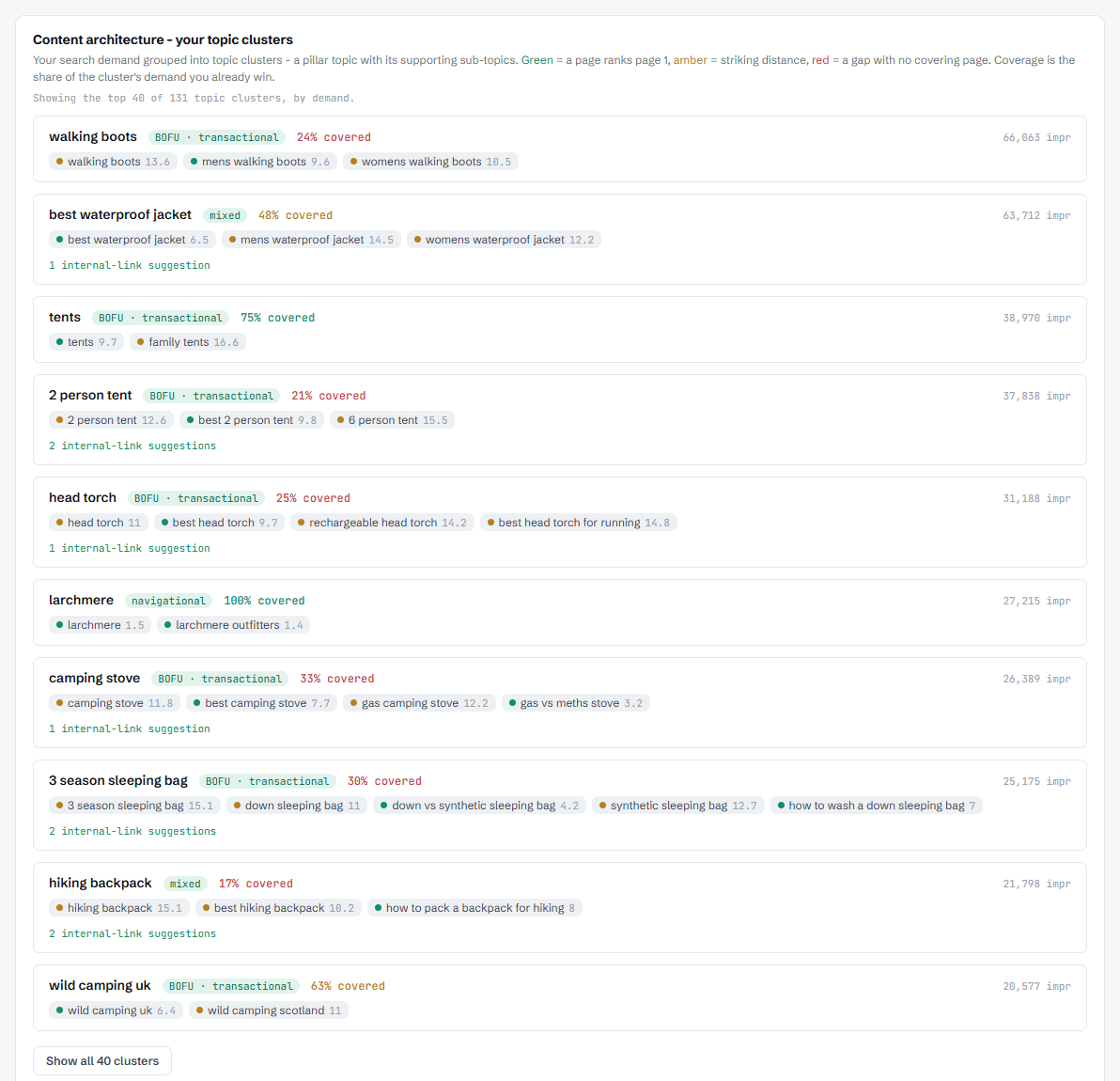
- Live dashboards: a summary, issues and fixes, crawl health, the link network, search performance and opportunities, in chat or a local browser tab, plus a shareable HTML export.
- Portfolio view: every site you own plus the competitors you watch, in one table. Measured Search Console clicks sit beside estimated traffic, referring domains, domain rank and AI mentions (Google AI Overviews and ChatGPT), with a "needs attention" tab. Refreshes quote their cost first and can be scheduled under a monthly budget cap.
- AI search readiness: whether Google's AI Overview cites your page, passage scoring with a local model (no API cost), an agent-readiness score, and content recon that explains why a page is losing.
- Competitive research on demand: competitors' top pages and keywords, content and topic gaps, market sizing, link intersect.
- 64 tools, honest by design: long jobs run in the background, every figure carries its date window, and nothing paid runs without you asking.
Use cases of SEO Audit
- Run a full technical SEO audit of your site from one prompt, and get a prioritised fix list rather than a 300-row export.
- Find out why traffic dropped: decay, lost queries, redirects, noindex changes or canonical flips between crawls.
- Monitor a portfolio of client sites and competitors, and see which ones need attention this month.
- Plan content from real demand: striking-distance keywords, new-page ideas, and pages that rank but aren't cited in AI Overviews.
- Build a backlink outreach list from the links your competitors have and you don't.
- Hand a client a shareable dashboard report.








Comments