

Datris Platform Oss MCP ServerVerifiedFeatured
@datris
Basic information

About Datris Platform Oss MCP Server
The Datris Data Platform - Open Source Version
Datris Platform Oss MCP Server config
Add this server to your MCP-compatible client using the configuration below.
{
  "mcpServers": {
    "datris-platform-oss": {
      "command": "docker",
      "args": [
        "compose",
        "-f",
        "docker-compose.standalone.yml",
        "up",
        "-d"
      ],
      "env": {
        "ANTHROPIC_API_KEY": "sk-ant-..."
      }
    }
  }
}
Datris Platform Oss MCP Server tools
Tool list not available yet
This listing does not currently have a tool list to display. This does not mean the server has no tools; check its documentation for supported capabilities.
We auto-extract tools from the README. The maintainer can list them under a ## Tools heading to populate this section.
Overview




datris.ai · Documentation · MCP Registry · PyPI
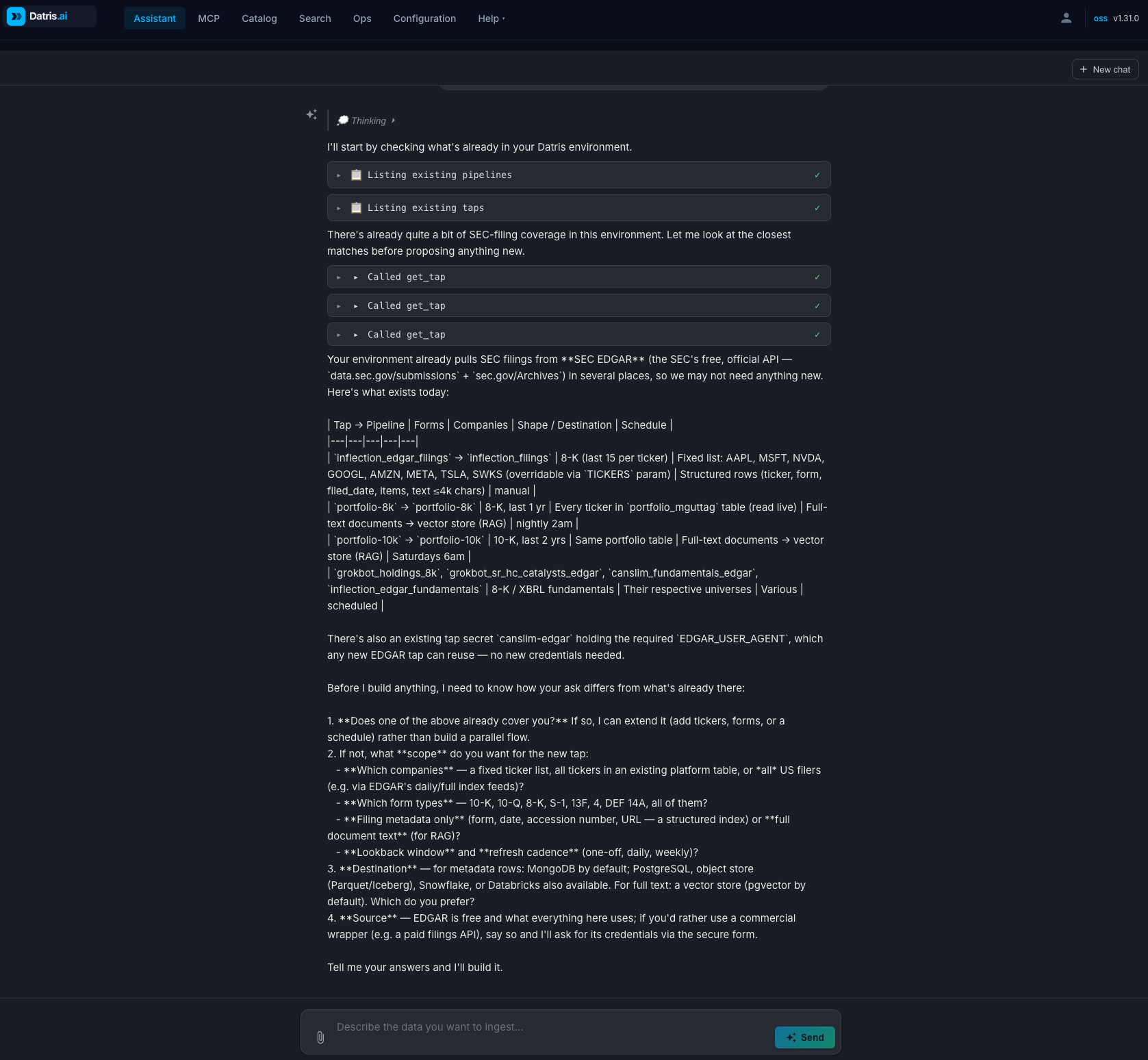
Agents ask Datris for data. Datris finds it, acquires it, validates it, lands it in the stores you already run, and returns it with provenance — over MCP, without ever holding your keys. It sits beside your warehouse and lake; it doesn't replace them.
Why Datris?
Your agents already acquire, validate, and load data. Without a control plane, they do it badly. Datris puts that work behind one governed surface:
- One MCP door — 73 capabilities behind a single MCP server. Claude, Cursor, and any MCP-compatible agent learn one interface instead of 73 integrations
- Vault-brokered credentials — the agent references a secret by name and never holds a key; agent-written code runs in an isolated container with no keys inside
- Every run recorded — job state, row counts, and provenance for every run; every generated script versioned in git
- Durable state — pipelines and sync bookmarks live in the platform, not the chat, so regenerating a script never loses its place
- The operating loop — Acquire (AI-generated taps) → Validate (plain-English rules) → Land (multi-destination pipelines) → Observe (provenance and job state) → Explain & Repair (AI error explanation), with the same audit trail every time
- Self-host anywhere — on-prem, any cloud, or your laptop; 100% open-source infrastructure (MinIO, PostgreSQL, MongoDB, Kafka, Vault), AGPL-3.0, no managed service
Quick Start
You only need Docker. This pulls pre-built images and runtime files, seeds a
.env, and starts the stack into ./datris — no git checkout required:
curl -fsSL https://get.datris.ai/install.sh | sh
Minimal install (laptop-friendly). The default stack runs about ten
containers and the bundled embedding server downloads a 2.2 GB model on first
boot. None of that is required. Three settings in .env cut it to eight small
containers, no download, and roughly 3.5 GB of memory (4 GB of Docker memory
is enough; the full stack wants 8 GB):
TEI_ENABLED=0               # skip the local embedding server and its 2.2 GB download
EMBEDDING_PROVIDER=openai   # semantic search via OpenAI (needs OPENAI_API_KEY); omit if you have no OpenAI key
POSTGRES_ENABLED=0          # optional: skip bundled Postgres; MongoDB stays as the destination
The installer sets the first two when you choose OpenAI embeddings. The datris server itself runs on a 2 GB heap by default. Details: Installation → Minimal install.
The
install.shinstaller is a POSIX shell script (macOS/Linux). On Windows, run it from WSL2 or Git Bash, or use the single-file Compose option below, which works natively in PowerShell.
Single file, no installer (works on Windows)
A fully self-contained Compose file — the init scripts and config are inlined, so nothing else is needed (requires Docker Compose ≥ 2.23):
# macOS / Linux
curl -O https://get.datris.ai/docker-compose.standalone.yml
ANTHROPIC_API_KEY=sk-ant-... docker compose -f docker-compose.standalone.yml up -d
# Windows (PowerShell) — use curl.exe, and set the key with $env:
curl.exe -O https://get.datris.ai/docker-compose.standalone.yml
$env:ANTHROPIC_API_KEY="sk-ant-..."
docker compose -f docker-compose.standalone.yml up -d
From a git clone
git clone https://github.com/datris/datris-platform-oss.git
cd datris-platform-oss
cp .env.example .env       # Add your ANTHROPIC_API_KEY and/or OPENAI_API_KEY (or the AZURE_OPENAI_* trio, XAI_API_KEY, or AI_PROVIDER=bedrock)
docker compose up -d
UI: http://localhost:4200 · API: http://localhost:8080
Connect an AI Agent
Add to your MCP client config (Claude Desktop, Claude Code, Cursor, etc.). With the Docker stack running, the npx mcp-remote stdio bridge connects to the bundled MCP server on port 3000 — your client appears in the Datris UI Agent Monitor tab with live tool-call streaming:
{
  "mcpServers": {
    "datris": {
      "command": "npx",
      "args": ["-y", "mcp-remote", "http://localhost:3000/sse", "--transport", "sse-only"]
    }
  }
}
Paste-and-go for the default local setup — no API key required when USE_API_KEYS=false (the OSS default). If your instance enables auth (USE_API_KEYS=true or hosted/multi-tenant), append "--header", "x-api-key:<your-key>" to the args array. The Configuration → Connect Your Agent page generates the snippet for you and adds the header automatically when you paste your key.
Requires Node.js on your PATH (brew install node). For a stdio alternative without Docker, or full Claude Desktop / Claude Code / Cursor walkthroughs, see Configuring Claude.
CLI
brew tap datris/tap
brew install datris
datris ingest data.csv --dest postgres
datris ingest sales.csv --ai-validate "prices > 0" --ai-transform "convert dates to YYYY/MM/DD"
datris query "SELECT * FROM sales"
datris search "quarterly revenue" --store pgvector
datris tap create "Fetch S&P 500 daily prices from yfinance" --pipeline stocks
datris taps
What It Does
Source (File Upload / MinIO Event / Database Pull / Kafka)
  → Preprocessor (optional REST endpoint)
  → Data Quality (AI rules, header validation, schema validation)
  → Transformation (AI transformation, destination schema)
  → Destinations (in parallel):
      PostgreSQL, MongoDB, MinIO (Parquet/ORC), Kafka, ActiveMQ,
      REST Endpoint, Qdrant, Weaviate, Milvus, Chroma, pgvector
  → Notifications (ActiveMQ topic)
AI-Powered Features
| Feature | Description |
|---|---|
| MCP Server | 75 tools for AI agents — pipeline CRUD, upload, query, search, profiling, taps |
| AI Data Quality | Plain English validation rules — AI generates and runs a validation script |
| AI Transformation | Plain English transformations — AI generates and runs a transformation script |
| AI Schema Generation | Upload a file, get a complete pipeline config |
| AI Data Profiling | Upload a file, get statistics + suggested validation rules |
| AI Error Explanation | Job failures explained in plain English |
| Natural Language Query | Ask questions in English, get SQL results |
| RAG Pipeline | Chunk, embed, and search across 5 vector databases |
Supported Formats
CSV, JSON, XML, Excel, PDF, Word (DOCX), plain text
AI Providers
Anthropic Claude (Opus 4.8 default for chat and CodeGen) · OpenAI (GPT-5.5) · Azure OpenAI (bring your Azure resource; models by deployment name) · Amazon Bedrock (Claude through your AWS account — IAM auth, AWS billing, IAM-role support with zero stored keys) · Grok (xAI's models through their OpenAI-compatible API) · Ollama (local models, optional). Embeddings via OpenAI text-embedding-3-small (recommended when you have an OpenAI key), Azure OpenAI, the bundled TEI sidecar (BAAI/bge-m3 — fully local, no API key), or Ollama.
Architecture
| Service | Purpose |
|---|---|
| MinIO | S3-compatible object store for file staging and data output |
| PostgreSQL | Default structured destination, also hosts pgvector for RAG |
| MongoDB | Configuration store, job status tracking, metadata |
| ActiveMQ | File notification queue, pipeline event notifications |
| HashiCorp Vault | Secrets management (database credentials, API keys) |
| TEI | Text Embeddings Inference sidecar (BAAI/bge-m3) — local vector embeddings when you're not using OpenAI embeddings |
| Apache Kafka | Optional streaming source and destination |
| Apache Spark | Local Spark for writing Parquet/ORC to MinIO |
Documentation
Full documentation at docs.datris.ai or locally at docs/.
License
More MCP servers

OpenZiti MCP Gateway
openzitiNetFoundry MCP Gateway enables secure, isolated access to Model Context Protocol (MCP) tools across distributed systems without exposing public endpoints. Zero trust gateway for MCP servers. Aggregate, filter, and secure

Clipkit
clipkit-videoThe video infra for AI agents: compose motion-graphics video from one JSON document (open Clipkit Protocol), validate before it costs anything, preview stills in-chat, and render deterministic MP4s on a GPU runtime.

Capgo MCP
Cap-goConsole, Backend and CLI to manage Capgo Instant update and Native build for Capacitor apps Build and upload to app store your mobile app

Dreamwork
dreamworkhqDreamwork MCP server: job search, tailored application materials, and application tracking for AI assistants.

x402-list-mcp
mcccsmMCP server for x402-list.com: discover x402 payment services and on-chain-verified facilitator settlement volumes. Published on npm as x402-list-mcp.
Comments