

What MCP servers or AI tools does Strata integrate with?
Strata works with any MCP‑compatible AI, including Claude Code, Codex CLI, and other tools that support the Model Context Protocol.
@agenerationforwordz-tech
Basic information
Strata is a self hosted AI memory server. Your AI remembers everything across every session, on your own hardware.
Documentation reviewed 2026-10-25
STRATA is a self-hosted memory project, but its README now marks it as superseded by SOLUM. New users should evaluate the successor before starting a fresh STRATA deployment.
Follow the upstream SOLUM link for current development. Existing STRATA users should back up memory and review migration requirements before changing storage. Do not use the public demo settings for a private deployment; the README says demo mode permits blank dashboard passwords.
These notes check the linked documentation, not a live authenticated connection. Suggested checks are steps for you to run.
Add this server to your MCP-compatible client using the configuration below.
{
  "mcpServers": {
    "strata": {
      "type": "http",
      "url": "http://YOUR_HOST:4320/mcp",
      "headers": {
        "X-API-Key": "YOUR_AGENT_KEY"
      }
    }
  }
}Tool list not available yet
This listing does not currently have a tool list to display. This does not mean the server has no tools; check its documentation for supported capabilities.
Fetch the live tool list directly from this server's endpoint using the button above.
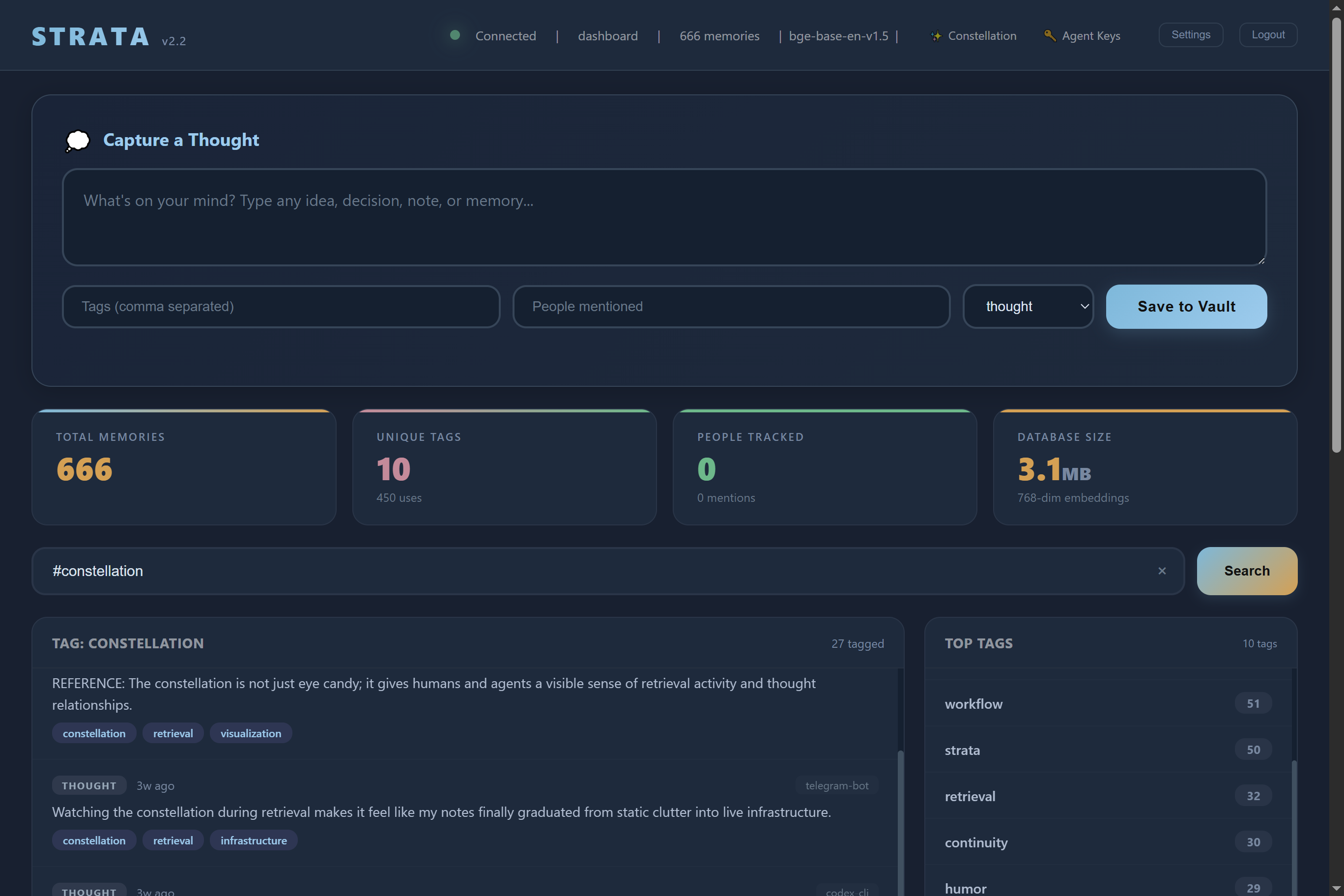
Strata is a self‑hosted AI memory server that gives any MCP‑compatible AI agent persistent, long‑term memory on your own hardware. It stores thoughts as vector embeddings, provides semantic search, a file vault, and a 3D constellation viewer — and runs on a Raspberry Pi.
Clone the repository, create a Python virtual environment, install dependencies (pip install -r requirements.txt), and run python server.py. The web dashboard is accessible at http://localhost:4320/dashboard. Per‑agent API keys can be managed from /admin/agents, and the server can be configured with environment variables such as STRATA_DEMO_MODE=true for a quick demo.
Strata works with any MCP‑compatible AI, including Claude Code, Codex CLI, and other tools that support the Model Context Protocol.
Yes, the entire system — semantic search, file storage, and embeddings — runs on a Raspberry Pi 4B with 4 GB of RAM.
Data is stored locally in a SQLite or PostgreSQL database (with optional pgvector). You can also enable AES‑256 encryption at rest via SQLCipher.
Strata requires Python, ONNX Runtime, FastEmbed, and optionally PostgreSQL 17 with pgvector for production deployments. Initial install downloads about 700 MB of binary wheels.
Each agent receives a unique API key with granular read/write/delete/admin/kill permissions, managed from the `/admin/agents` panel. A global MCP kill switch can lock all agents out instantly.

🔥 MaxKB is an open-source platform for building enterprise-grade agents. 强大易用的开源企业级智能体平台。

Senso MCP turns a Joomla 5 or 6 site into a remote MCP server. It runs inside Joomla itself (no extra server, no Node.js bridge) and is secured with OAuth 2.1 and Joomla's own ACL. The free pack lets an AI assistant crea

Request dedicated senior developers to work on your project, write job descriptions, and prep technical interviews — all without leaving your Claude chat. Just describe what you need, and Lemon.io MCP does the rest. 1–3

Hindsight: Agent Memory That Learns

This open-source curriculum introduces the fundamentals of Model Context Protocol (MCP) through real-world, cross-language examples in .NET, Java, TypeScript, JavaScript, Rust and Python. Designed for developers, it focuses on practical techniques for building modular, scalable,
Comments