
Agent Audit
@fullstackdegen
Agent Audit について
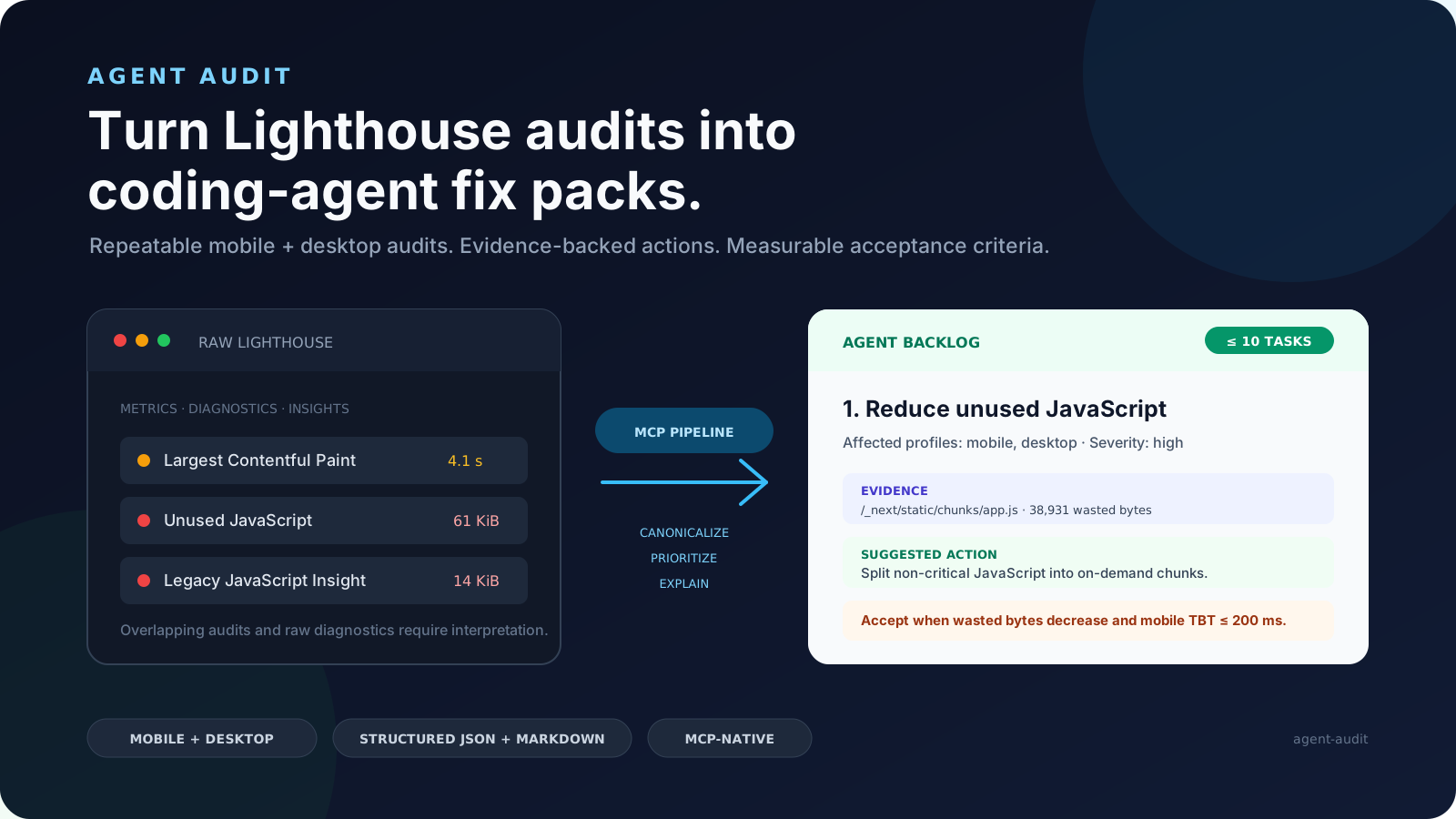
Agent Audit runs Lighthouse against any URL and converts the output into structured fix packs your coding agent can execute. Each fix pack includes the failing audit evidence, CSS selectors to locate the issue in your repo, implementation steps, and acceptance criteria to verify
基本情報

設定
以下の設定を使って、このサーバーを MCP 対応クライアントに追加してください。
{
  "mcpServers": {
    "agent-audit": {
      "command": "npx",
      "args": [
        "-y",
        "@fullstackdegen/agent-audit"
      ]
    }
  }
}
ツール
ツールは検出されませんでした
ツールは README から自動的に抽出されます。メンテナーは ## Tools という見出しの下に記載することで、このタブに反映できます。
概要
What is Agent Audit?
Agent Audit runs Google Lighthouse against any URL and converts the raw performance report into structured fix packs that coding agents can execute. It is designed for developers who want automated, actionable guidance to improve web performance, accessibility, SEO, and LLM visibility.
How to use Agent Audit?
Install via the MCP add command: claude mcp add agent-audit -- npx -y @fullstackdegen/agent-audit. After setup, provide a URL to audit to receive a structured fix pack.
Key features of Agent Audit
- Runs Lighthouse audits for Performance, Accessibility, and SEO
- Generates structured fix packs with evidence and instructions
- Includes repo search hints to locate issues in codebase
- Tests LLM visibility and llms.txt readiness
- Checks links, images, alt text, and optimization
Use cases of Agent Audit
—
FAQ from Agent Audit
What does Agent Audit test?
It tests Performance (FCP, LCP, CLS, TBT with 3-run medians), Accessibility (WCAG issues with failing selectors), Technical SEO (canonical, robots, metadata, JSON-LD, Open Graph), LLM visibility (AI crawler signals, llms.txt readiness), and Links & images (broken links, missing alt text, image optimization).
How do I install Agent Audit?
Install using the MCP add command: claude mcp add agent-audit -- npx -y @fullstackdegen/agent-audit.
What is included in a fix pack?
Each fix pack includes the failing audit evidence (CSS selectors, URLs), repo search hints to locate the issue in your codebase, step-by-step implementation instructions, and acceptance criteria to verify the fix by re-running the audit.
「AI とエージェント」の他のコンテンツ

MCP-NixOS - Because Your AI Assistant Shouldn't Hallucinate About Packages
utensilsMCP-NixOS - Model Context Protocol Server for NixOS resources

mcp-hfspace MCP Server 🤗
evalstateMCP Server to Use HuggingFace spaces, easy configuration and Claude Desktop mode.

MCP Manager for Claude Desktop
zueaisimple web ui to manage mcp (model context protocol) servers in the claude app

欢迎来到 智言平台
Shy2593666979AgentChat 是一个基于 LLM 的智能体交流平台,内置默认 Agent 并支持用户自定义 Agent。通过多轮对话和任务协作,Agent 可以理解并协助完成复杂任务。项目集成 LangChain、Function Call、MCP 协议、RAG、Memory、HITL、Skill、Milvus 和 ElasticSearch 等技术,实现高效的知识检索与工具调用,使用 FastAPI 构建高性能后端服务。

Sequential Thinking Multi-Agent System (MAS)
FradSerAn advanced sequential thinking process using a Multi-Agent System (MAS) built with the Agno framework and served via MCP.
コメント